Alerts
Set up alerts and review activity events, such as long idle time, late login or long breaks.
Time tracking, attendance, PC activity, tasks and reports. Pick an area to jump straight to it, then hover, click and zoom into the real product.
Active, no-network, break and idle time for every work session.
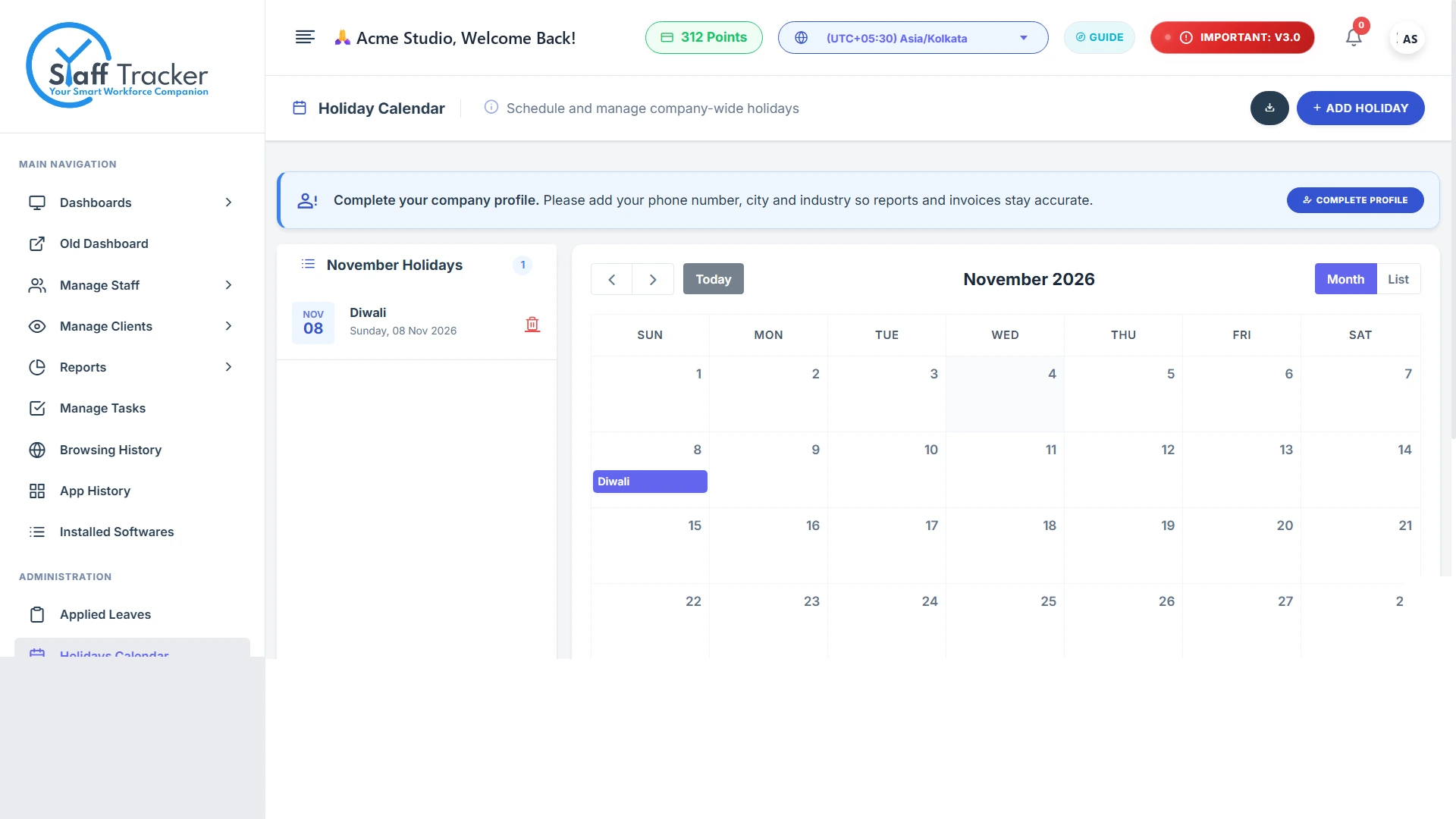
02Monthly attendance, applied leaves and a holiday calendar.
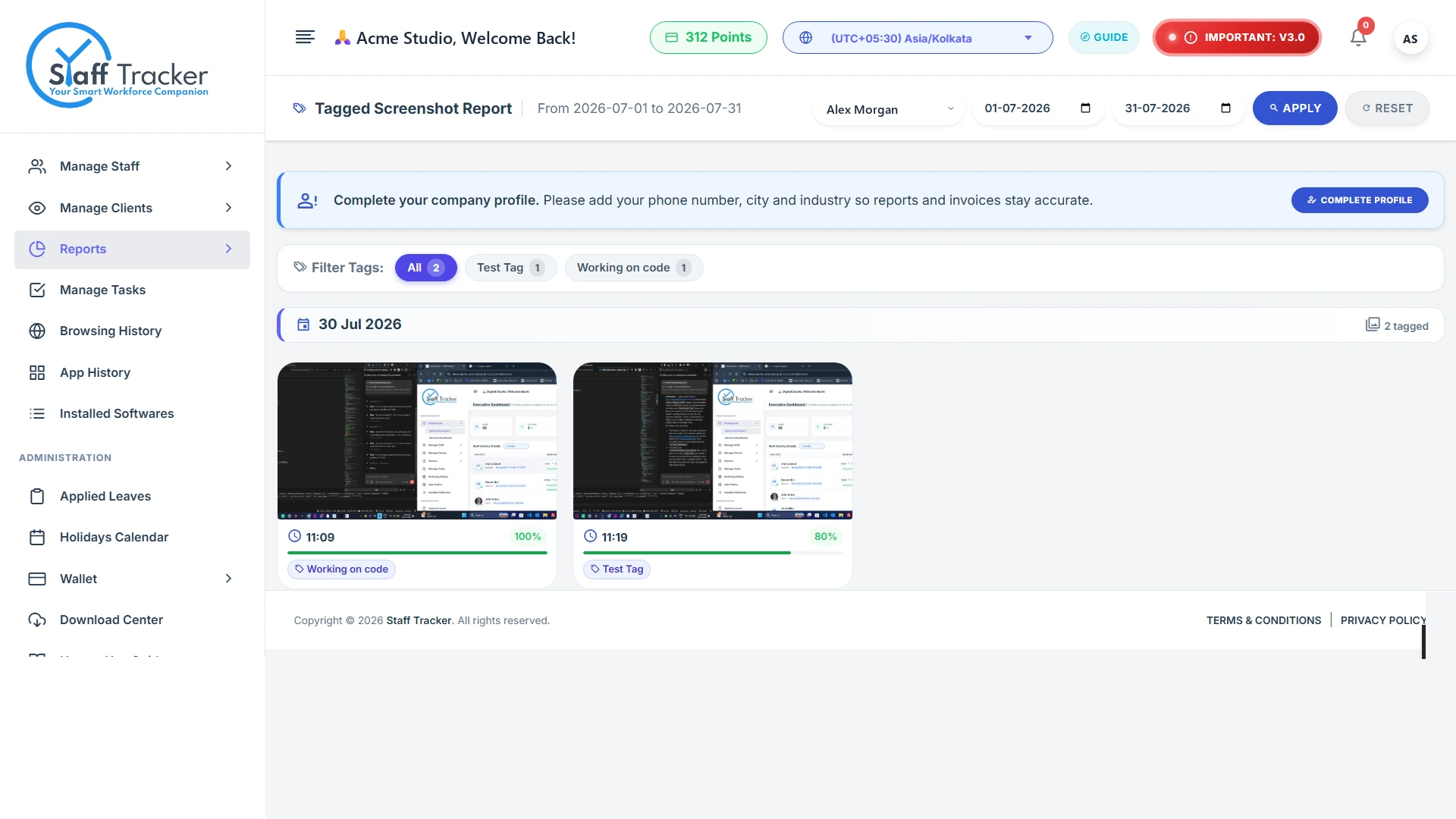
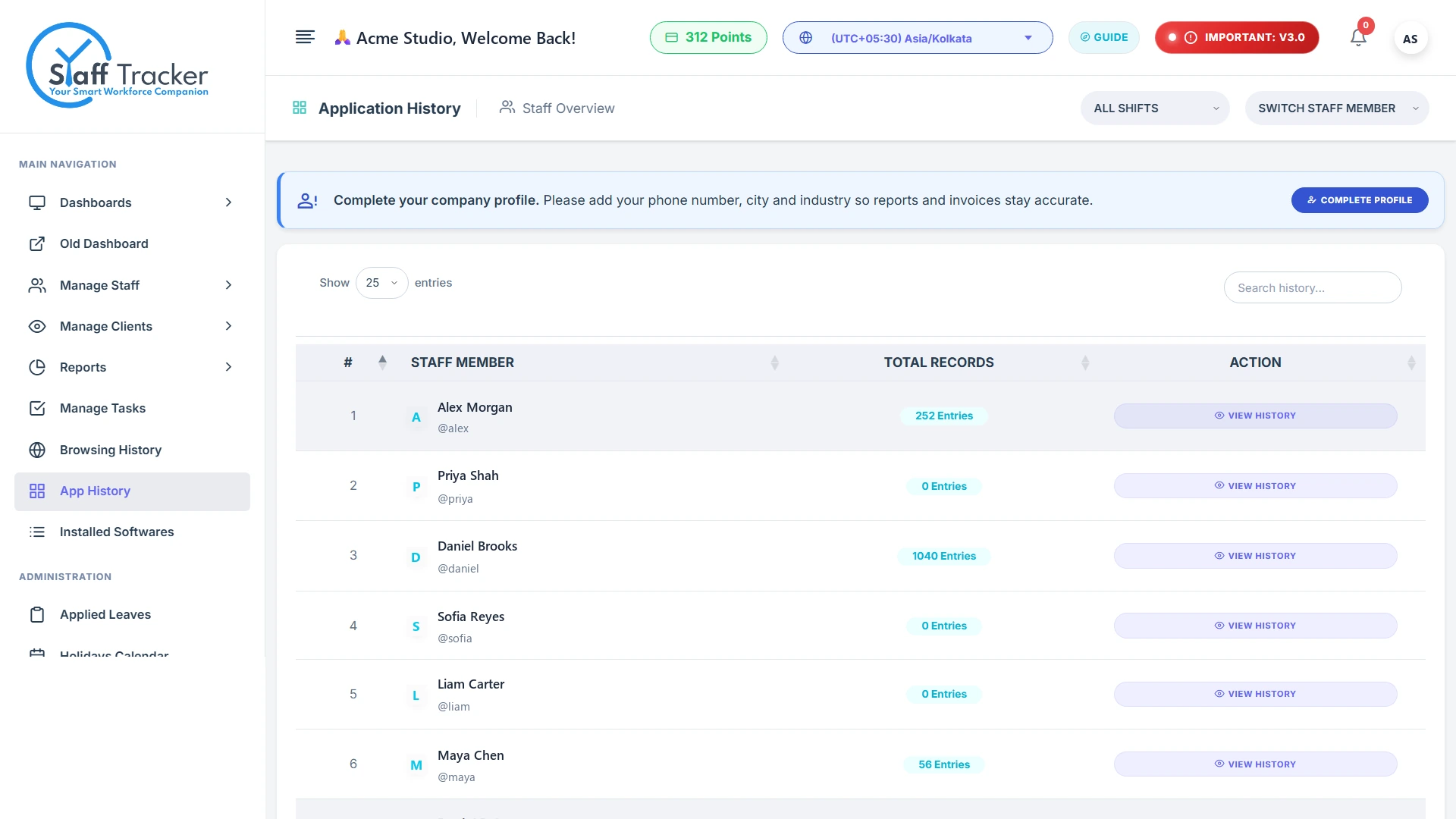
03Screenshots, application history, browsing and installed software.
04A task manager with status and priority, and advanced analytics.
Employees start, pause and punch out in the desktop app. Staff Tracker splits each session into active, no-network, break and idle time, so the day adds up.
Hover or tap a block to see its time range, websites and apps. Click a legend item to focus on it. Sample data for one employee.
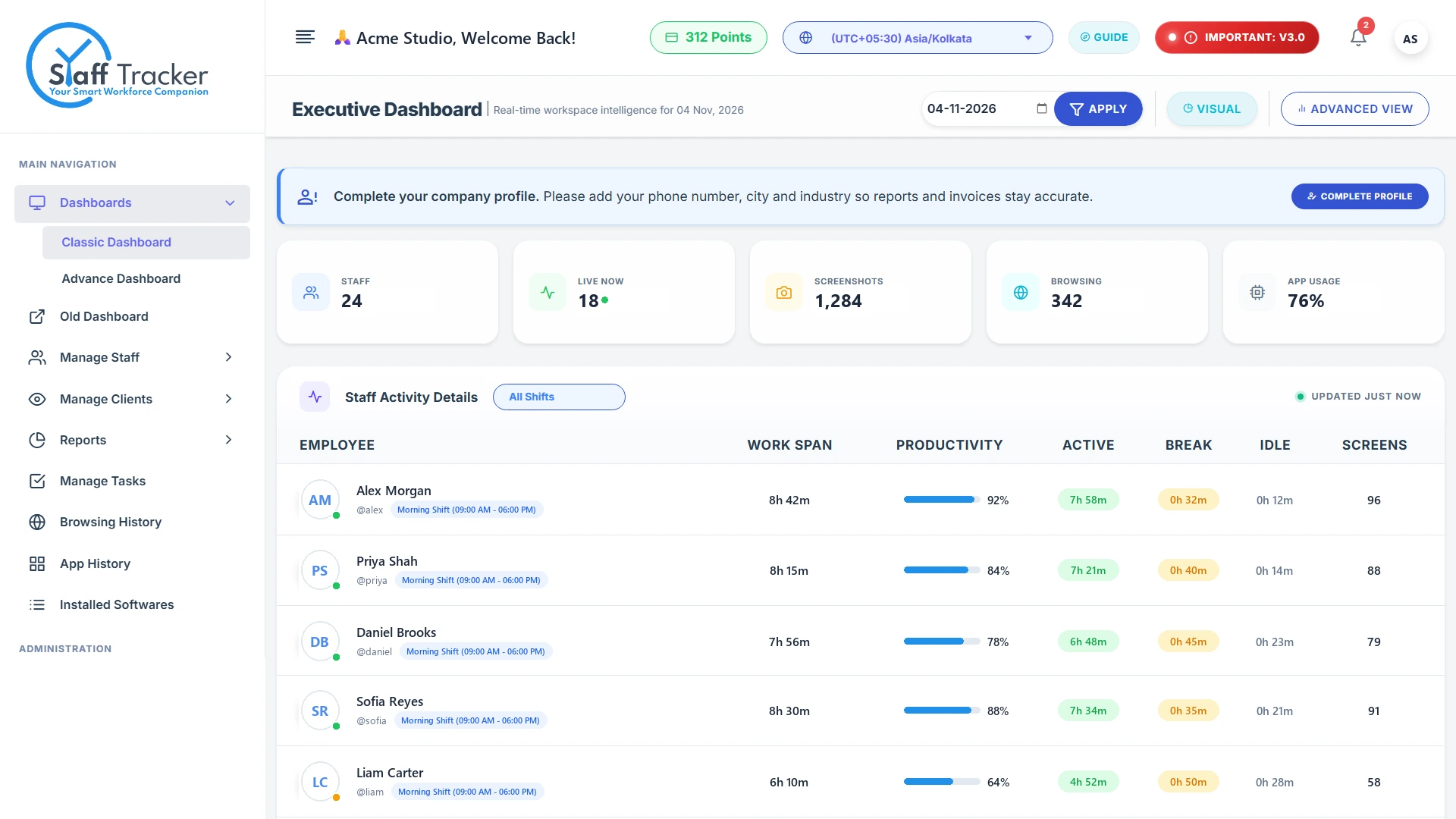
The executive dashboard lists every employee with work span, productivity, active, break and idle time, plus how many screenshots were captured. Filter by shift to see only that group.
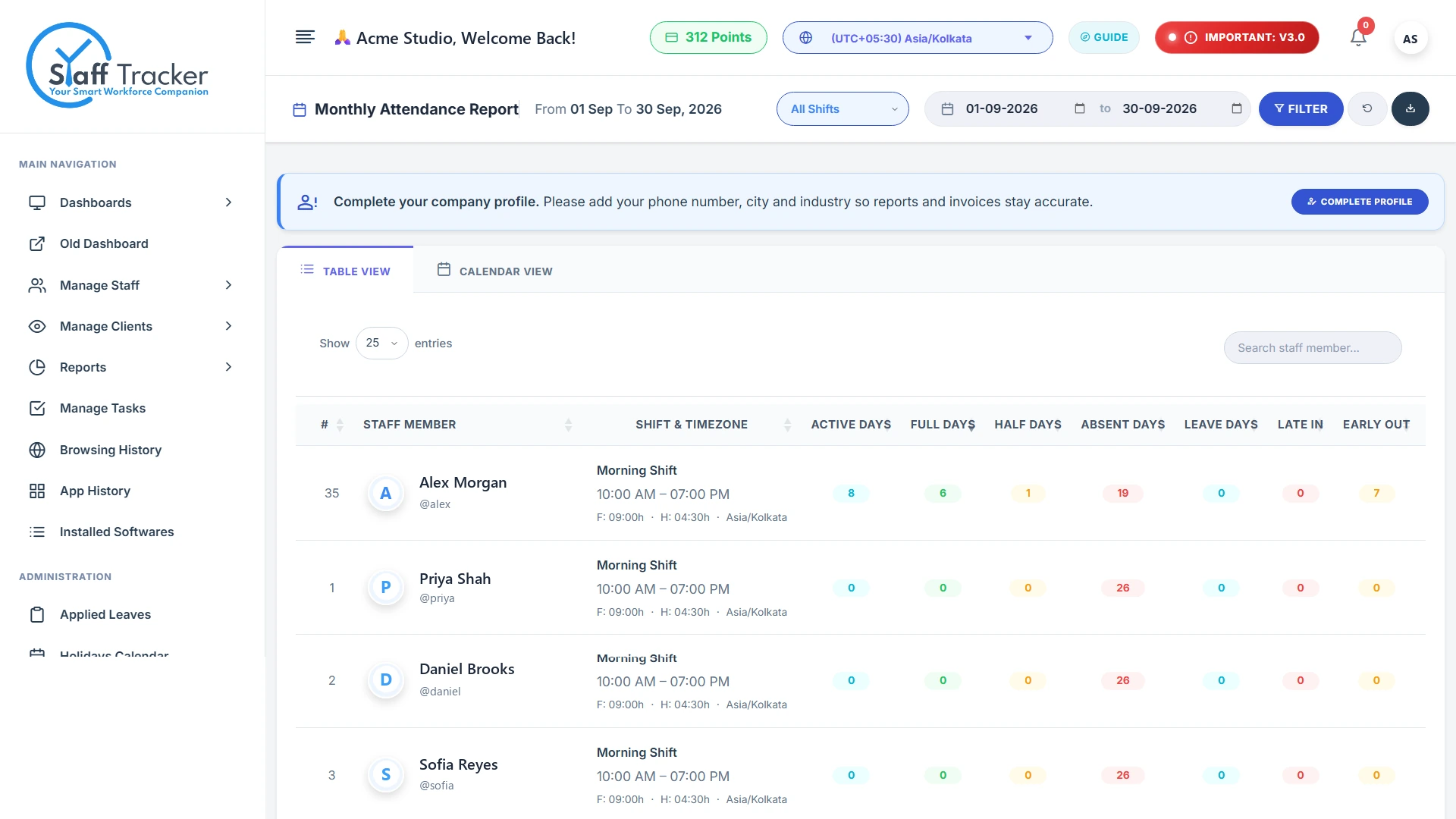
Hover the screenshot to zoom · click to open full sizeEvery punch-in and punch-out adds up to a monthly report with full, half, absent and leave days, plus late-ins and early-outs. Click any day below to see how it was counted.
Punched in after the shift start, counted as a late-in.
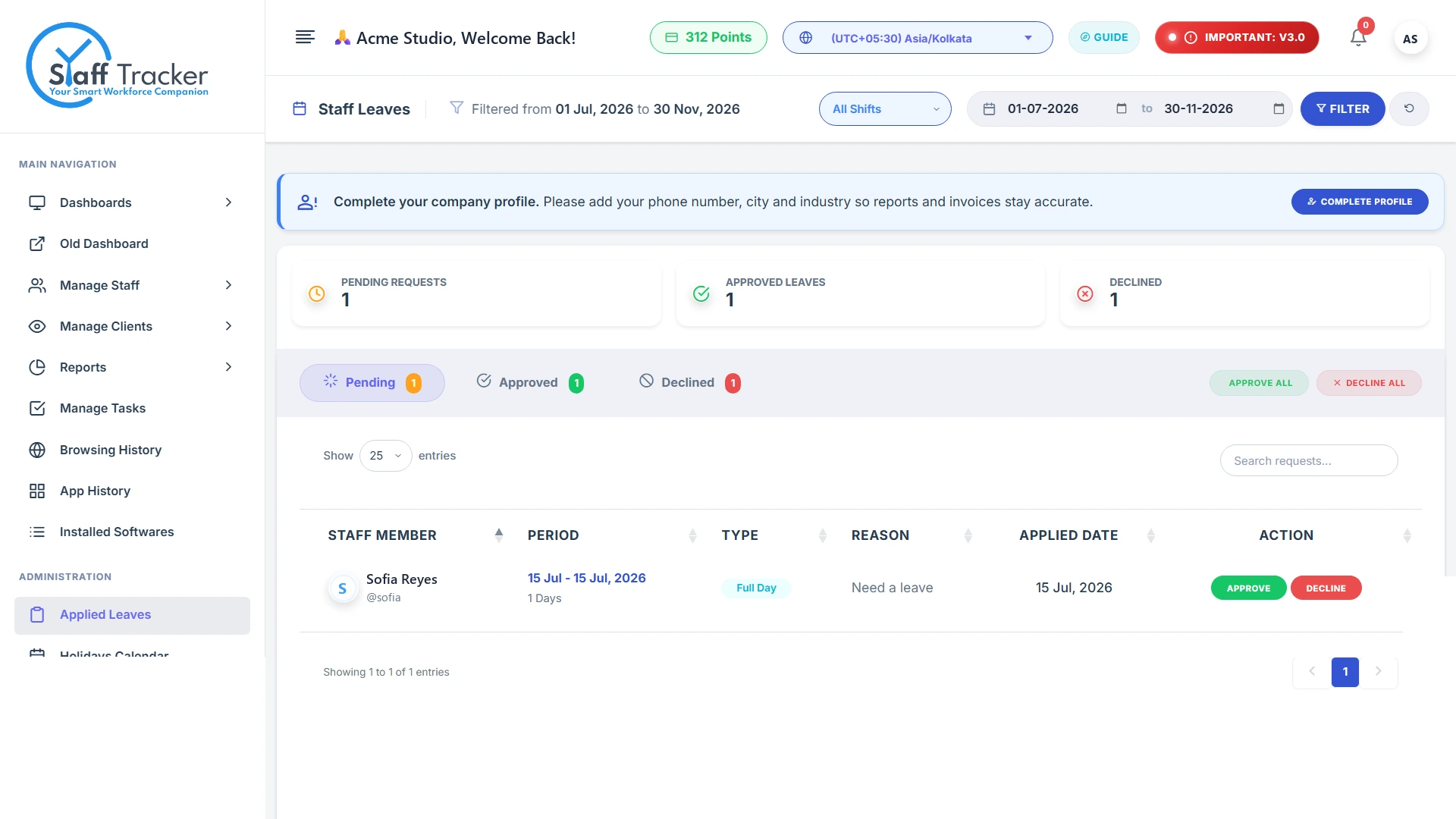
Screenshots, applications, websites and installed software explain every tracked hour. Choose a view on the left.
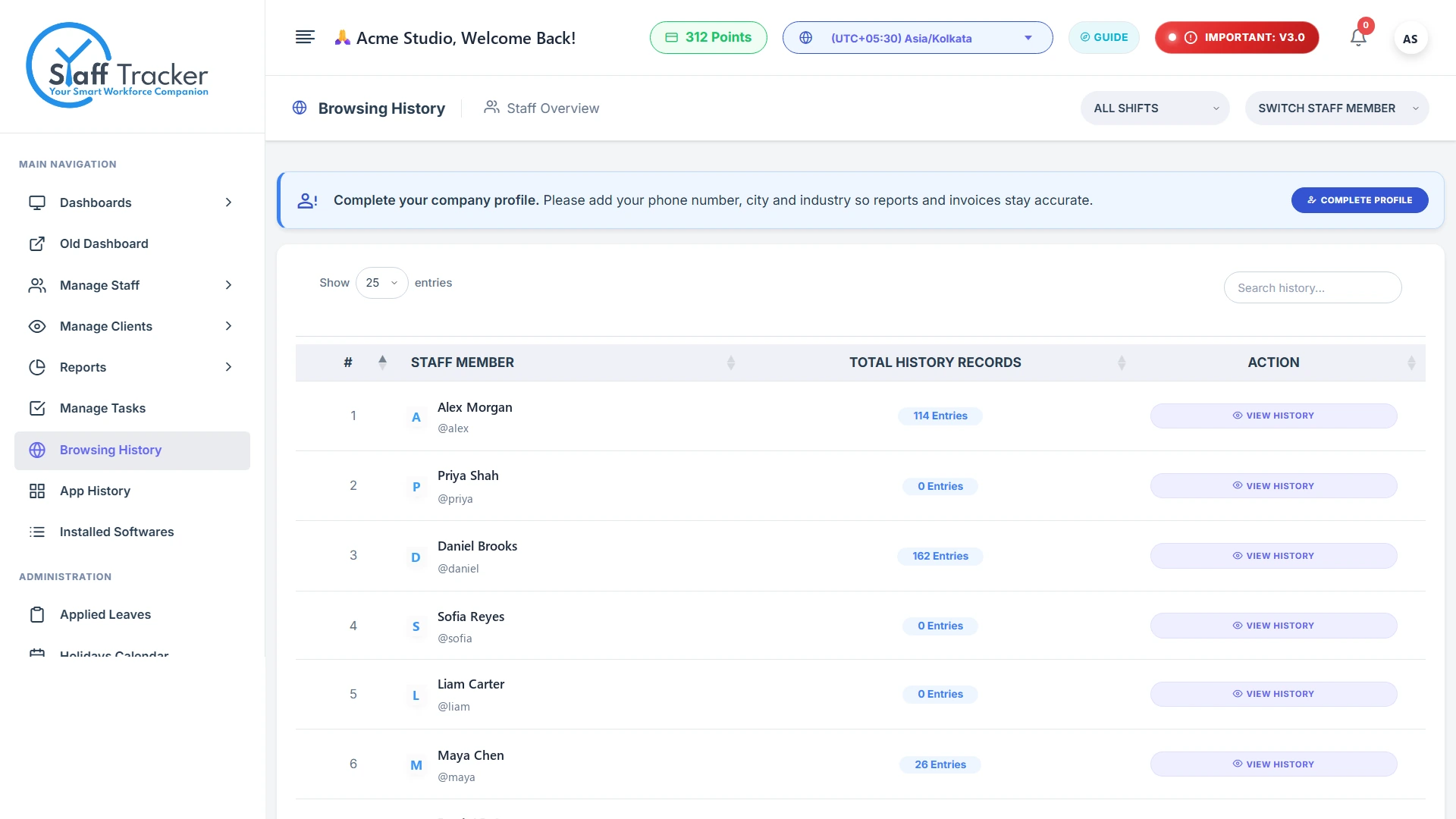
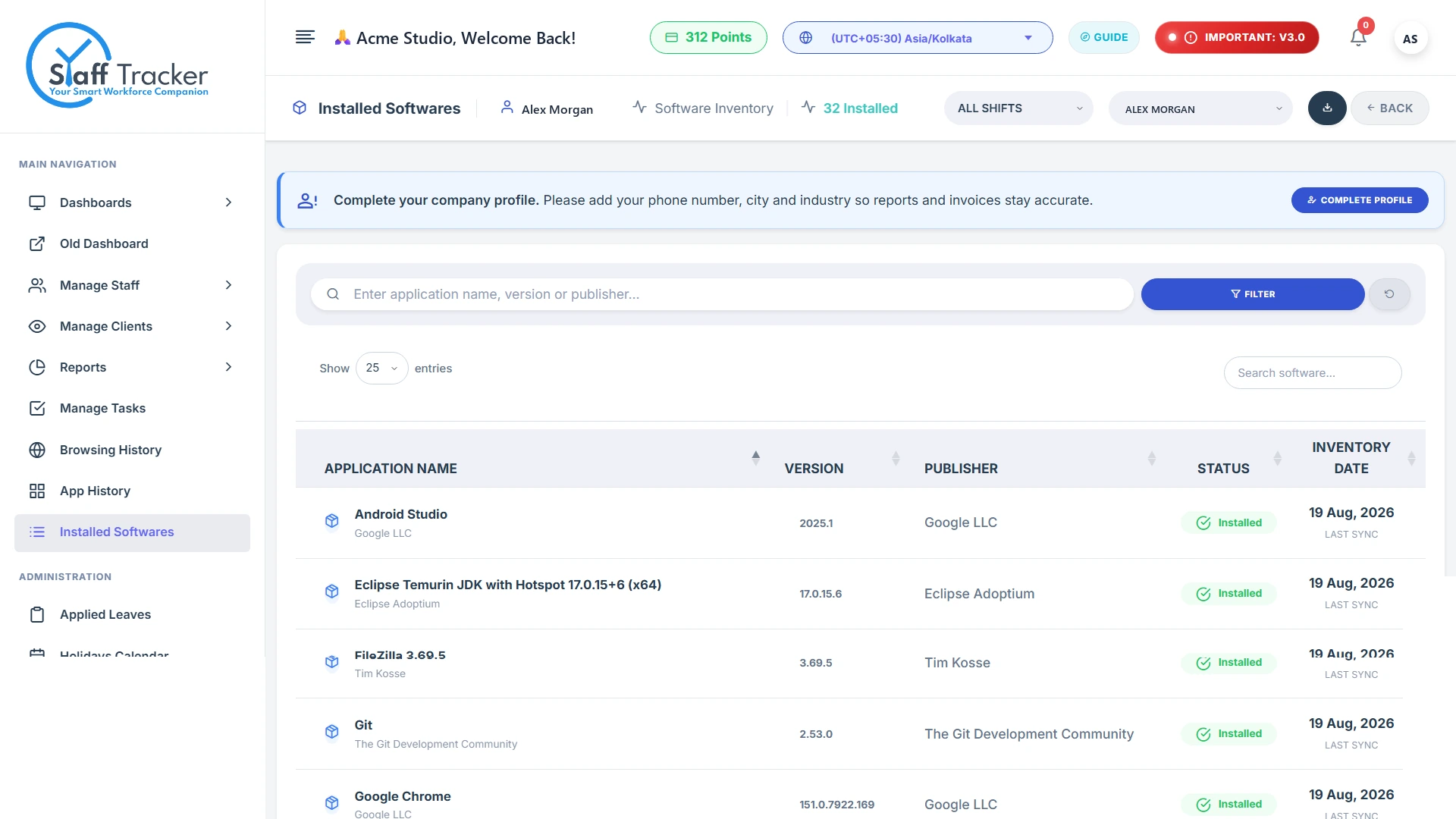
Visible to the employee, too. The desktop app always shows the timer, the tracking status and when the last screenshot was taken.
Assign tasks with priority and due dates, then review completion in the advanced analytics report for any date range. Point at a status to focus on it.
Sample report · 61 tasks, 01 Jul to 04 Oct 2026
The report also charts tasks by priority, and can be exported.
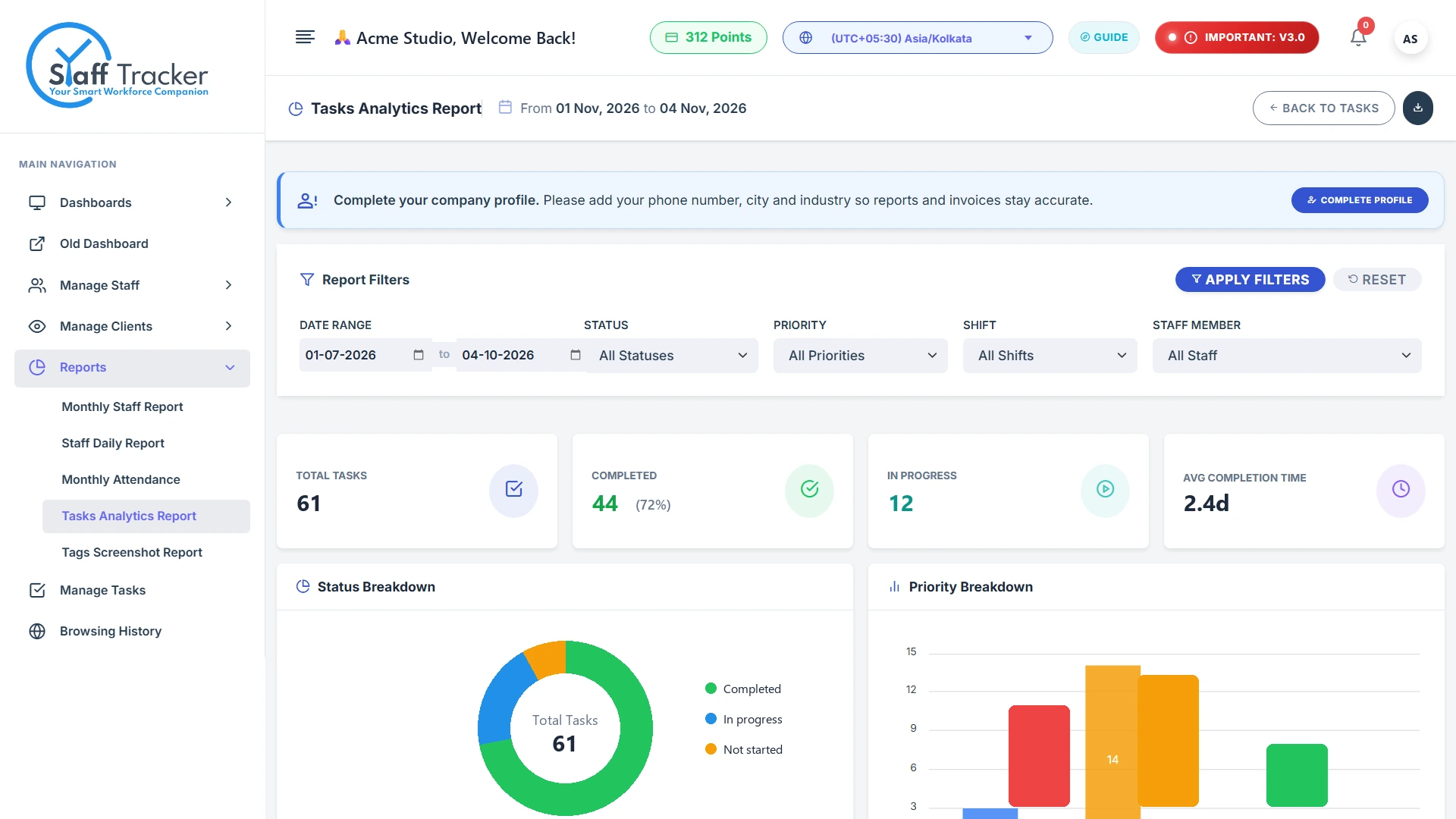
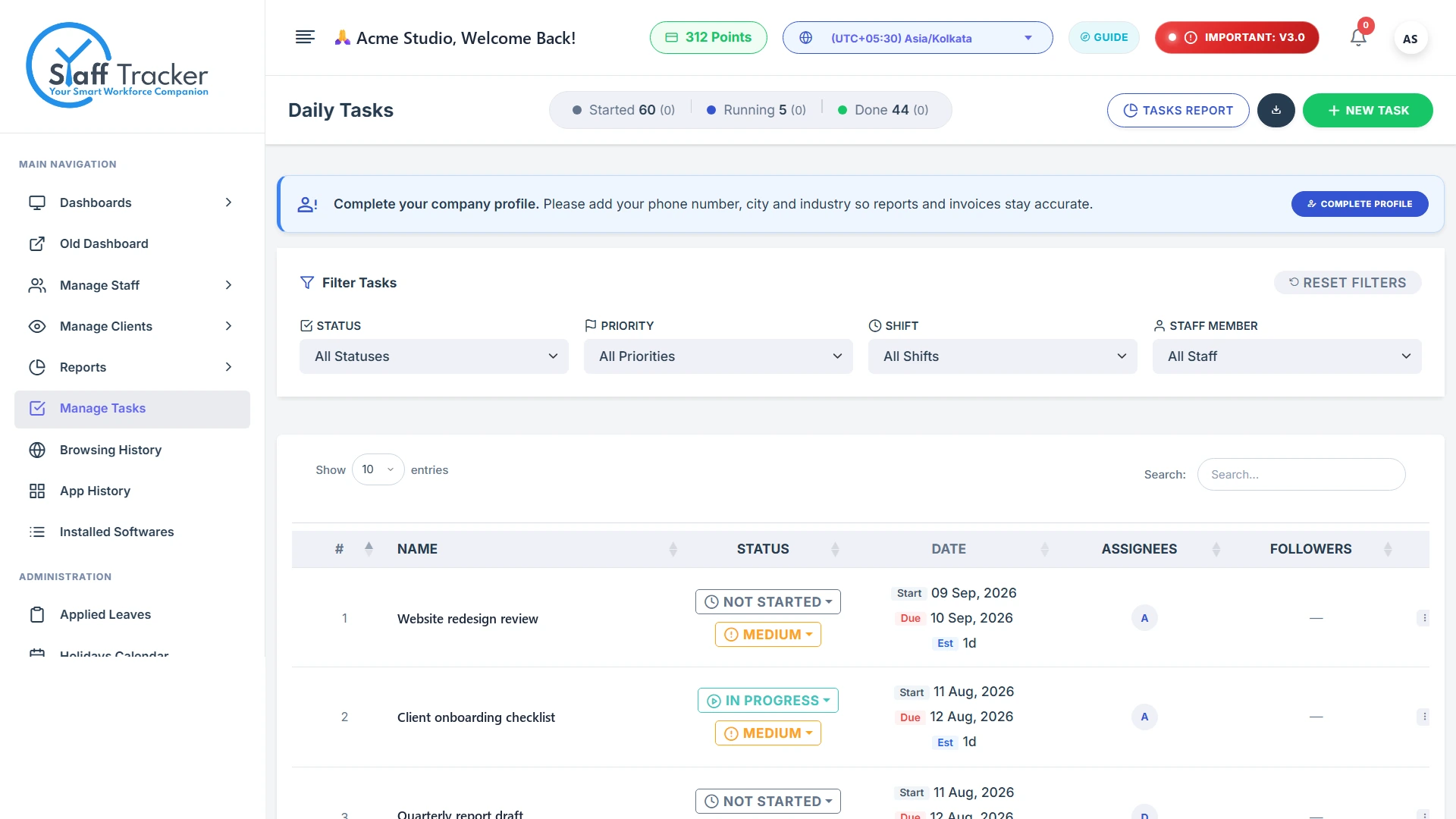
The donut and numbers above are sample figures for illustration.
Set up alerts and review activity events, such as long idle time, late login or long breaks.
Recharge, track your points and print payment receipts. 1 point = 1 user for 1 month.
Give clients view-only access to the staff and reports you choose.
Get the desktop app and follow the step-by-step guide to set up your team.
Choose Basic, Standard or Premium. Features that are not in the plan are dimmed.
Register your organisation, add your team and install the desktop app. The Basic plan is free.