Four things Staff Tracker does every day, each shown with the real screen it happens on.
1
Track every work session.
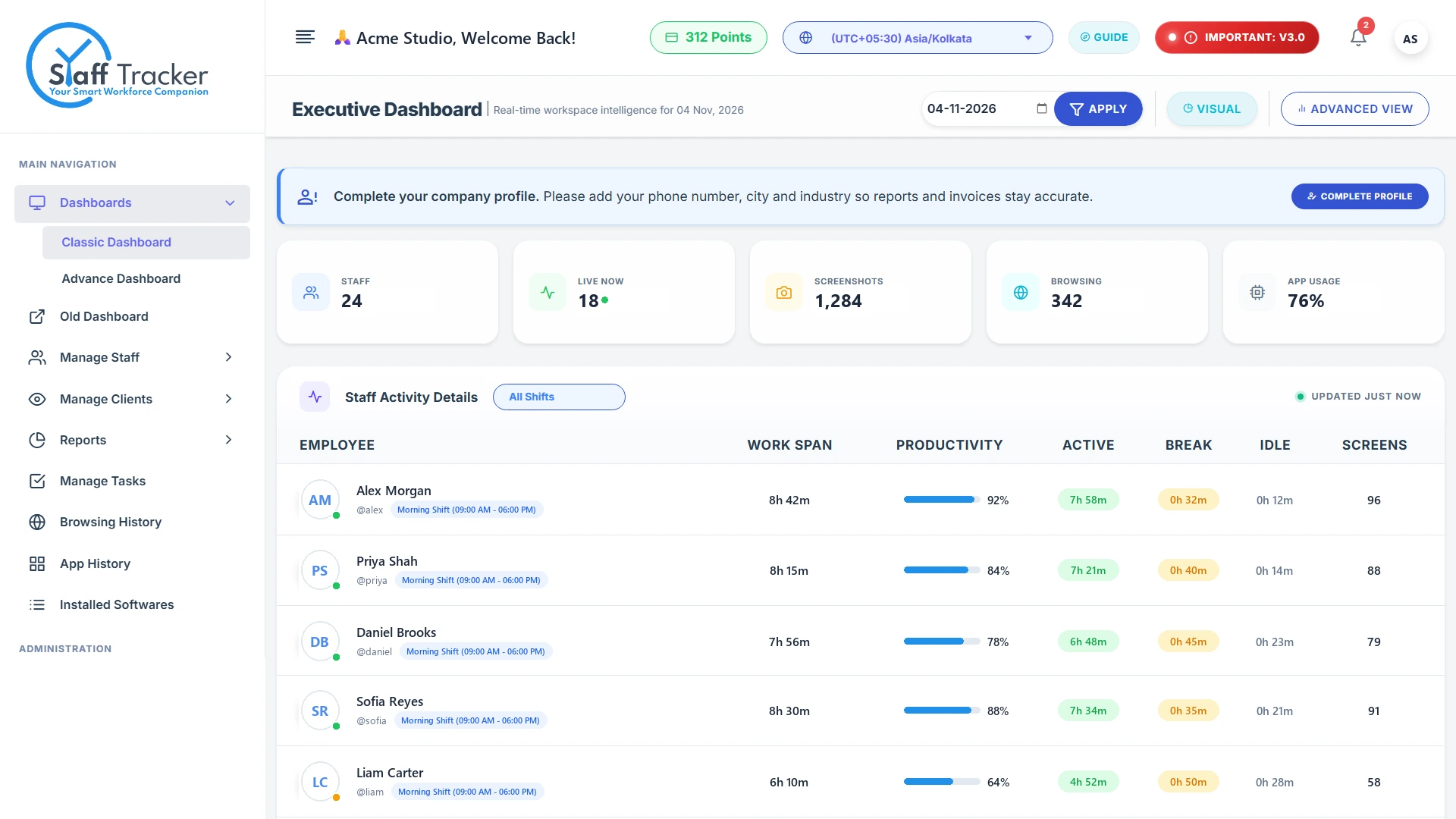
Employees start, pause and punch out in the desktop app. Work span, productivity, active, break and idle time land in the dashboard automatically.
Play / Pause and Punch OutEmployees control their own work session from the desktop app.
Live timer and tracking statusThe timer, status and last screenshot time stay visible.
Per-employee activity detailsWork span, productivity, active, break and idle for everyone.
2
Attendance that builds itself.
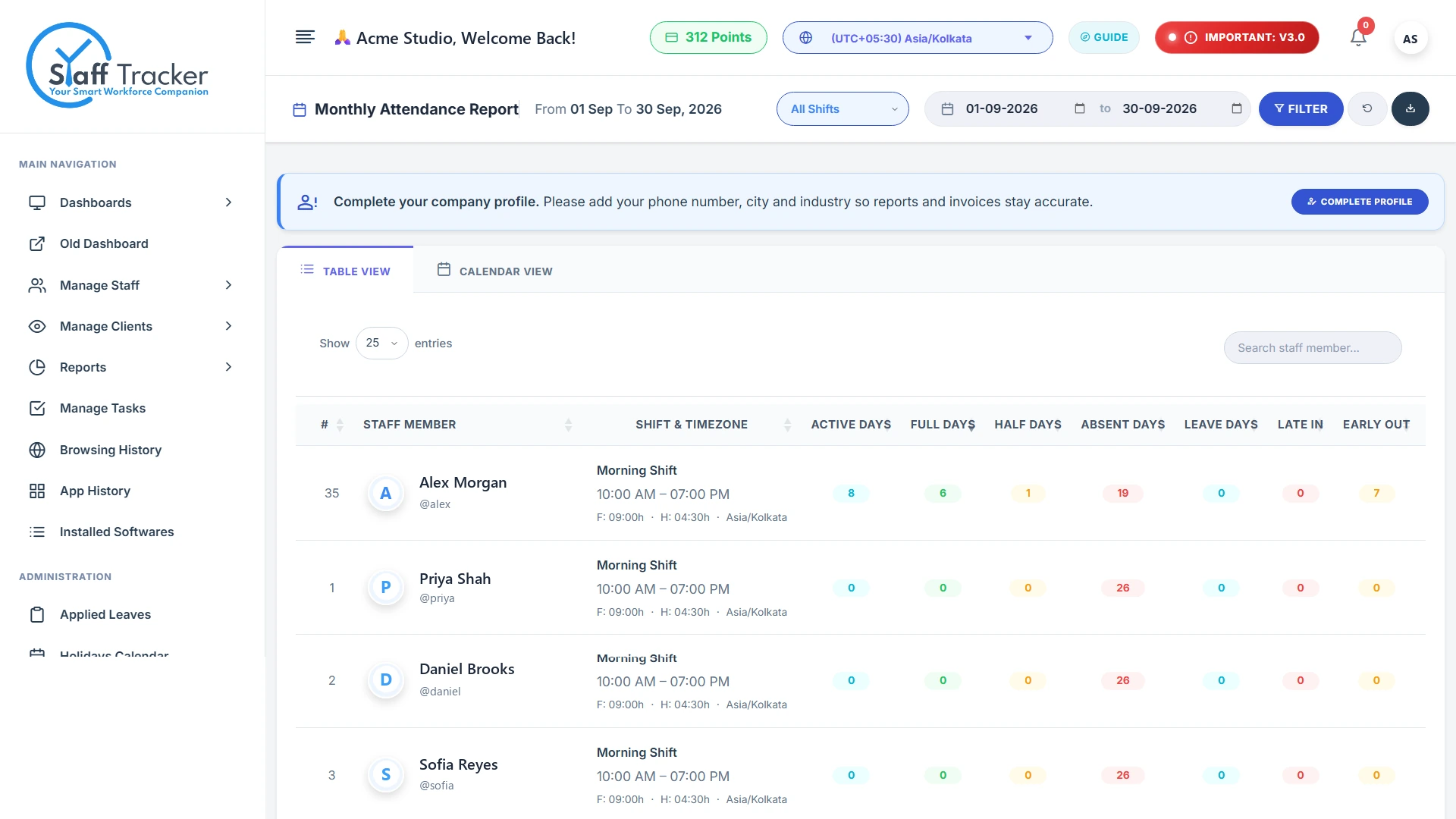
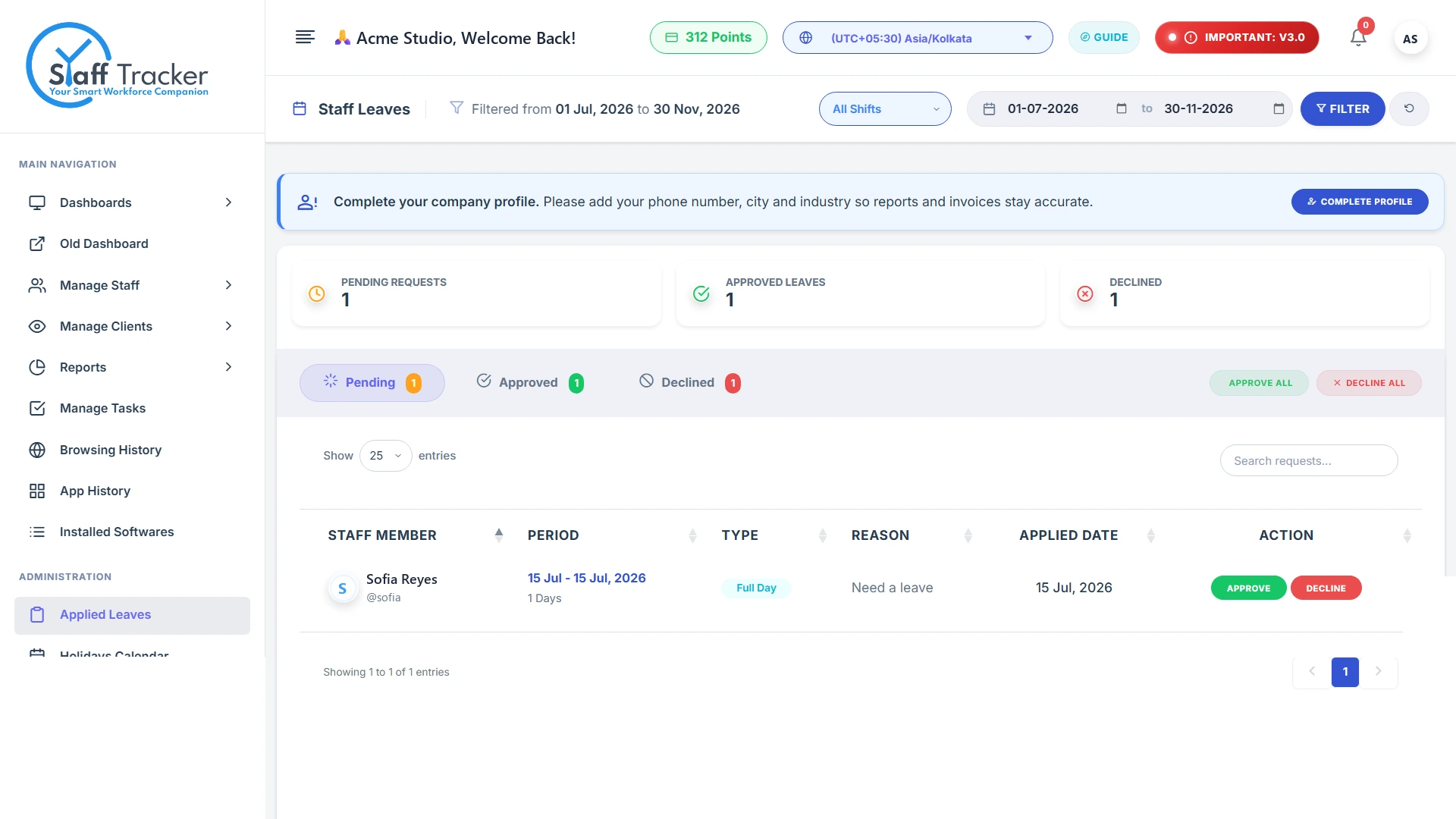
Monthly attendance counts active, full, half, absent and leave days, plus late-ins and early-outs. Leave requests are approved or declined in one click.
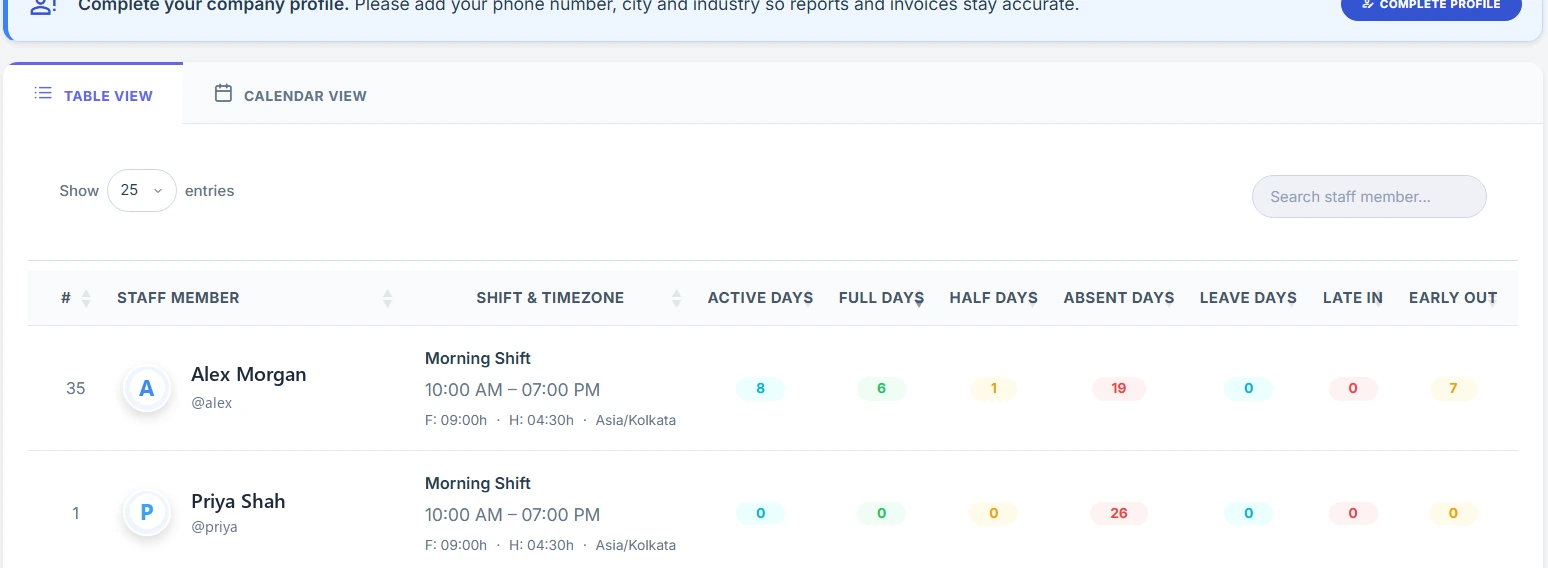
Monthly attendance reportActive, full, half, absent and leave days for every shift.
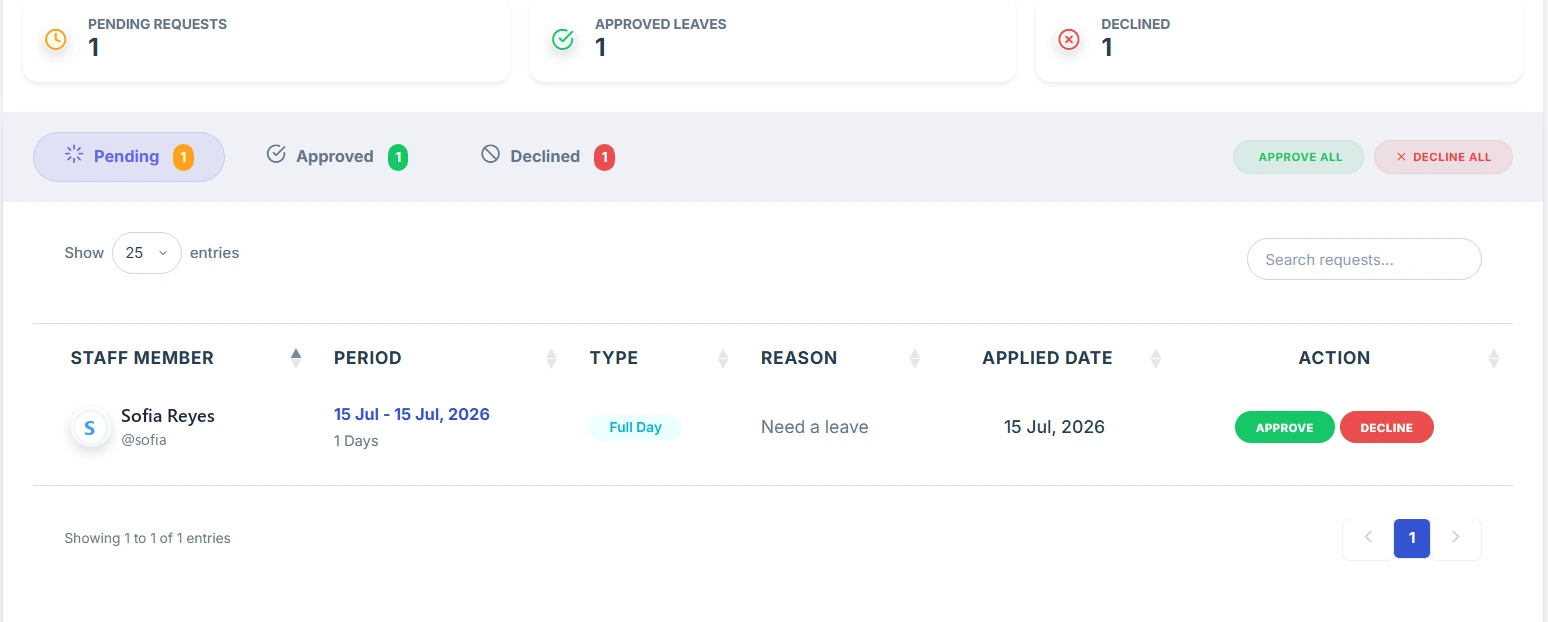
Applied leaves with approve / declineReview pending requests and decide in one click.
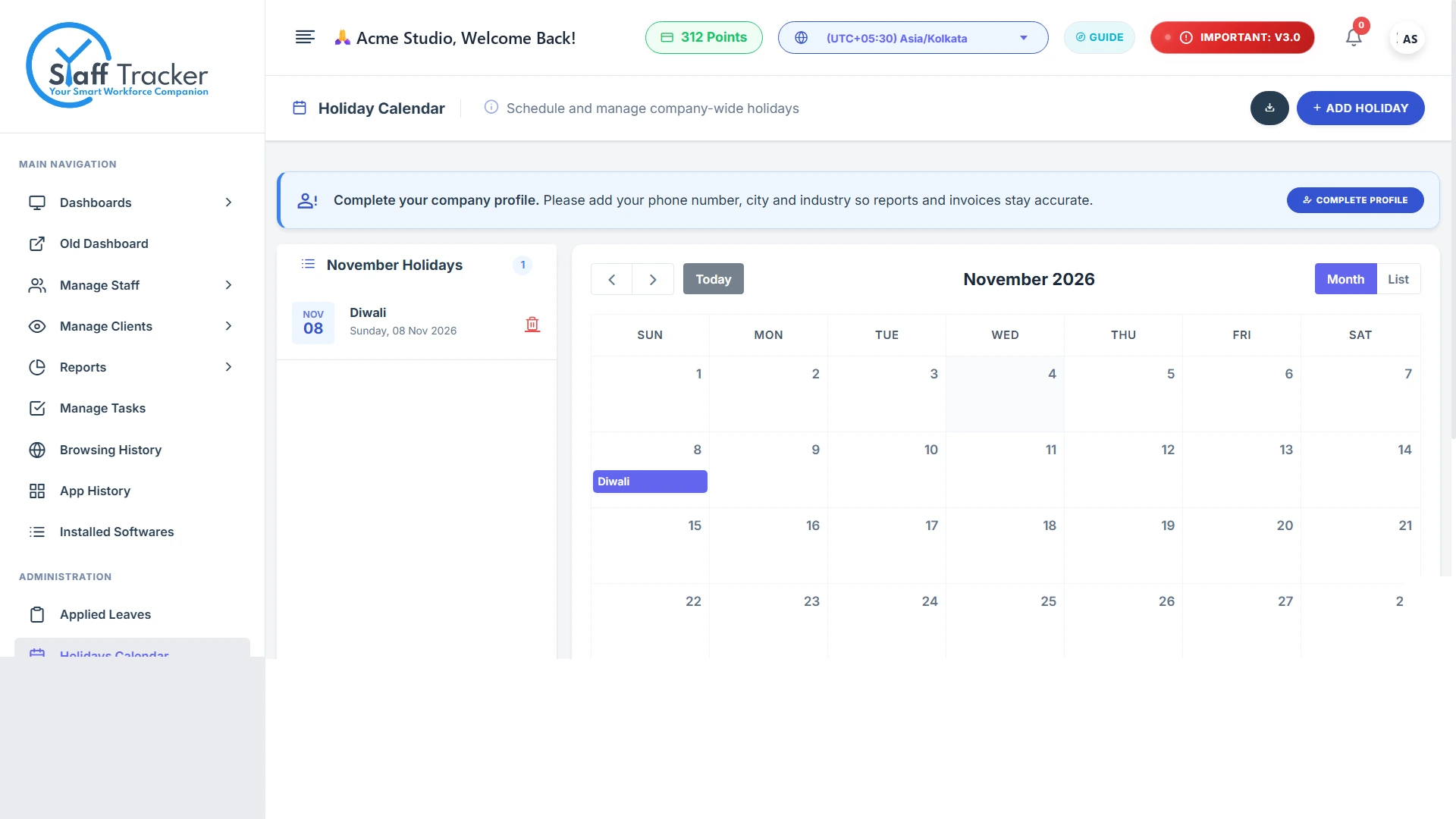
Holiday calendarCompany-wide holidays on a simple monthly calendar.
3
Understand PC activity.
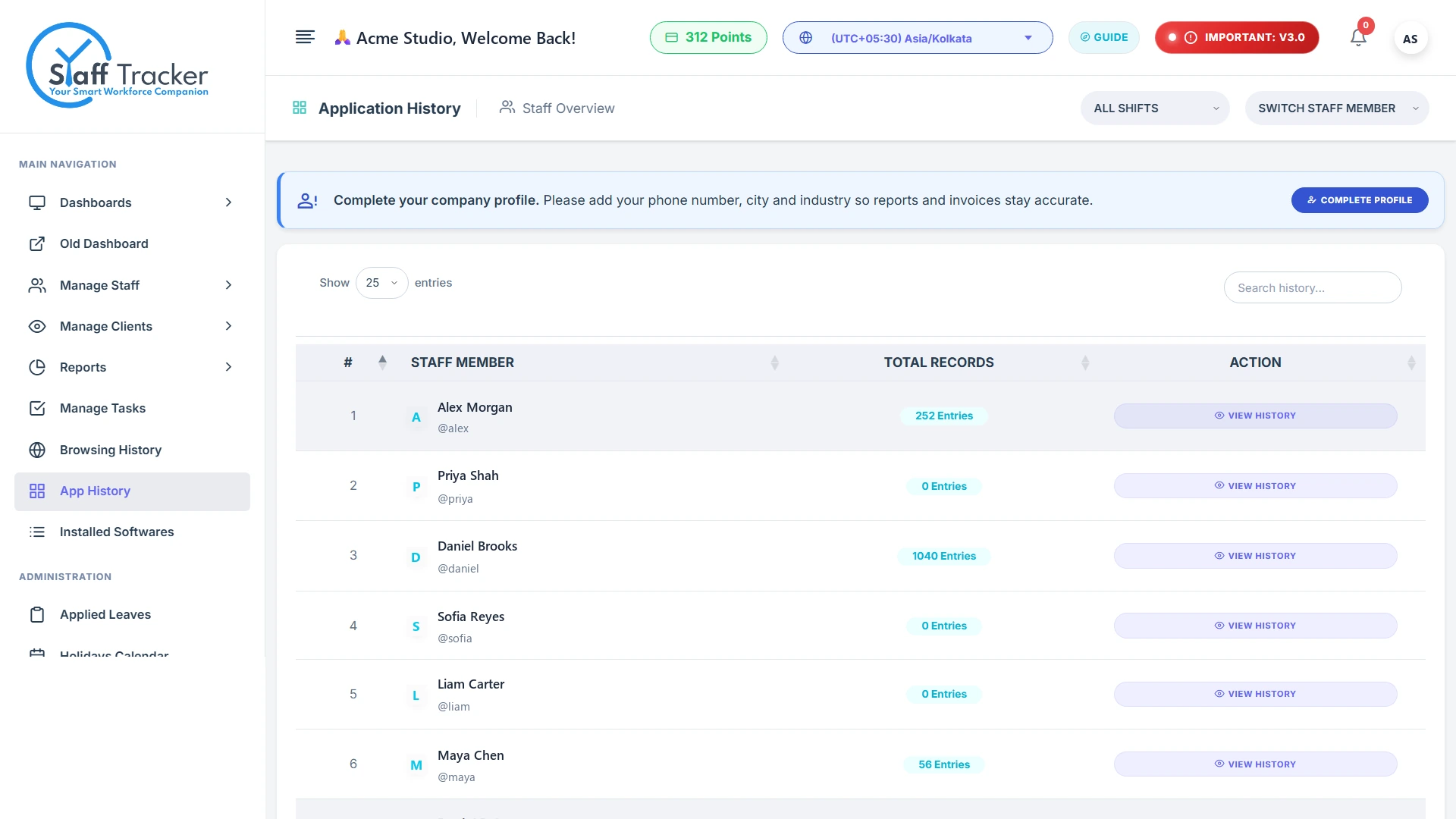
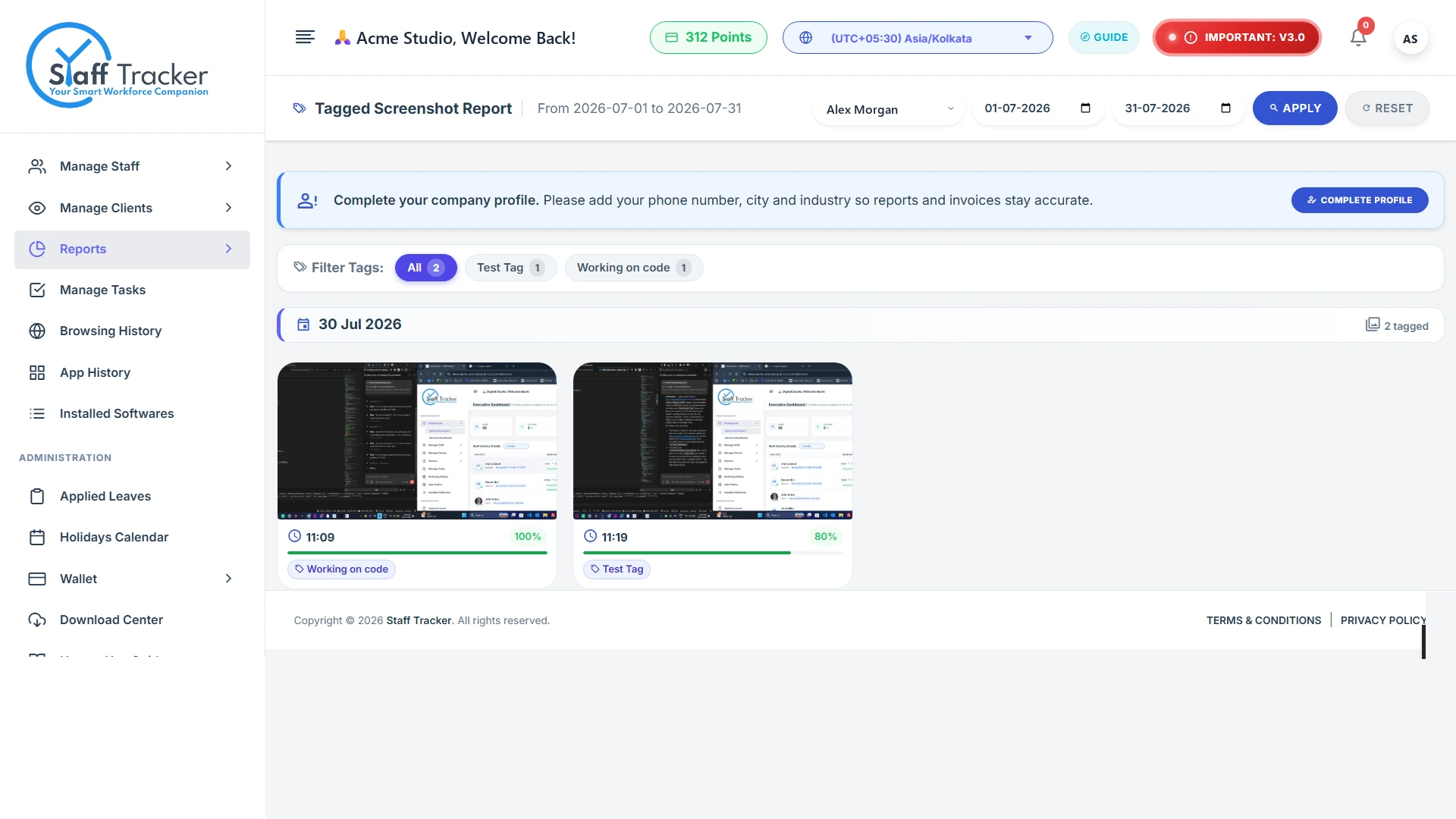
Application history, installed software, website browsing and screenshots, including tagged screenshot reports, explain how tracked time was used.
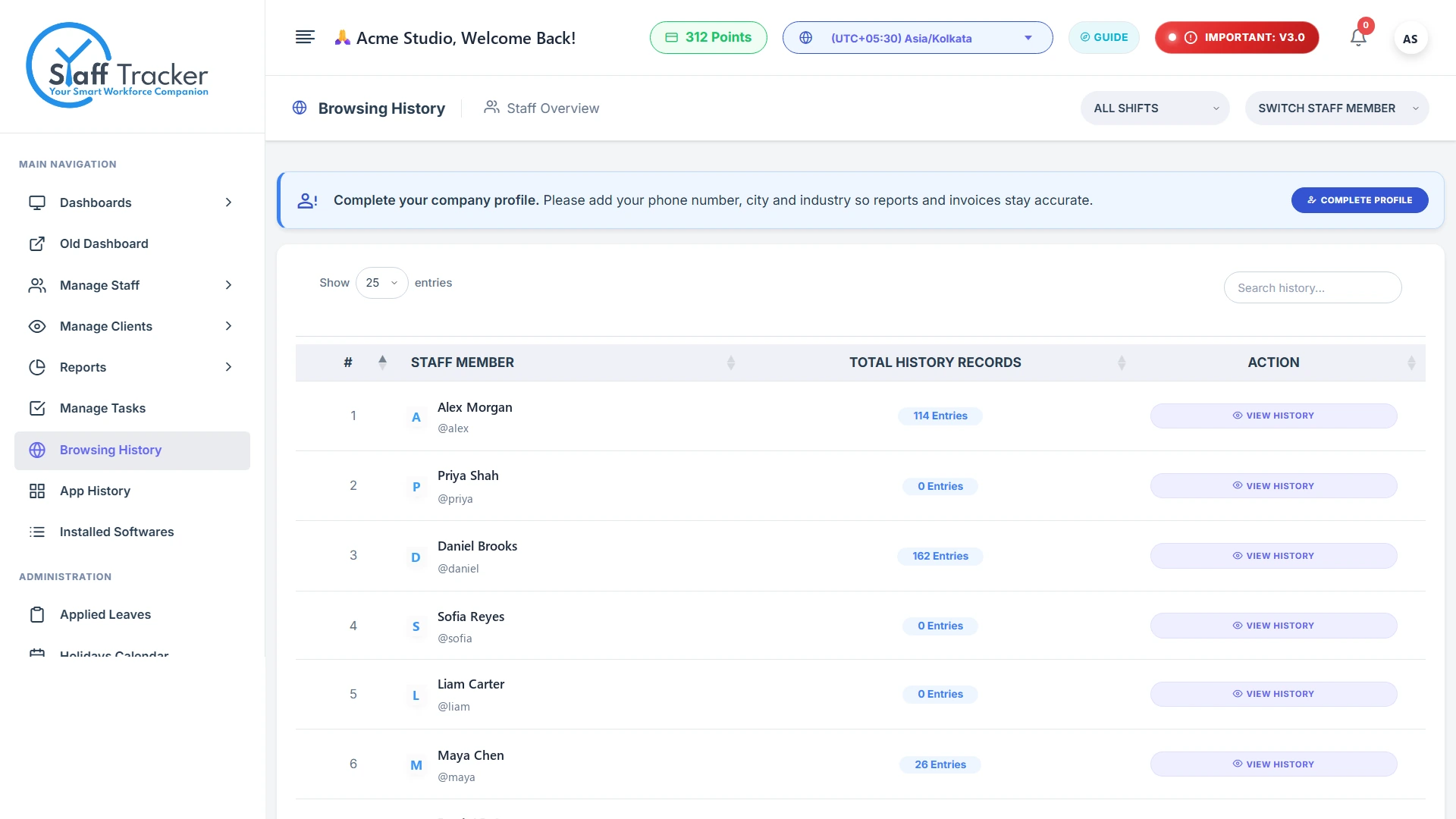
Application & browsing historySee which apps and sites each employee used.
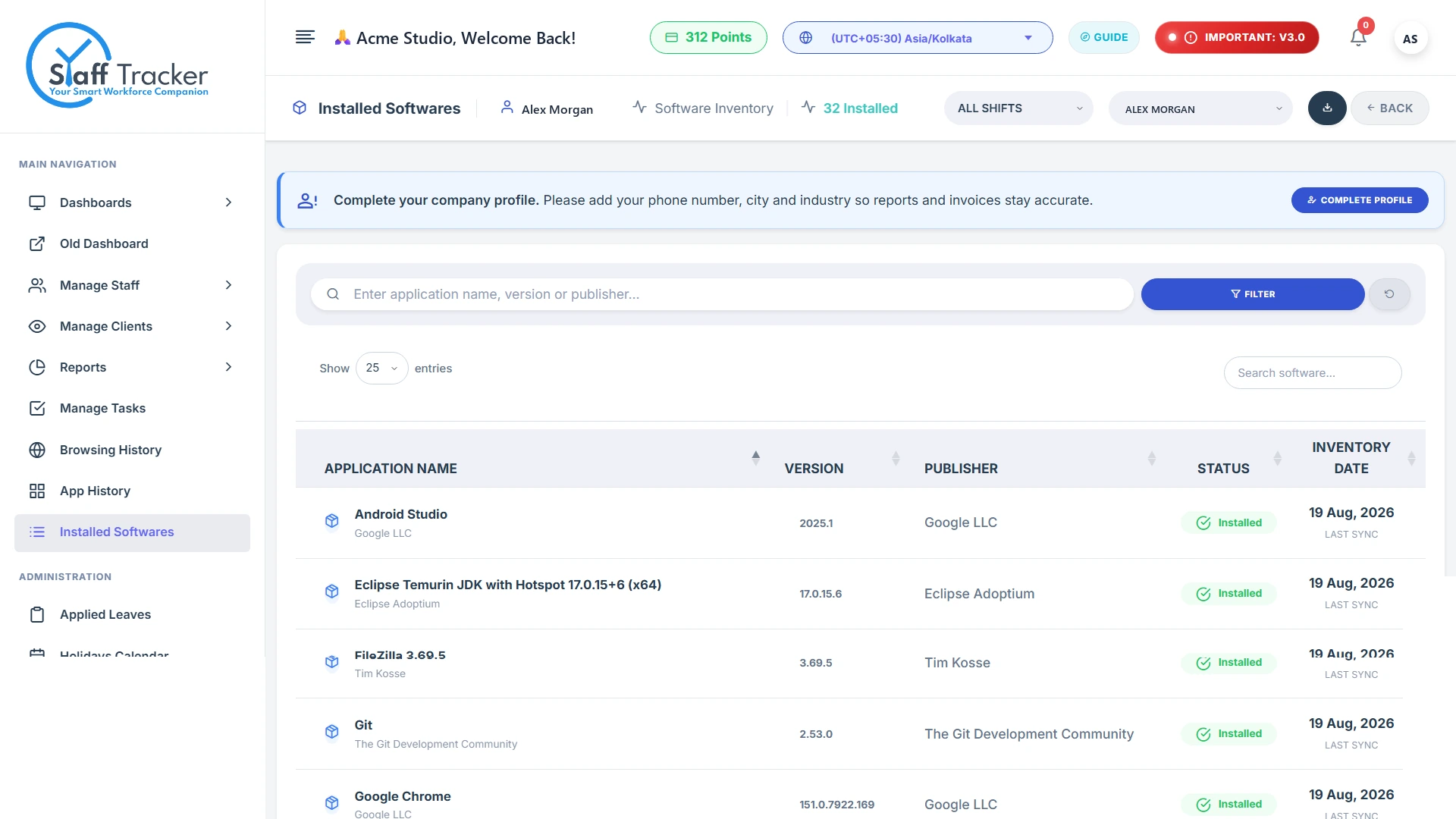
Installed software historyTrack the software detected on each employee's PC.
Screenshots with tags and activity levelFilter captures by tag and date, with activity on each.
4
Tasks and reports in one view.
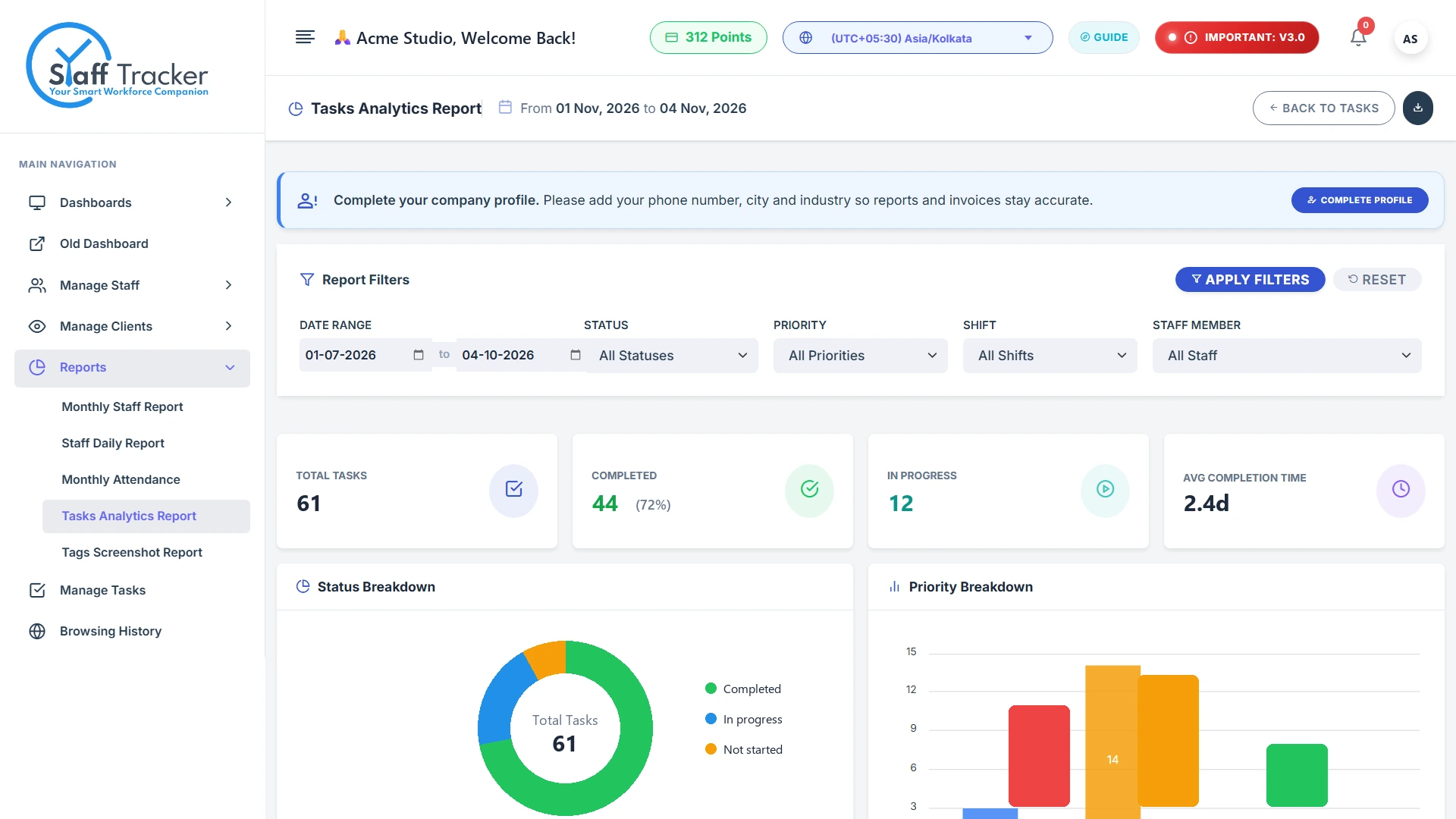
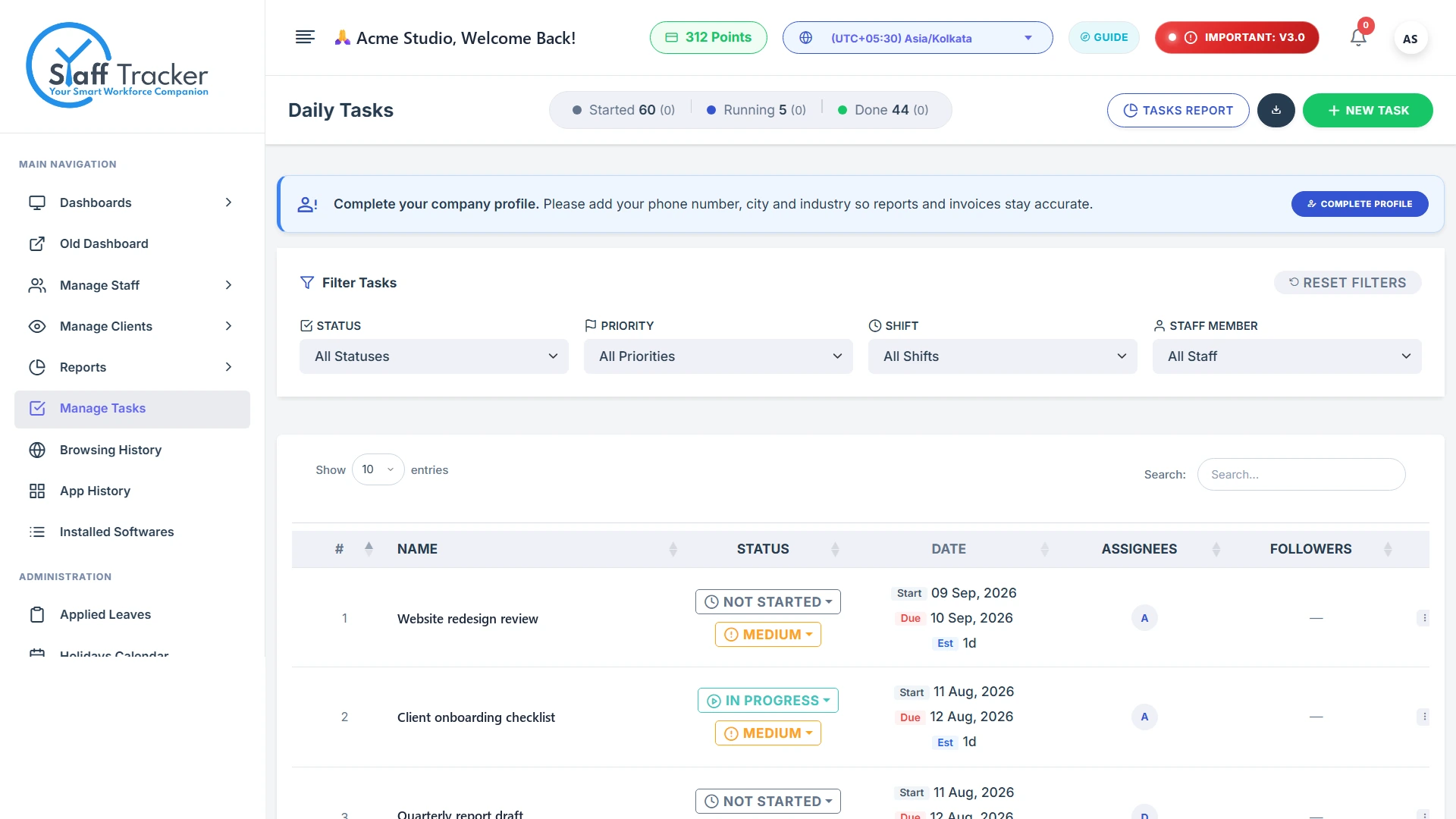
Assign tasks with status and priority, then review completion in the advanced analytics report for any date range.
Task manager with status & priorityCreate, assign and filter tasks by status and priority.
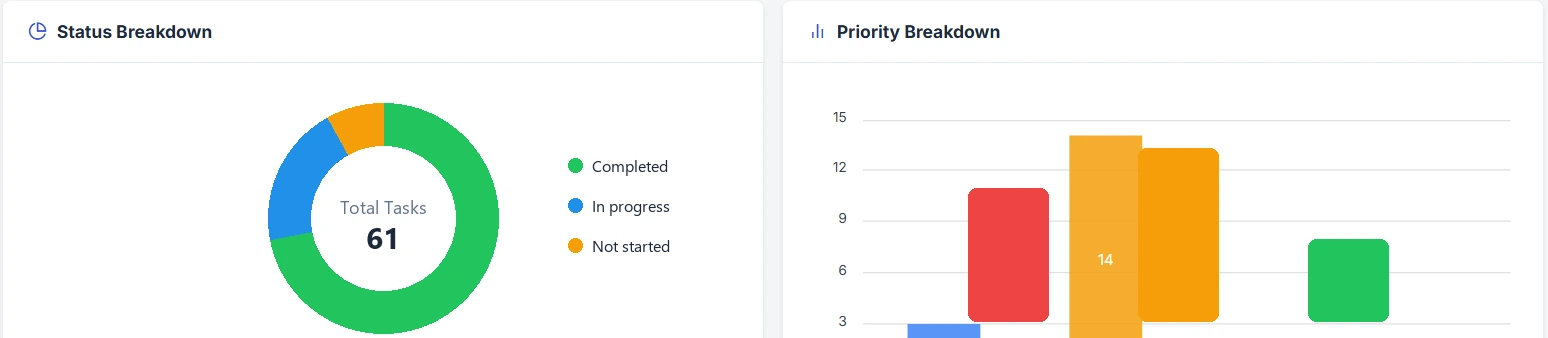
Status and priority breakdownsCompleted, in-progress and not-started at a glance.
Executive dashboardStaff, live now, screenshots and app usage in one place.
Drag to move · click to open
Staff Tracker - v0.1.5–☐✕
DownloadLogout
Username: alex
Play/PausePunch Out
03 h 42 min
Timer Status : Active
Last Screenshot: 2026-11-11 14:35:44
Idle Time Out5 Minutes
Current Versionv0.1.5
Powered By: Staff Tracker
Play / Pause and Punch Out
Staff Tracker - v0.1.5–☐✕
DownloadLogout
Username: alex
Play/PausePunch Out
03 h 42 min
Timer Status : Active
Last Screenshot: 2026-11-11 14:35:44
Idle Time Out5 Minutes
Current Versionv0.1.5
Powered By: Staff Tracker
Live timer and tracking status
Per-employee activity details
Monthly attendance report
Applied leaves with approve / decline
Holiday calendar
Application & browsing history
Installed software history
Screenshots with tags and activity level
Task manager with status & priority
Status and priority breakdowns
Executive dashboard
Interactive preview
Feel the dashboard before you sign up.
Press play to simulate a workday. Statuses change, timers run and the team picture updates. Click anyone to open their session detail.
Simulation for illustration only. Names, times and applications are sample data.
Everything included
Every tool you need, nothing you don't.
app.staff-tracker.com/screenshots/tagged1 / 3
Scroll to explore
Also included
Alerts
Set up alerts and review activity events.
Idle over 30 minRule
Late loginRule
Long breakRule
Wallet & receipts
Recharge, track points and print payment receipts.
Current balance312 pts
Active
Client viewers
Give clients view-only access to the staff and reports you choose.
Jordan Blake2 staff
Acme Partners4 staff
Android app Premium
Mobile access for Premium-plan users.
Included with Premium
Built for every role
One platform, three clear views.
The whole business at a glance.
Staff count, live staff, screenshots, browsing and app usage on one executive dashboard, with task analytics, wallet and company settings in the same account.
Executive dashboard KPIs
Task completion analytics
Wallet, recharge and receipts
Review attendance, activity and tasks.
Check monthly attendance, approve leave, look through activity history and follow task progress without chasing spreadsheets.
Monthly attendance and applied leaves
Screenshot and activity history
Task manager with priorities
Simple controls, clear status.
Employees control their own work session with Play/Pause and Punch Out, and can always see the timer, the status and when the last screenshot was taken.
Play / Pause and Punch Out
Live timer and status
Last screenshot time is always visible
Staff Tracker - v0.1.5–☐✕
DownloadLogout
Username: sofia.reyes
Play/PausePunch Out
03 h 42 min
Timer Status : Active
Last Screenshot: 2026-11-11 14:35:44
Idle Time Out5 Minutes
Current Versionv0.1.5
Powered By: Staff Tracker
Staff Tracker - v0.1.5–☐✕
DownloadLogout
Username: alex
03 h 42 min
Timer Status : Active
Last Screenshot: 2026-11-11 14:35:44
Idle Time Out5 Minutes
Current Versionv0.1.5
Powered By: Staff Tracker
Try it: press Pause or Punch Out
Desktop app
Up and running in four steps.
The desktop app runs on each employee's PC and gives them simple, visible control of their work session.
1
Create your accountRegister your organisation and choose a plan, including Free at $0.
2
Add your teamComplete company setup and create staff accounts.
3
Install the desktop appDownload from the Download Centre and sign in on each PC.
4
Track and reviewEmployees run sessions; managers review attendance, activity and reports.
Staff Tracker is built for workforce visibility, not surveillance. Employees see their own status, and the product sticks to the work done on the PC.
Employees see their status
The desktop app always shows the timer and whether tracking is active or paused.
Last screenshot is visible
The app shows when the latest screenshot was taken.
Employee-controlled sessions
Play, Pause and Punch Out put the work session in the employee's hands.
Role-based viewing
Choose which client viewers can see which staff and reports.
Use with employee notice
Use monitoring transparently, in line with workplace and data-protection requirements.
Is it worth it?
How much money do you lose when work time is wasted?
Move the four sliders. We will show how much money goes to waste every month when nobody knows how the time is spent, and how that compares with the price of Staff Tracker.
This is only a rough guess based on the numbers you choose. It is not a promise that you will save this much.
It runs on an employee's PC and provides Play/Pause and Punch Out, a live timer and status, the last screenshot time, an idle timeout setting and a start-on-startup option.
Yes. The Basic plan costs $0. Standard is $5 and Premium is $10 per user per month.
No. Android app access is available with the Premium plan.
In the web dashboard: monthly attendance, holiday calendar, applied leaves, screenshots, application history, installed software, browsing history, tasks and reports.
Yes. The desktop app shows the timer, the tracking status and the time of the last screenshot. Use monitoring with appropriate employee notice.
Register your organisation and choose a plan, then pick the number of users and months. After that, complete the company setup, create staff accounts, download the desktop app from the Download Centre and sign in on each PC.
Basic is $0. Standard is $5 and Premium is $10 per user per month. You choose the number of users and months, and you see the total before you pay.
Basic covers time and attendance tracking, screenshots and tasks & activity reports. Standard adds browsing and app history and the performance bar chart. Premium adds data exports, mobile app access and a longer history.
It depends on the plan. Basic keeps 3 months of reports and screenshot history. Standard keeps 6 months of reports, screenshot history and browsing & app history. Premium keeps 1 year.
Work time (active, no network, break and idle), screenshots, attendance and leaves, tasks, and on higher plans the apps, websites and software used on each PC.
Yes. The Basic plan is free, and you can also press play on the interactive preview on this page to see how the dashboard behaves during a workday.
Yes. The dashboard and attendance reports are organised by shift, and you can filter by shift to see only that group of staff.
Yes. Client viewers get view-only access to the staff and reports you choose, so they can see progress without changing anything.
Yes. You can set up alerts, for example for long idle time, late login or long breaks, and review the activity events in your account.
Visit the Contact page or write to info@staff-tracker.com. The team can also help you pick a plan and get set up.