Agencies
Time Tracking for Agencies
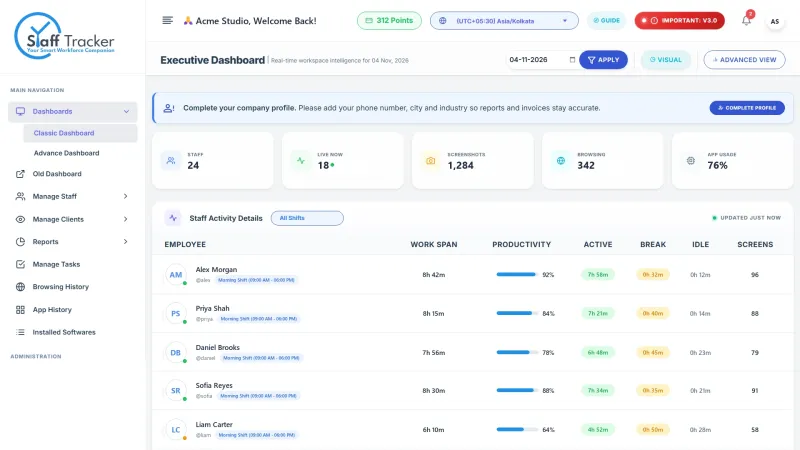
Time tracking for agencies with screenshots, task reports and view-only client access, so you can prove work and bill with confidence.
Proof of workClient viewer accessTask reports
app.staff-tracker.com/dashboard
 Sample data
The challenge
What gets in the way, and what helps.
Clients question hours
Share view-only reports.
Hard to prove work
Screenshots and tracked hours back it up.
Many projects
Assign clients to staff.
What you get
The tools behind the result.
Why teams choose it
Time tracking for agencies and their clients.
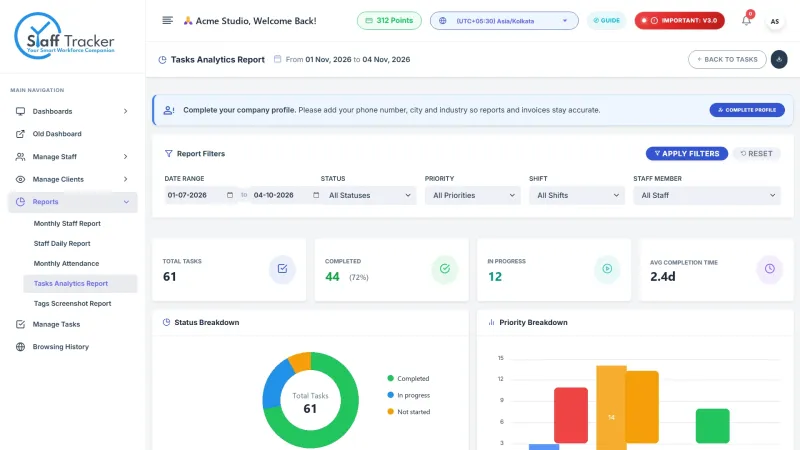
Time tracking for agencies with screenshots, task reports and view-only client access, so you can prove work and bill with confidence.
- View-only client accounts
- Tagged screenshots
- Task reports per person
- Reports by date range
app.staff-tracker.com/analytics
 Sample data
Get started
Up and running in three steps.
1. Register and add staff
Choose a plan and create staff accounts.
Manager2. Install the app
Download the Windows app and sign in on each PC.
Employee3. Review the dashboard
See time, attendance and activity in one place.
ManagerPlans. Check the plan comparison for client viewer. Compare plans.
FAQ
Questions, answered.
Need help choosing?
Our team will help you pick a plan and set up your team.
Contact supportYes. Client viewer accounts are view-only.
Screenshots and tracked hours support your reports.
Yes.
Basic costs $0.