Employee Time Tracking Software for Every Shift
Employees press Play, Pause and Punch Out in the Windows app. Staff Tracker records every work session and splits it into active, idle, break and no-network time, so the hours you review are the hours that were worked.
 Sample data
One work session, four kinds of time.
A total of hours alone does not tell you much. Staff Tracker shows how each session was spent, per employee and per day.
Active time
Time the employee was working at the PC while tracking was on.
No-network time
Active time recorded while the PC was offline, shown separately and still counted.
Break time
Time between Pause and Play, so breaks are visible and never mixed into work.
Idle time
No activity for longer than your idle time-out. You set the time-out that suits your team.
Three buttons and a live timer.
The desktop app is deliberately simple, so it does not get in the way of work.
- Play / Pause starts and stops the timer
- Punch Out ends the day's session
- Timer, tracking status and last screenshot time stay on screen
- Idle time-out and app version shown in the window
 Sample data
Hours you can review, report and rely on.
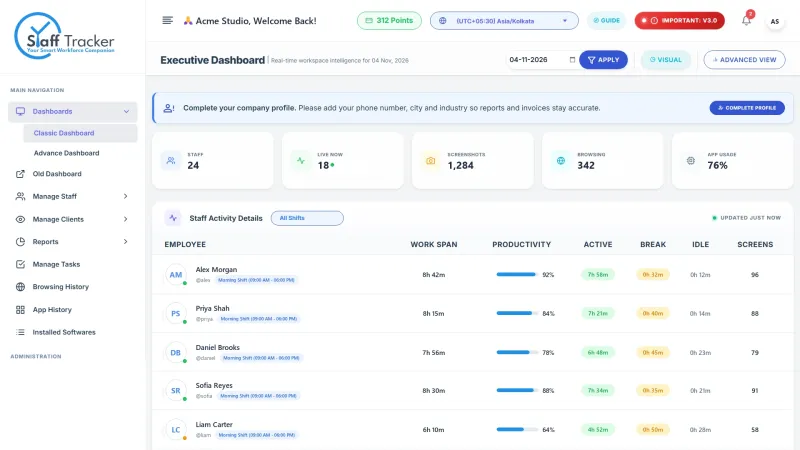
Work span per person
Start to finish of each day, with productivity, active, break and idle time side by side.
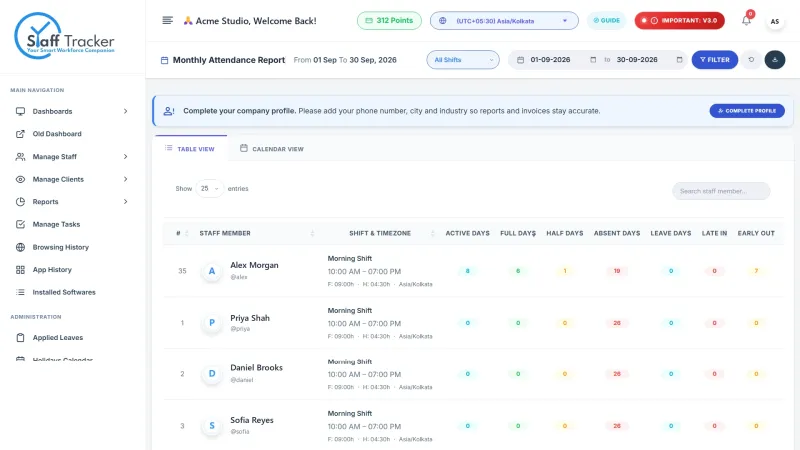
See time trackingMonthly attendance
Tracked sessions become full days, half days, absences, late logins and early outs by shift.
See attendanceTasks and reports
Connect hours to tasks and review reports for any date range. Exports are on Premium.
See reportsTime tracking is on every plan.
Prices are per user per month. 1 point = 1 user for 1 month, and you see the total before you pay.
Basic · $0
Time and attendance tracking, screenshots, tasks and activity reports. History kept for 3 months.
Standard · $5
Adds browsing and app history, the performance bar chart and 6 months of reports.
Premium · $10
Adds data exports, Android app access and 1 year of reports and history.
Questions, answered.
Our team will help you pick a plan and set up your team.
Contact supportEmployees press Play in the Windows app to start a work session, Pause for breaks and Punch Out to end the day. The dashboard shows each session as active, idle, break and no-network time.
No. Hours come from the tracked sessions, so there is no manual timesheet to fill in or correct.
Active time recorded while the PC is offline is shown separately as no-network time, so it stays visible in the report.
Yes. The idle time-out is a setting, and the app shows the current value to the employee.
Yes. The Basic plan costs $0 and includes time and attendance tracking. Standard is $5 and Premium is $10 per user per month.
Know the hours behind every shift.
Register your organisation, add your team and install the desktop app. The Basic plan is free.