Employee Attendance Tracking Software
Staff Tracker turns every punch-in and punch-out into a monthly attendance report by shift: full days, half days, absences, late logins and early outs, with one-click leave approvals.
 Sample data
Attendance that builds itself.
Employees press Play and Punch Out in the desktop app. Staff Tracker compares those times with the shift and marks the day.
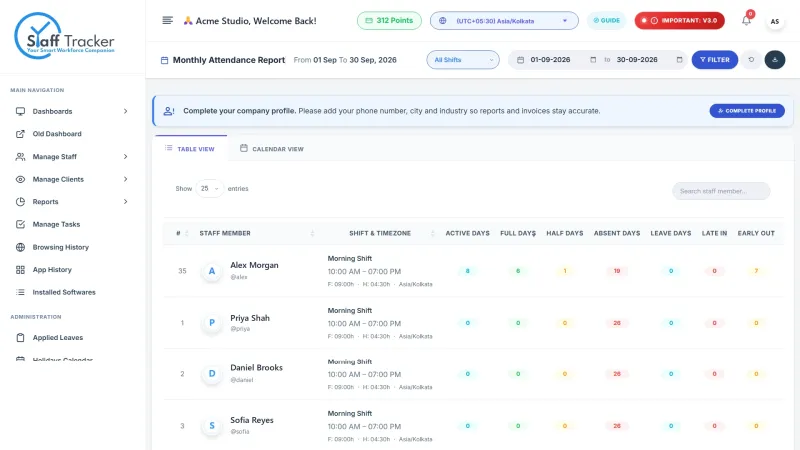
Monthly attendance by shift
Every employee for the whole month, in a table or a calendar view, organised by shift.
Late logins and early outs
Staff who start after the shift start or leave before it ends are counted automatically.
Leave requests
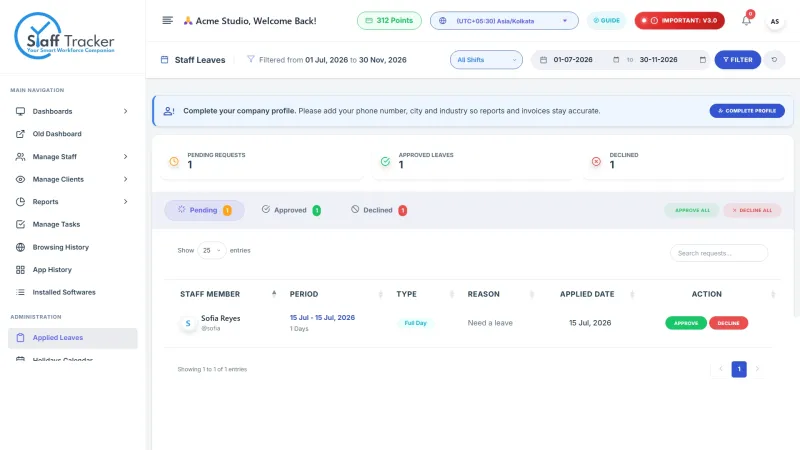
Review, approve or decline leave in one click and see it on the attendance report.
Holiday calendar
Company holidays are kept in one calendar so they are never counted as absences.
Shifts and time zones
Different shifts and time zones are read against their own working hours.
Reports for payroll review
Monthly totals you can review before you close the month.
How it works in practice.
Employees press Play and Punch Out in the desktop app. Staff Tracker compares those times with the shift and marks the day.
- Full day, half day, absent and leave days
- Late-in and early-out counts per employee
- Table view or calendar view for any month
- Filter by shift to read a group on its own
 Sample data
Up and running in three steps.
1. Set shifts
Create shifts with start and end times, days off and the time zone.
Manager2. Staff punch in
Employees press Play in the Windows app when they start work.
Employee3. Read the report
Open the monthly attendance report and approve any leave.
ManagerKeep exploring.
Online attendance tracking by shift
Full days, half days, absences and late logins in table or calendar view.
Read moreLeave management software
Approve or decline leave in one click with a holiday calendar.
Read moreEmployee time tracking software
The tracked sessions that attendance is built from.
Read moreQuestions, answered.
Our team will help you pick a plan and set up your team.
Contact supportEmployees punch in and out with the Windows app. The dashboard compares those times with each shift and marks full days, half days, absences, late logins and early outs.
Yes. Reports are organised by shift and you can filter by shift to read one group at a time.
Yes. Leave requests appear for you to approve or decline in one click, and approved leave shows on the attendance report.
Yes. Attendance tracking is on the Basic plan, which costs $0.
Stop chasing attendance sheets.
Register, create your shifts and let the report build itself. The Basic plan is free.