
Leave Management Software with One-Click Approvals
Leave management software lets you review, approve or decline leave requests in one click, with a company holiday calendar. It is included on the free plan.
 Sample data
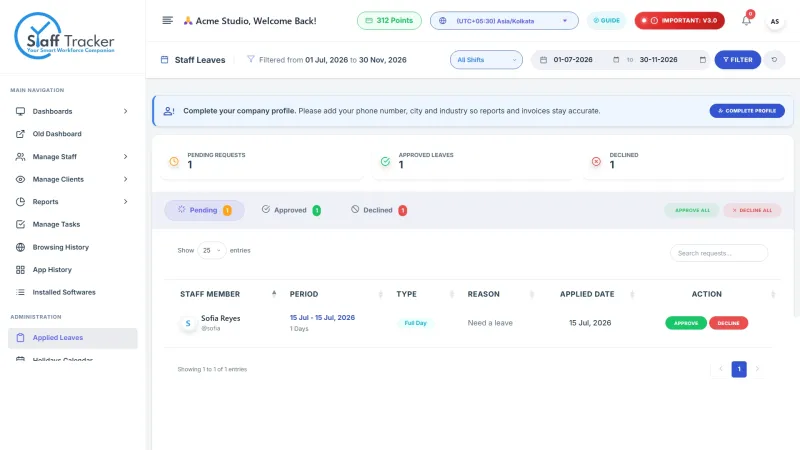
Every request, one click to decide.
Requests from your staff land on one page, sorted into Pending, Approved and Declined. You decide without leaving it.
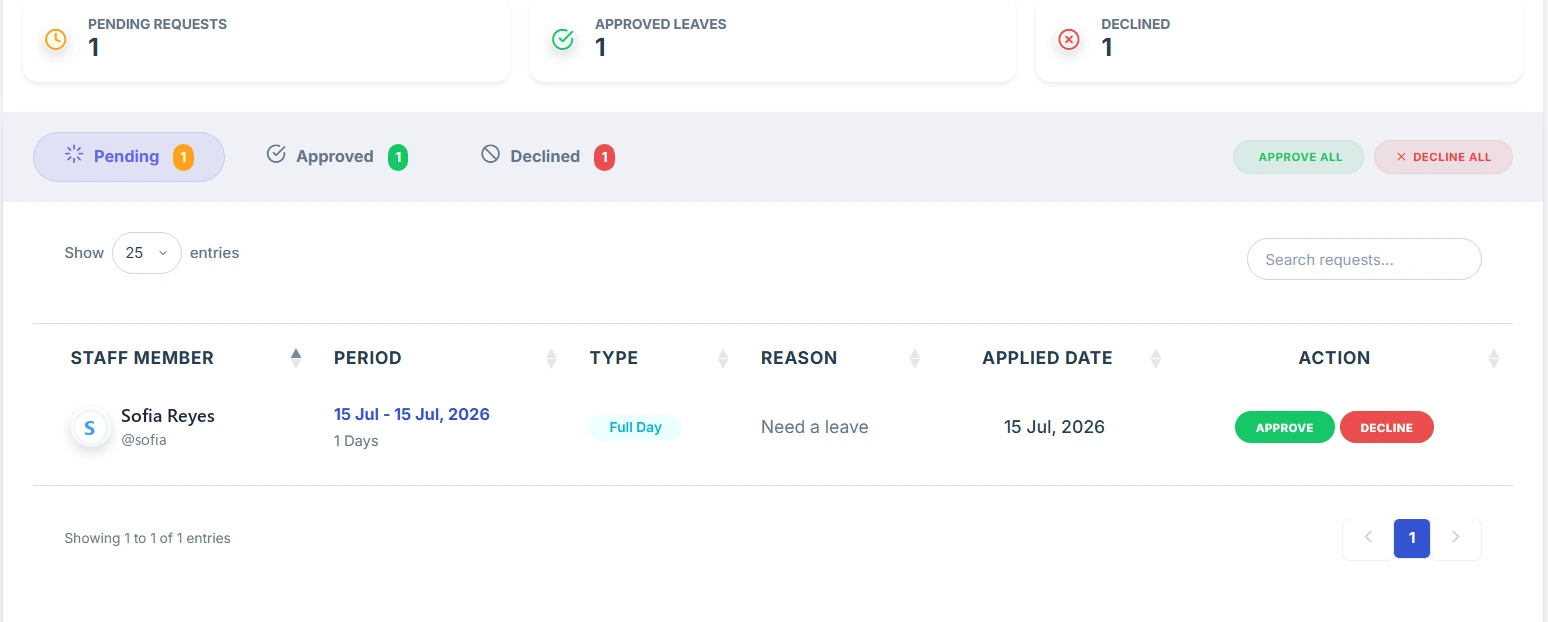
Applied Leaves. Sample data.
Pending, Approved, Declined
Counts at the top and a tab for each, so nothing waits unseen.
Approve or decline
Each request has its own Approve and Decline buttons.
Approve all or decline all
Act on every pending request at once when that is what you need.
Period and type
The dates asked for, the number of days and the leave type, such as a full day.
Reason and applied date
See why the leave was asked for and when the request was made.
Filter and search
Narrow the list by shift and date range, or search for a staff member.
Approved leave is counted for you.
The monthly attendance report has a Leave days column next to full days, half days, absent days, late-ins and early-outs, so approved leave is part of the same record.
- Leave days shown per employee for the period
- Read in a table view or a calendar view
- Filter by shift and date range
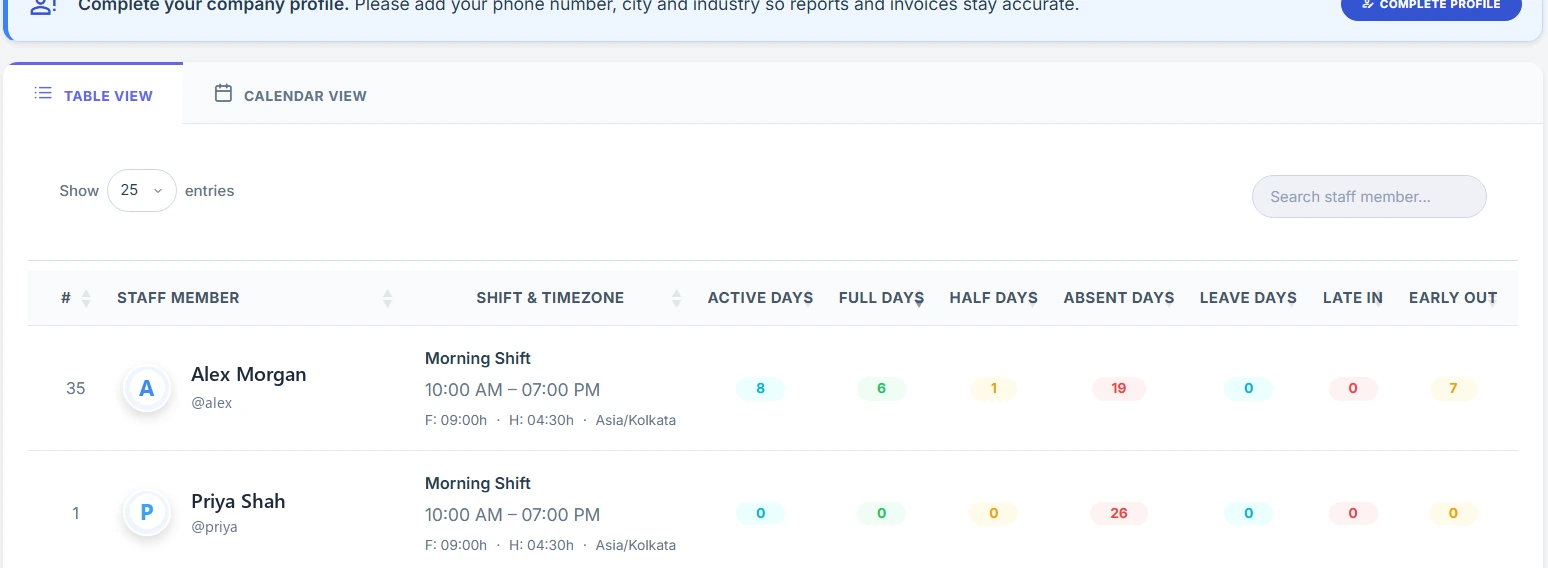
Monthly Attendance Report. Sample data.
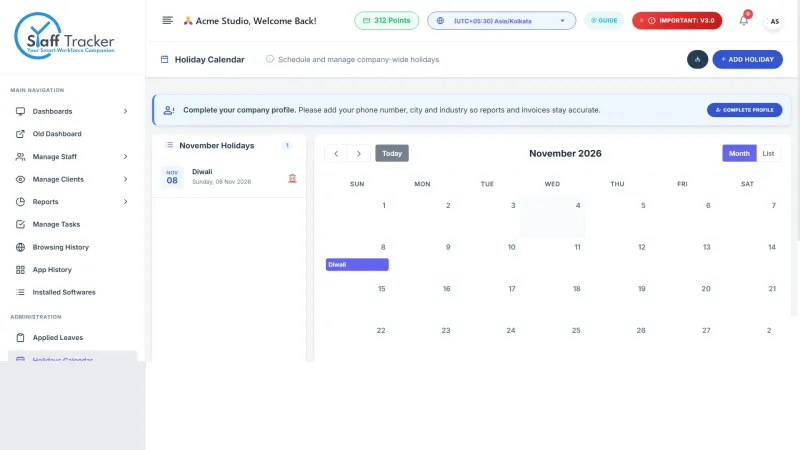
Company holidays in one place.
Keep company-wide holidays in a calendar you can read by month or as a list, right beside the leave requests.
- Add a holiday with one button
- Month view and list view
- A list of the month's holidays beside the calendar
 Sample data
Leaves and holidays in the Android app.
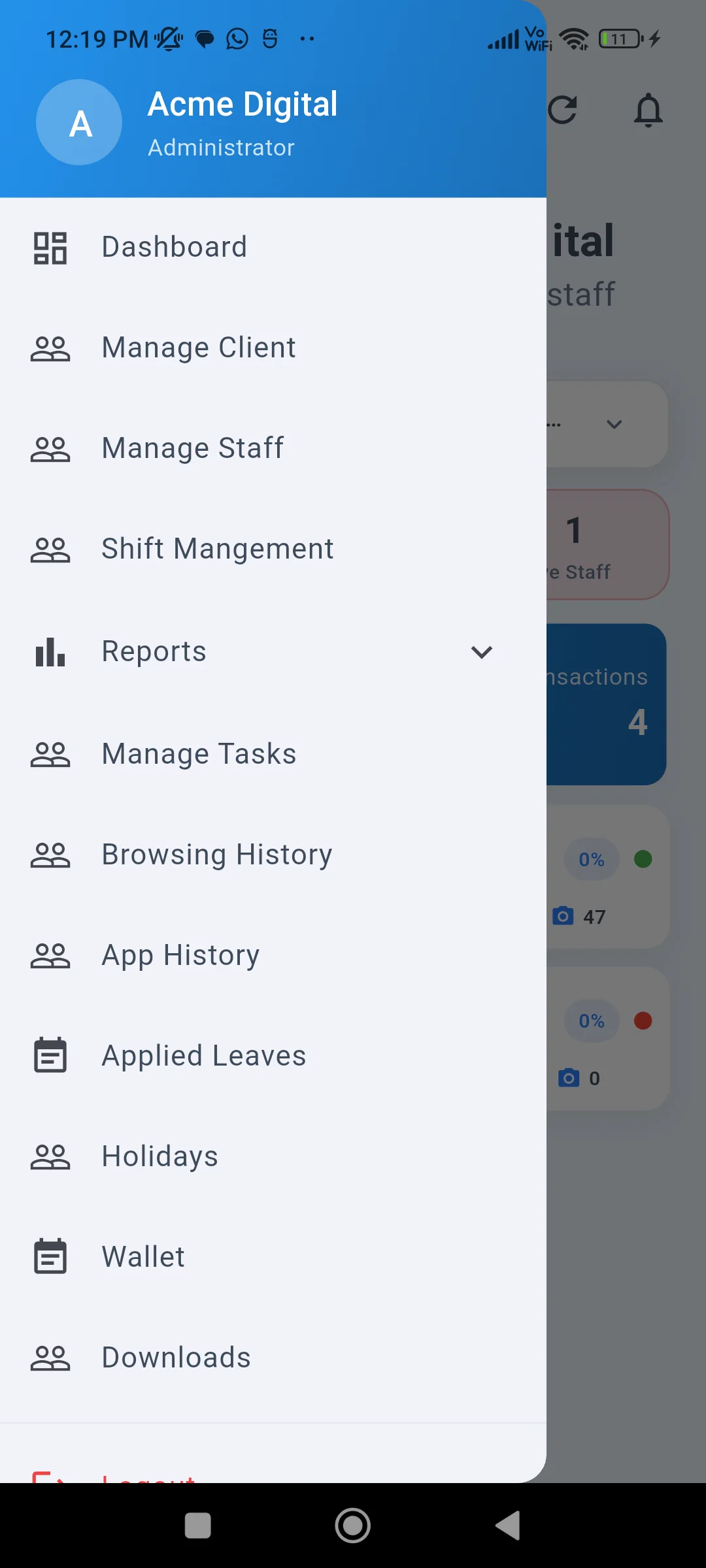
The Android app menu has Applied Leaves and Holidays next to attendance reports, staff, shifts and tasks. Android app access is part of the Premium plan.
Up and running in three steps.
1. Employee applies
The leave request is submitted.
Employee2. You decide
Approve or decline from the applied leaves page.
Manager3. Attendance updates
The day shows as leave in the report.
AutomaticQuestions, answered.
Our team will help you pick a plan and set up your team.
Contact supportOpen the applied leaves page and approve or decline each request with one click.
Yes. Company holidays are kept in a calendar and are not counted as absences.
Yes. It is included on the Basic plan at $0.
Yes. Approved leave appears on the monthly attendance report.