Online Attendance Tracking by Shift
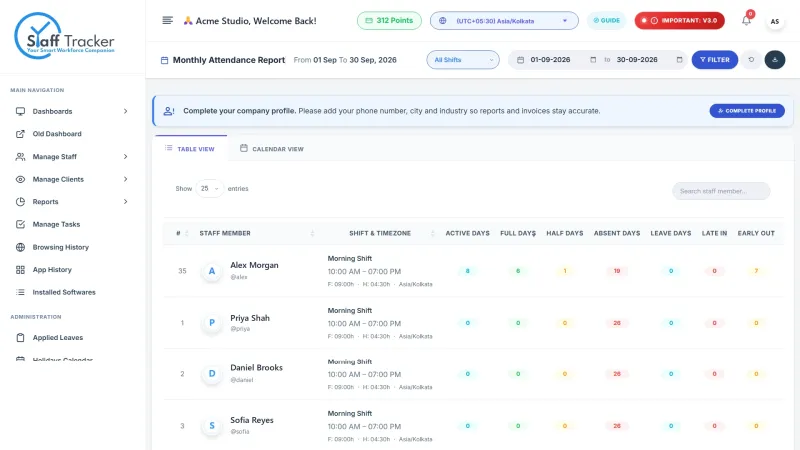
Online attendance tracking shows full days, half days, absences, late logins and early outs for every employee, in a table or a calendar view, organised by shift.
 Sample data
Every day, every employee.
One row per employee, one column per kind of day. Switch between the table view and the calendar view, and filter by shift and date range.
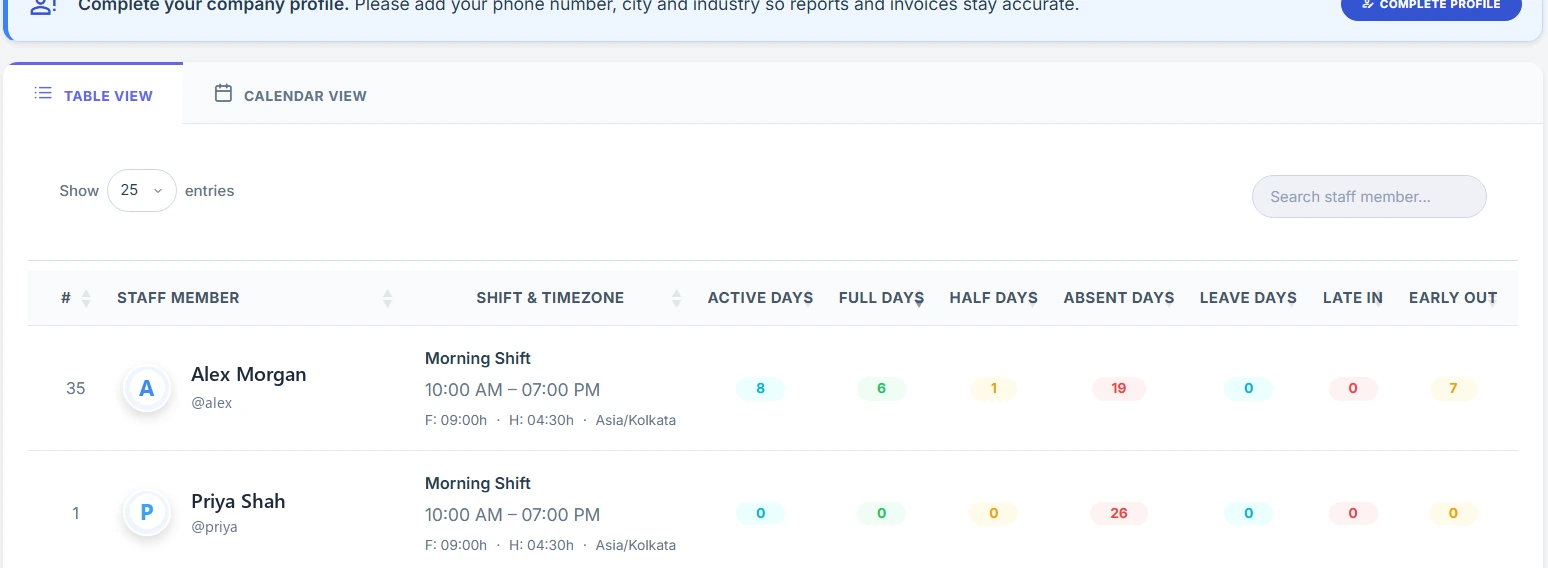
Table view of the Monthly Attendance Report. Sample data.
Shift and time zone
Each employee is read against their own shift, with its full-day and half-day hours.
Active days
Days on which the employee tracked time.
Full days
Days that reach the shift's full-day hours.
Half days
Days that reach the half-day hours but not the full day.
Absent days
Working days with no tracked time.
Leave days
Approved leave in the period.
Late in
Logins after the shift start time.
Early out
Punch-outs before the shift end time.
Approve leave, and it shows up.
Leave requests wait on the Applied Leaves page, where you approve or decline each one. Approved leave is then counted in the Leave days column of the attendance report.
- Pending, approved and declined requests at a glance
- Approve or decline each request, or all at once
- Filter leave by shift and date range
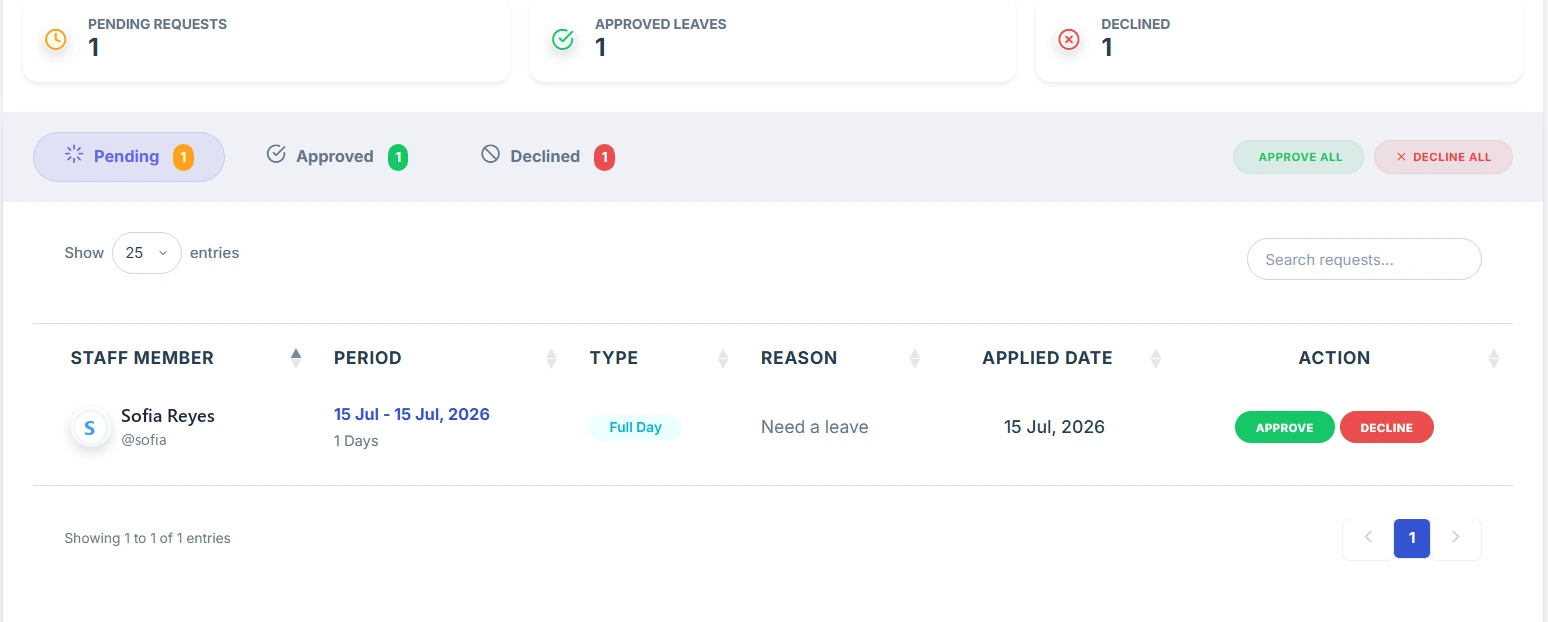
Applied Leaves. Sample data.
One calendar for the whole company.
Add company-wide holidays to the holiday calendar and review them by month or as a list, next to your attendance records.
- Month and list views
- Add a holiday with one button
- Download the calendar when you need a copy
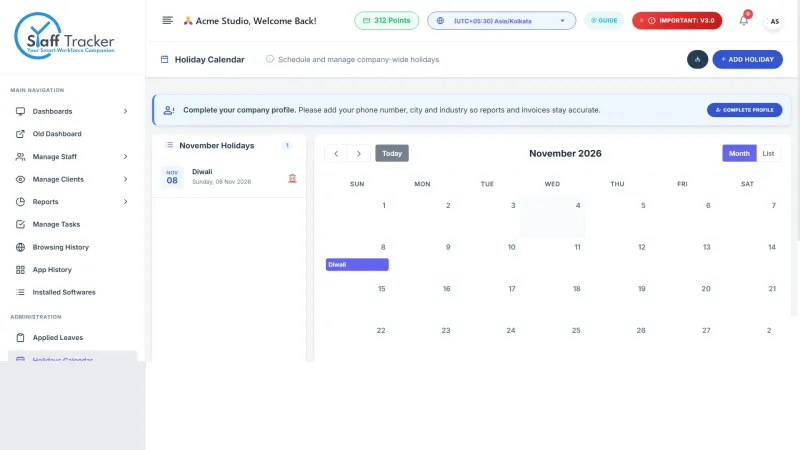 Sample data
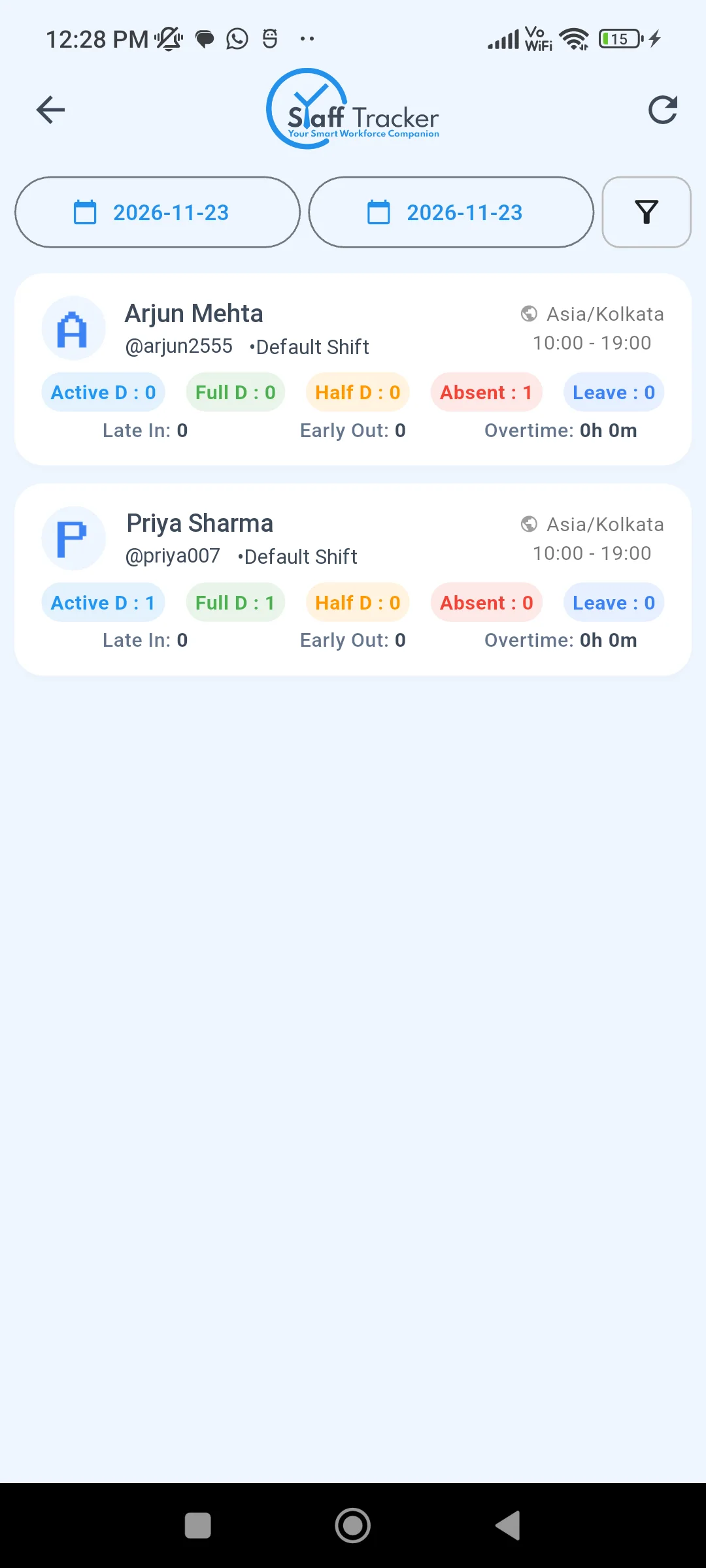
Check attendance from anywhere.
The Android app has the same monthly attendance report: full days, half days, absences, leave, late-ins, early-outs and overtime for every employee. Android app access is part of the Premium plan.
Up and running in three steps.
1. Create shifts
Set start, end and days off.
Manager2. Employees punch in
Play and Punch Out in the Windows app.
Employee3. Open the report
Choose the month and shift.
ManagerQuestions, answered.
Our team will help you pick a plan and set up your team.
Contact supportPunch-ins and punch-outs from the desktop app are compared with the employee's shift and marked as full day, half day, absent or leave.
Yes. The monthly report is available as a table or a calendar view.
Yes. Late-ins and early-outs are counted per employee.
Yes. It is part of the Basic plan at $0.
See attendance at a glance.
Start free and open your first monthly attendance report.