Employee Productivity Tracking Software
Staff Tracker brings work time, tasks and activity into one executive dashboard, so you can see how work gets done, not just how many hours were logged.
 Sample data
See how work actually gets done.
Productivity tracking works best when time, tasks and activity sit in one place.
Executive dashboard
Every employee in one table: work span, productivity, active, break and idle time.
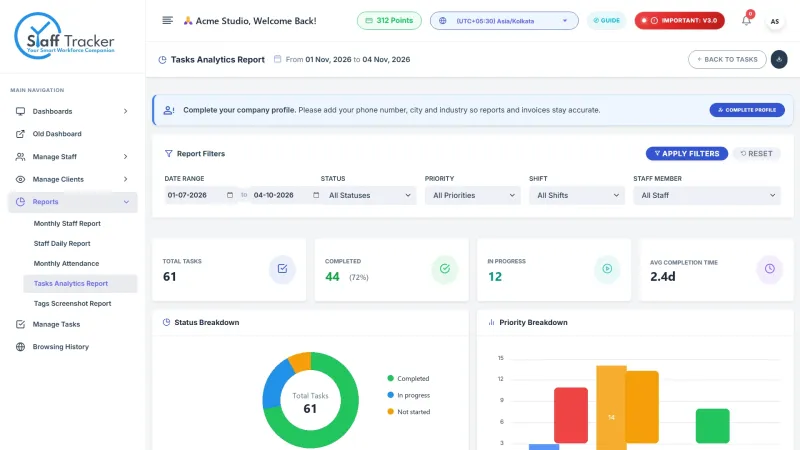
Task analytics
See tasks by status, priority and shift, and how many were completed in a date range.
Time that adds up
Active, idle and break time for every session, per person and per day.
Context from activity
Screenshots and app history show what the tracked time was spent on.
Compare by shift
Filter by shift to read each team against its own hours.
Export on Premium
Premium plans add data exports for reports you share or archive.
How it works in practice.
Productivity tracking works best when time, tasks and activity sit in one place.
- Work span, active, break and idle time per employee
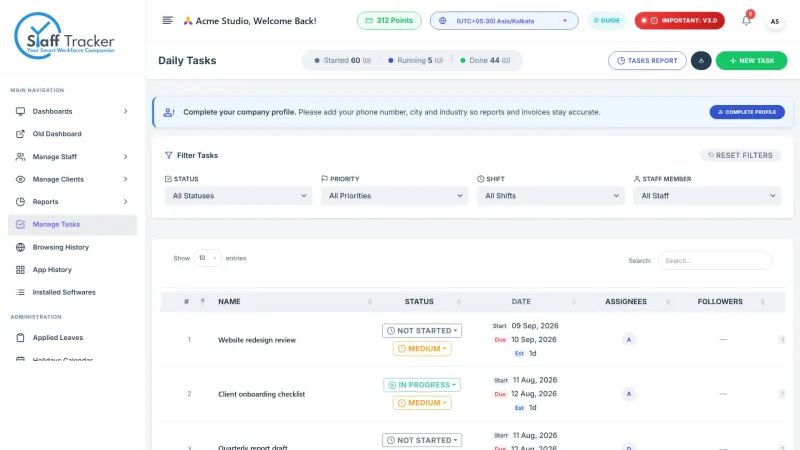
- Task manager with priority, due date and status
- Analytics for any date range
- Reports and history kept for up to 1 year on Premium
 Sample data
Up and running in three steps.
1. Track the work
Employees run the desktop app and press Play to start a session.
Employee2. Assign tasks
Give each person tasks with priority and a due date.
Manager3. Review analytics
Open the dashboard and the task analytics for the period you need.
ManagerQuestions, answered.
Our team will help you pick a plan and set up your team.
Contact supportIt records how work time is used and how tasks progress, then reports it per employee and per team so managers can spot problems early.
The dashboard shows each employee's productivity alongside work span, active, break and idle time, and the task analytics show completion by status.
Yes. The task manager tracks status, priority and due date, and the analytics summarise tasks for any date range.
Yes. The Basic plan costs $0 and includes tasks and activity reports.
See how your team gets work done.
Register, add your team and open the dashboard. The Basic plan is free.