Remote Employee Monitoring Software
Remote employee monitoring software for work-from-home teams. Track work sessions, screenshots and app usage transparently, wherever your team works.
 Sample data
What gets in the way, and what helps.
Cannot see the working day
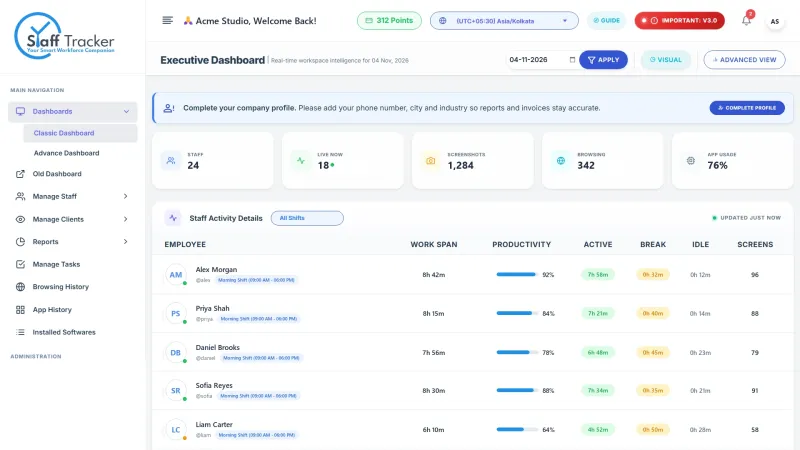
Sessions show when work started, paused and ended.
Trust without evidence
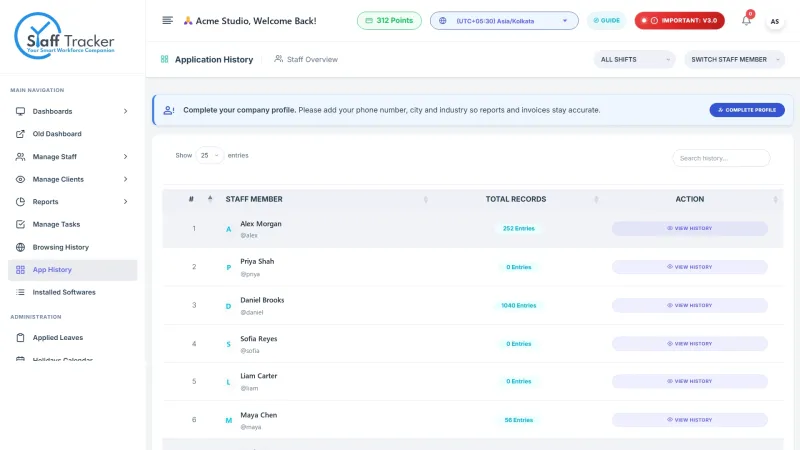
Screenshots and app history back up the hours.
Time zones differ
Each employee's shift and time zone are respected.
The tools behind the result.
Time tracking
Play, Pause and Punch Out with active, idle and break time.
Learn moreScreenshots and activity
Tagged screenshots and activity levels for every session.
Learn moreAttendance and leave
Monthly attendance by shift with one-click leave approvals.
Learn moreReports
Work span, active, break and idle time per person.
Learn moreRemote employee monitoring your team can trust.
Remote employee monitoring software for work-from-home teams. Track work sessions, screenshots and app usage transparently, wherever your team works.
- Employees start and stop tracking themselves
- Last screenshot time visible to the employee
- Different time zones and shifts supported
- Reports by employee and by shift
 Sample data
Up and running in three steps.
1. Register and add staff
Choose a plan and create staff accounts.
Manager2. Install the app
Download the Windows app and sign in on each PC.
Employee3. Review the dashboard
See time, attendance and activity in one place.
ManagerQuestions, answered.
Our team will help you pick a plan and set up your team.
Contact supportEmployees run the Windows app, and managers review sessions, screenshots and app history on the web dashboard.
Yes. Employees press Play and see their timer, status and last screenshot time.
Yes. Shifts and time zones are set per employee.
Yes. Basic costs $0.
Manage remote work with clarity.
Start free and see how remote hours are spent.