One platform for time, attendance and PC activity.
Employees run a simple desktop app. Managers and owners review everything in a web dashboard. Staff Tracker connects the two, so every tracked hour is recorded and explained.
Free plan at $0Desktop app + web dashboardAndroid with Premium
Work spanPer employee, per dayLast screenshotVisible to the employee too
app.staff-tracker.com/dashboard
Sample data
Hover to zoom · click to open full size
See the connection
Press a button on the PC. Watch the dashboard react.
This is how the desktop app and the web dashboard stay in step. Try Play/Pause and Punch Out on the left.
On the employee's PC
Staff Tracker - v0.1.5–☐✕
DownloadLogout
Username: alex
03 h 42 min
Timer Status : Active
Last Screenshot: 2026-11-11 14:35:44
Idle Time Out5 Minutes
Current Versionv0.1.5
Powered By: Staff Tracker
syncs
On the manager's dashboard
Executive DashboardUpdated just now
Staff4
Live now3
Demo clock14:35
AMAlex MorganDesign · linked to the appWorking3h 42m
SRSofia ReyesSupportWorking5h 10m
JBJordan BlakeSalesPaused2h 05m
PNPriya NairOperationsWorking4h 28m
Alex Morgan started tracking
Simulation for illustration only. The demo clock runs faster than real time. Names and times are sample data.
A workday, step by step
Follow one day through the product.
Scroll to move through the day. Each point opens the real screen, zoomed on the part that matters. Drag a screenshot to look around, or click it to open it full size.
09:00
The team comes online.
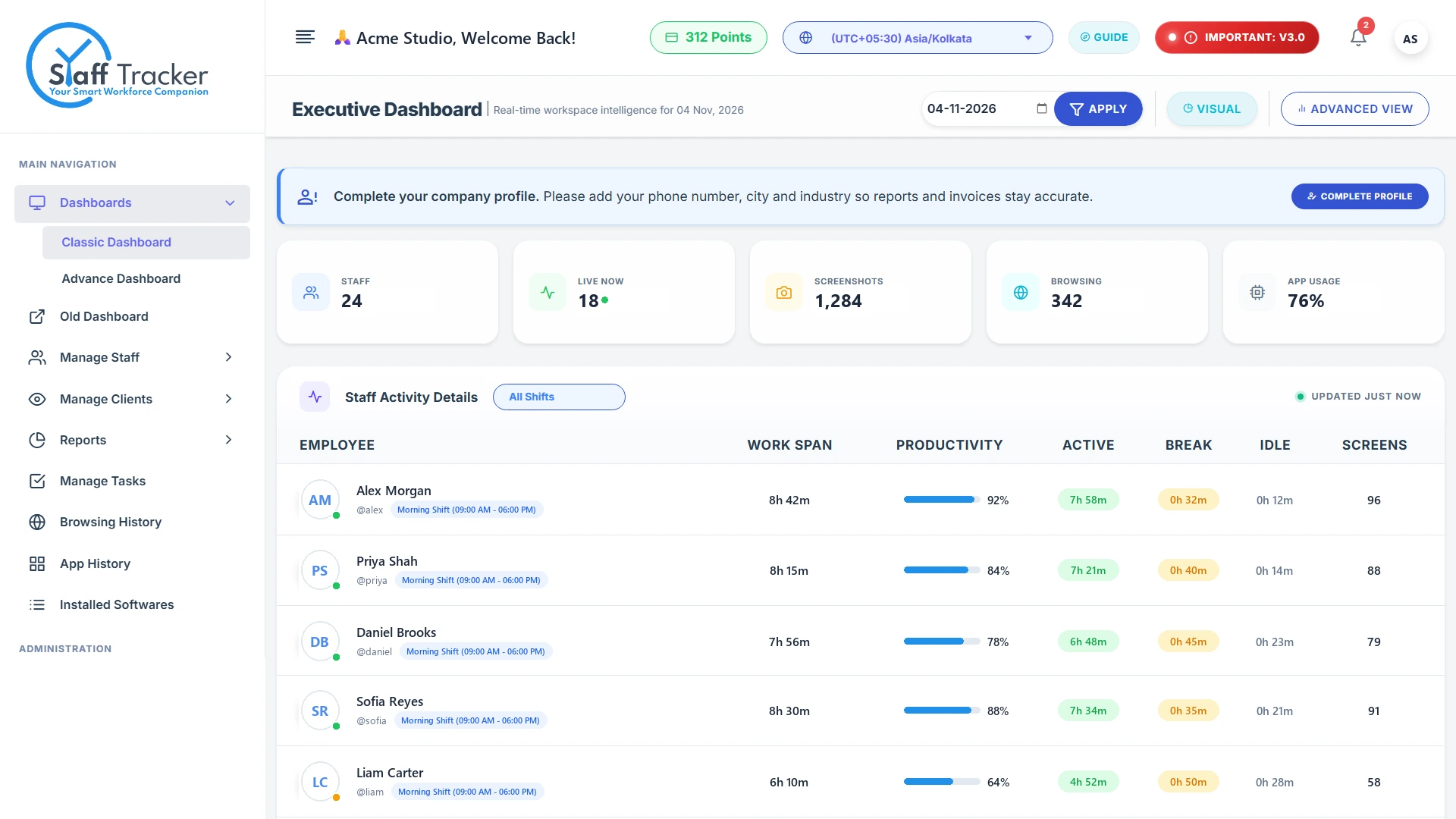
Employees press Play in the desktop app. The executive dashboard shows who is live, and each person's work session starts to fill in.
Live staff at a glanceStaff, live now, screenshots, browsing and app usage in the top row.
Every session in one tableWork span, productivity, active, break and idle time for each employee.
The whole dashboardNavigation, filters and reports, all in one place.
11:30
Work happens on the PC.
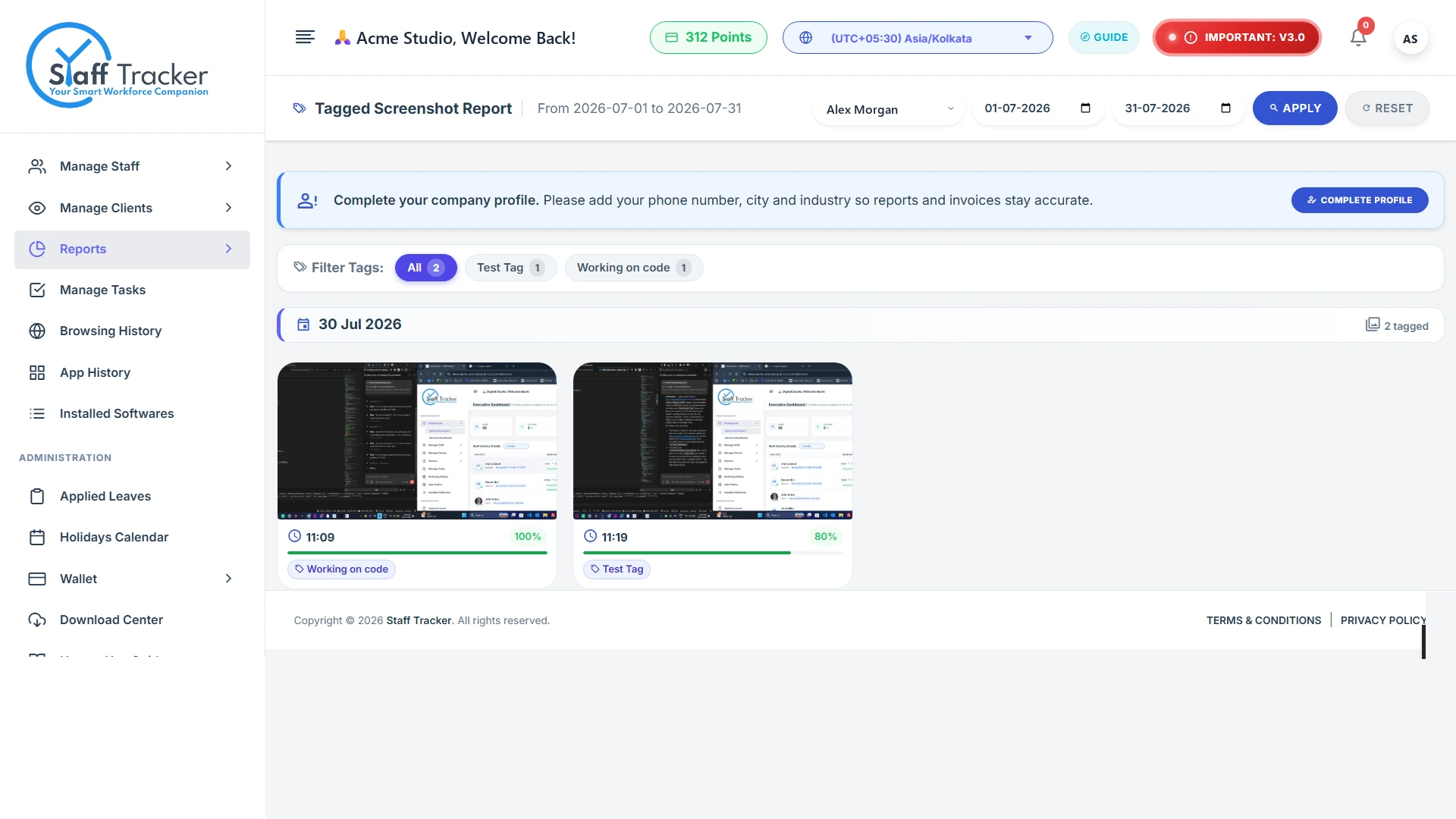
While the timer runs, Staff Tracker records screenshots, the applications in use and the websites visited, so tracked time is explained.
Screenshots with activity levelFilter captures by tag and date, with activity shown on each one.
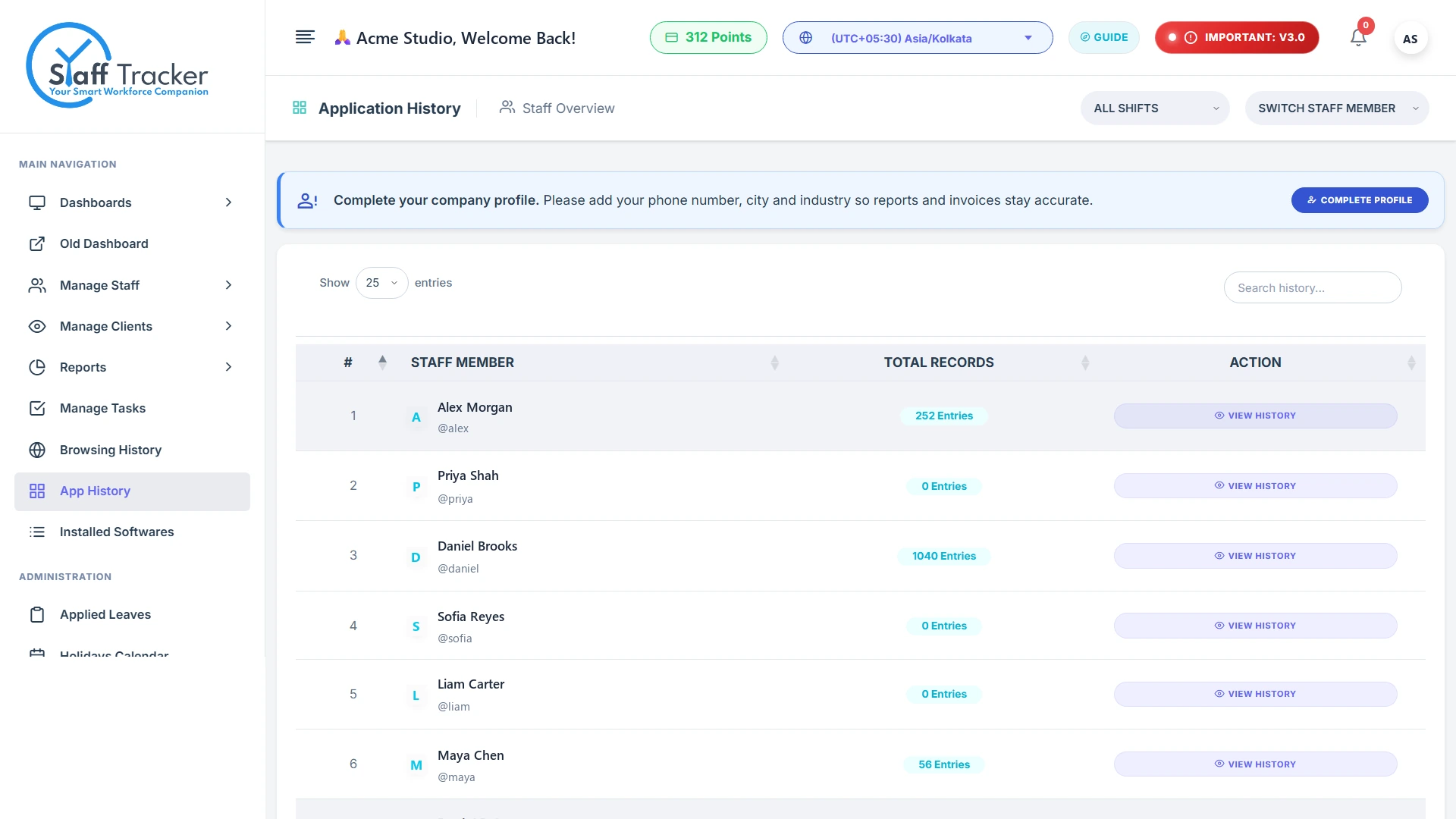
Applications usedApplication history with total records per employee.
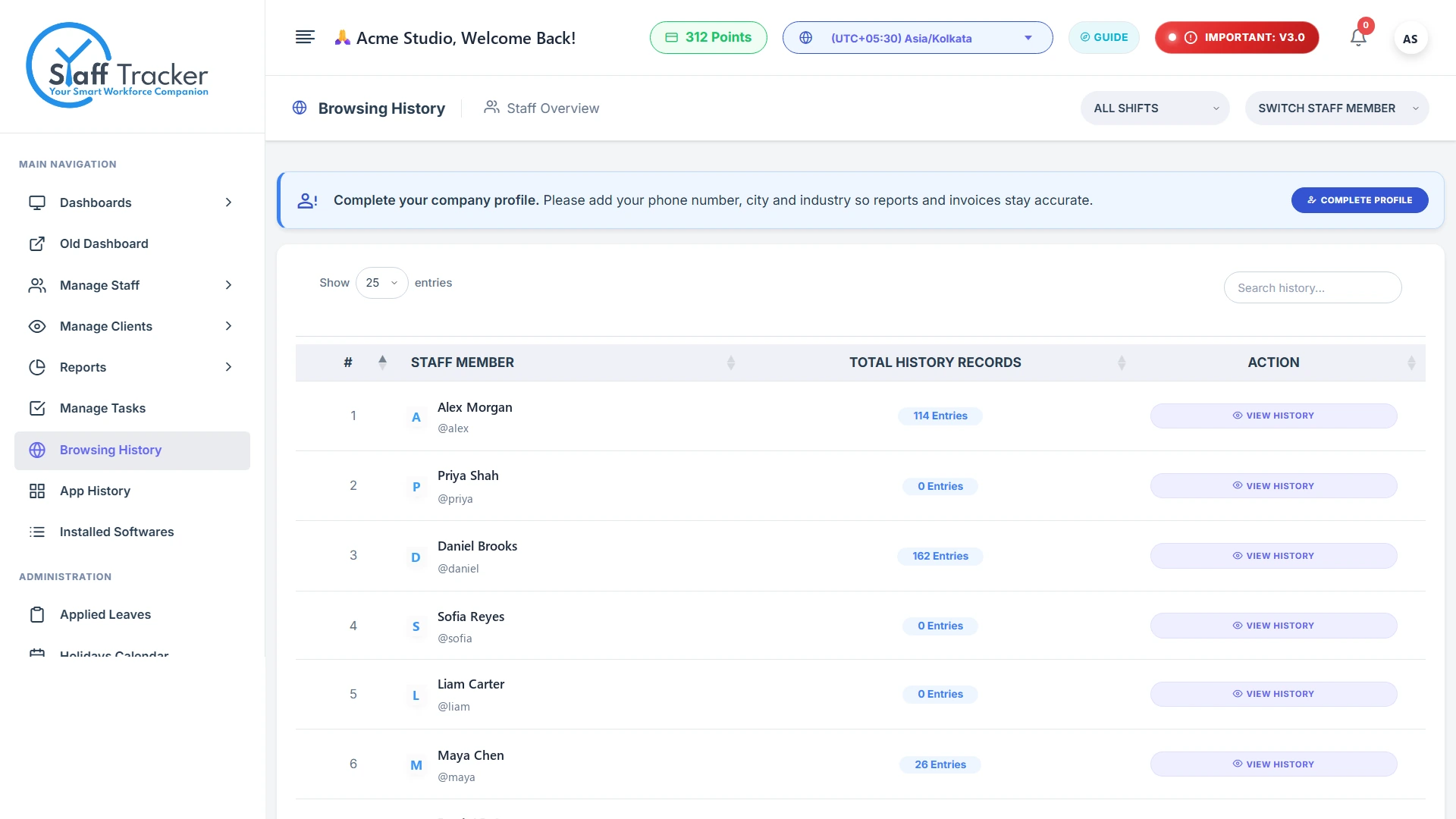
Websites visitedBrowsing recorded during tracked sessions, per staff member.
16:00
Tasks move forward.
Managers assign tasks with priorities and due dates, then check completion and the software detected on each PC.
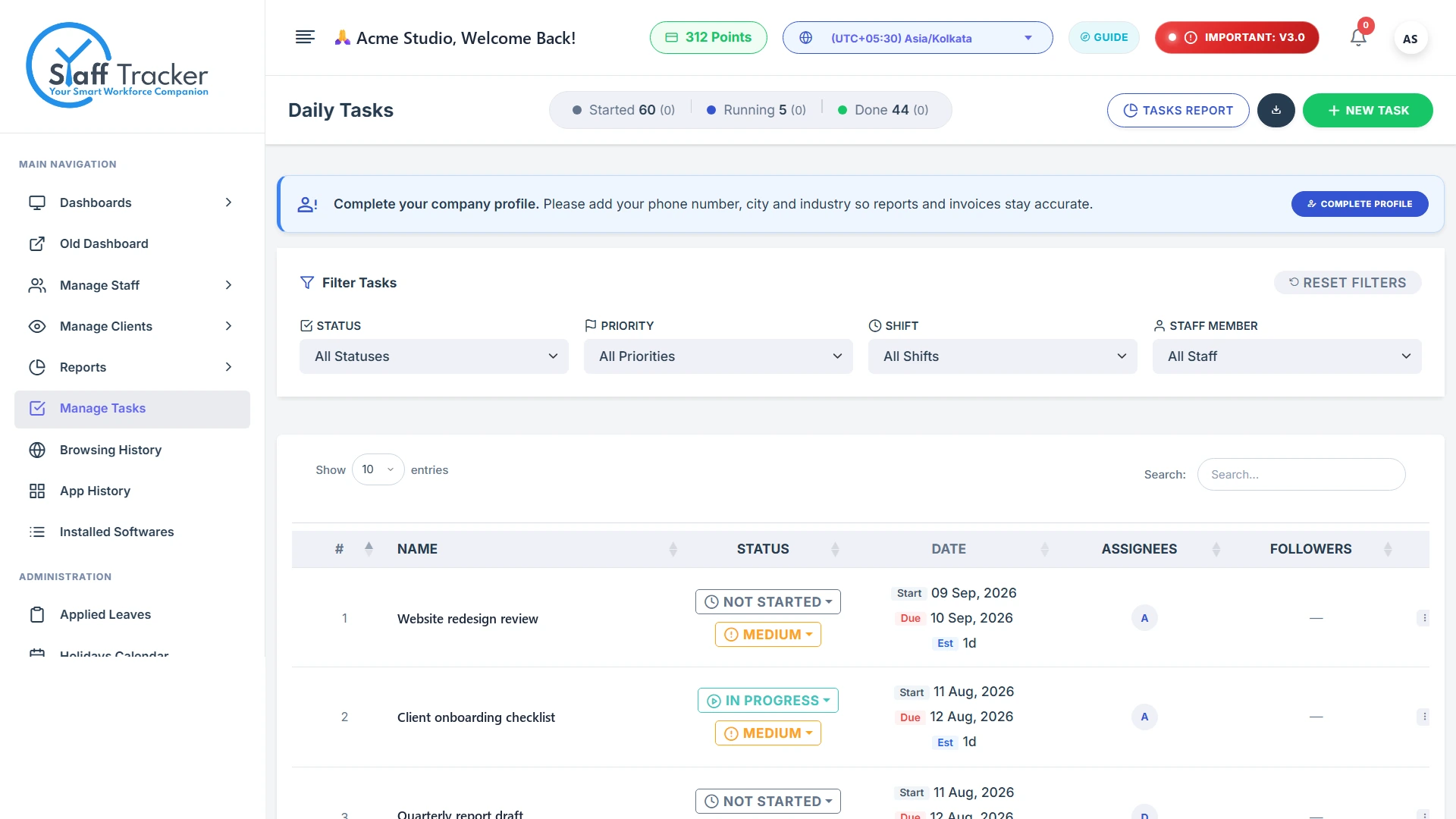
Daily task managerStatus, priority, dates and assignees, filterable by shift or staff.
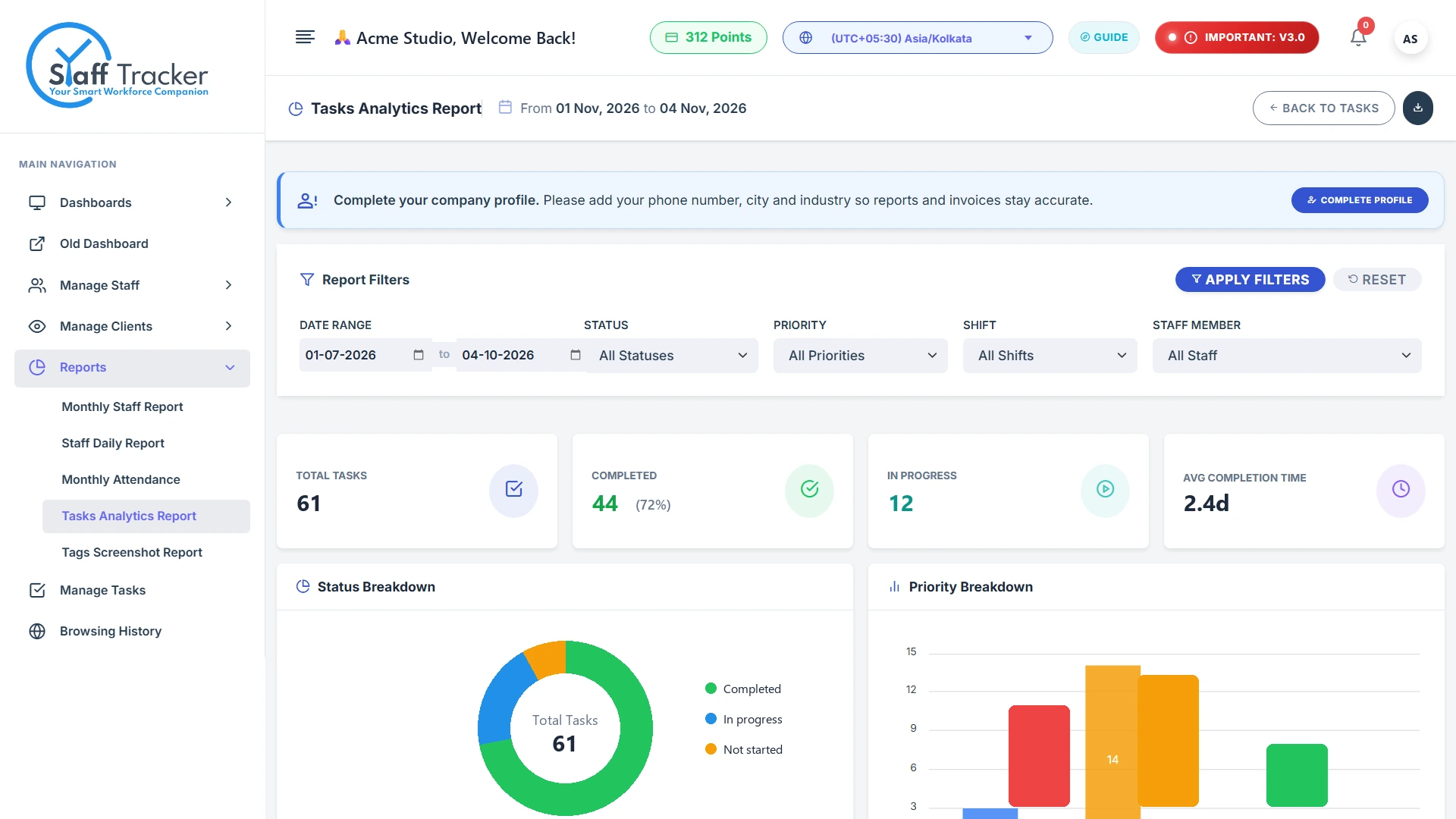
Completion analyticsCompleted, in-progress and not-started with priority breakdowns.
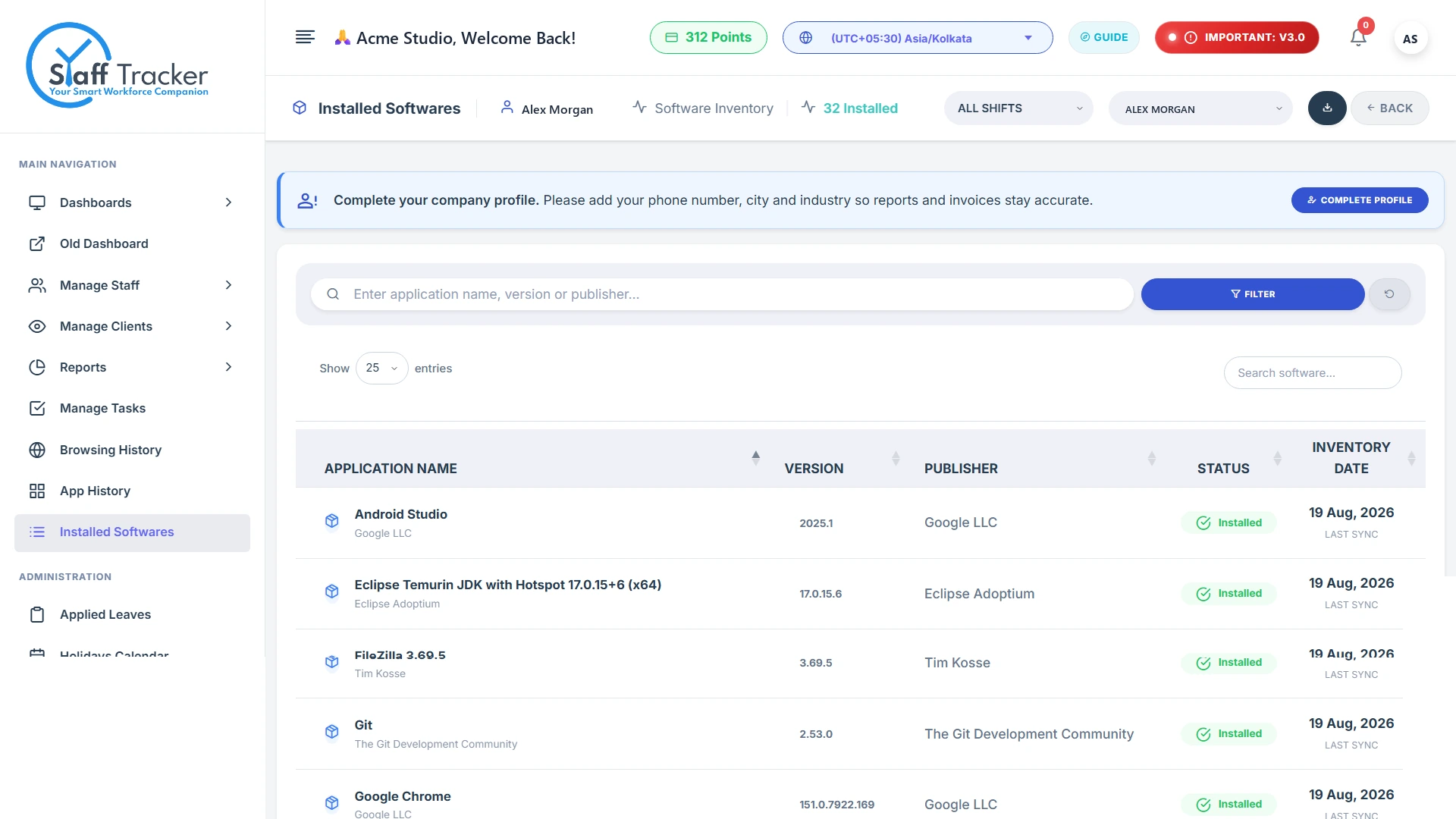
Installed softwareThe programs detected on each tracked PC.
Month end
Attendance is already done.
Every punch-in and punch-out adds up to a monthly attendance report, with leave and holidays in the same place.
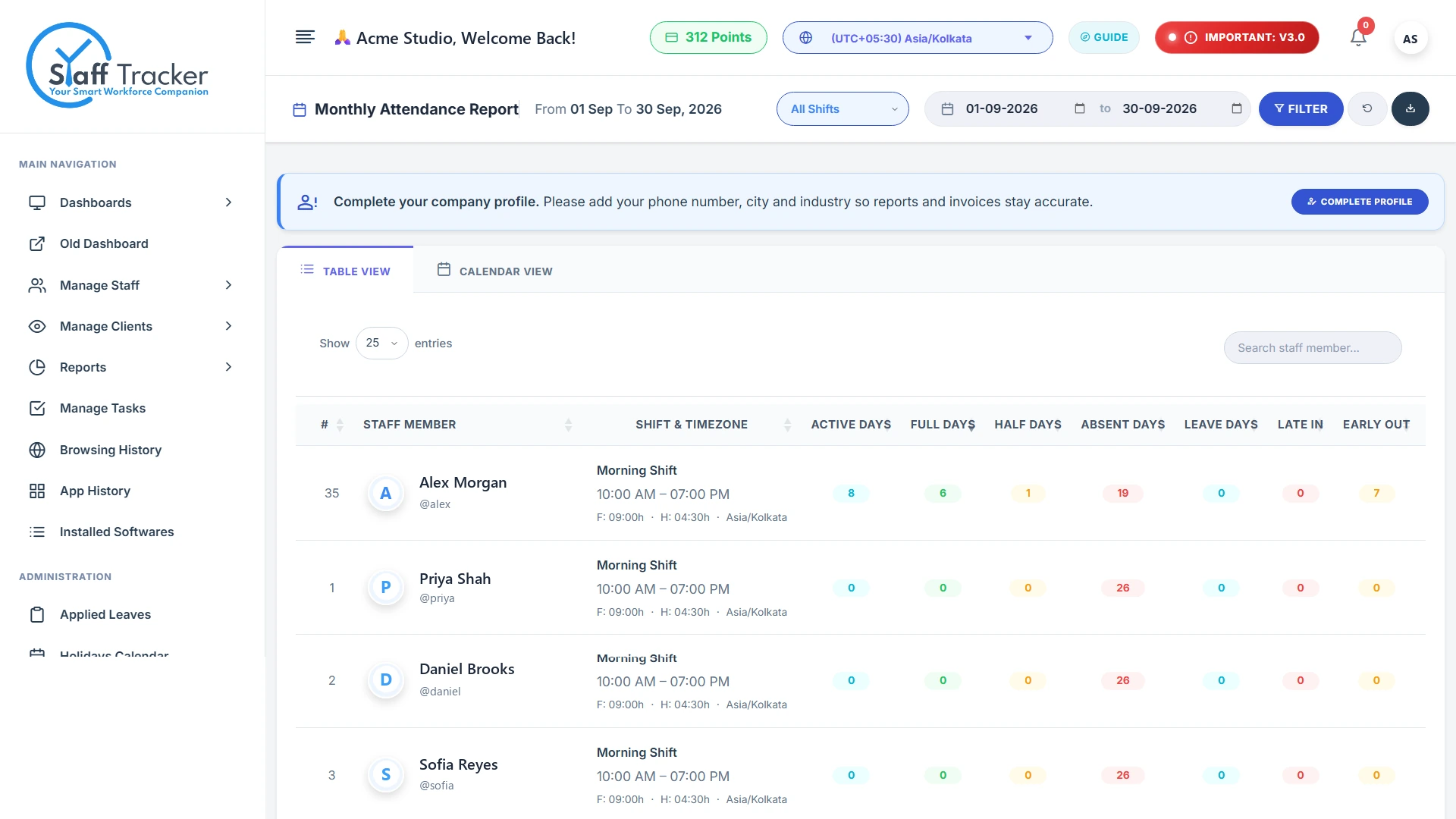
Monthly attendanceActive, full, half, absent and leave days, late-ins and early-outs.
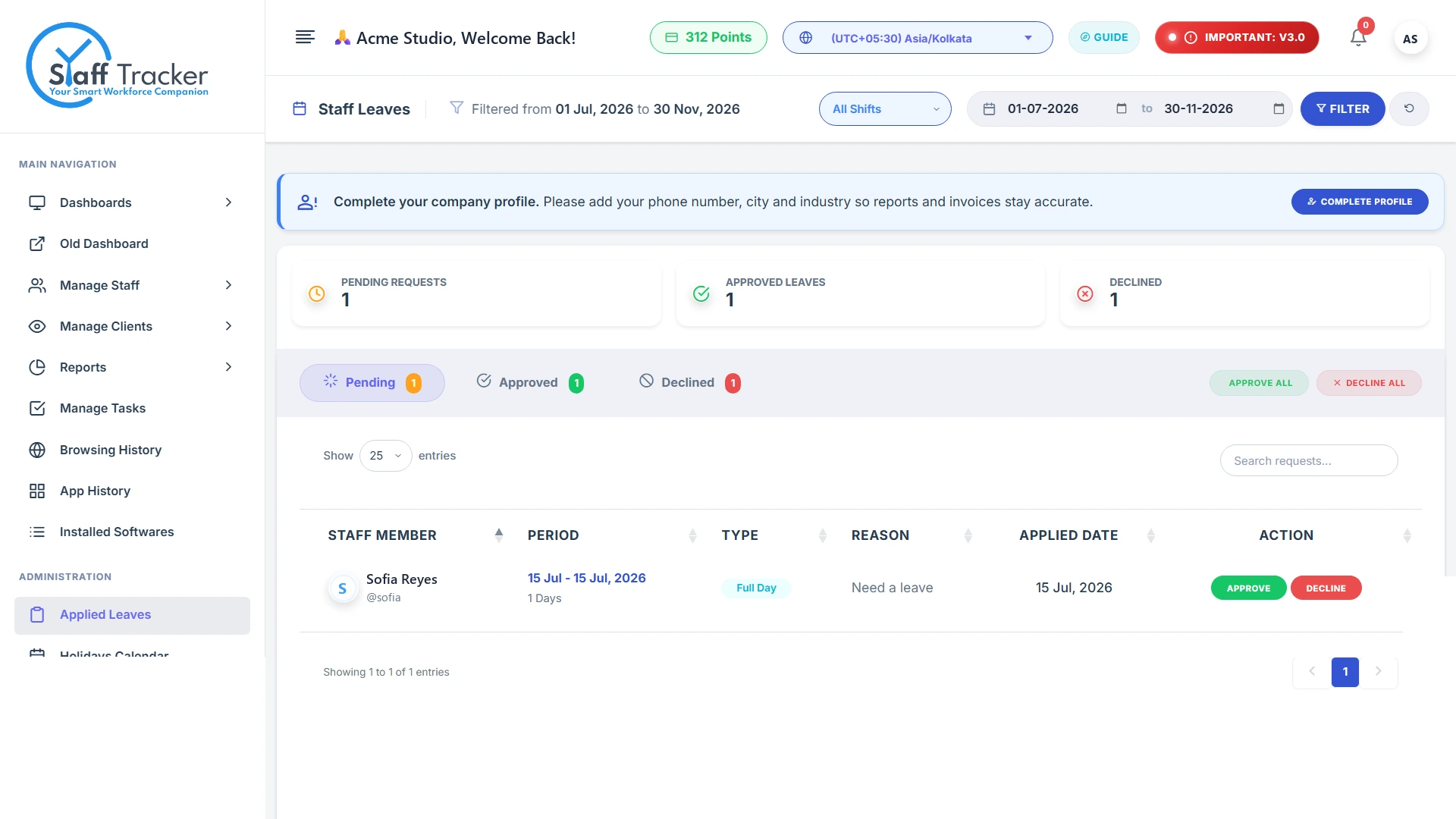
Leave approvalsReview pending requests and approve or decline in one click.
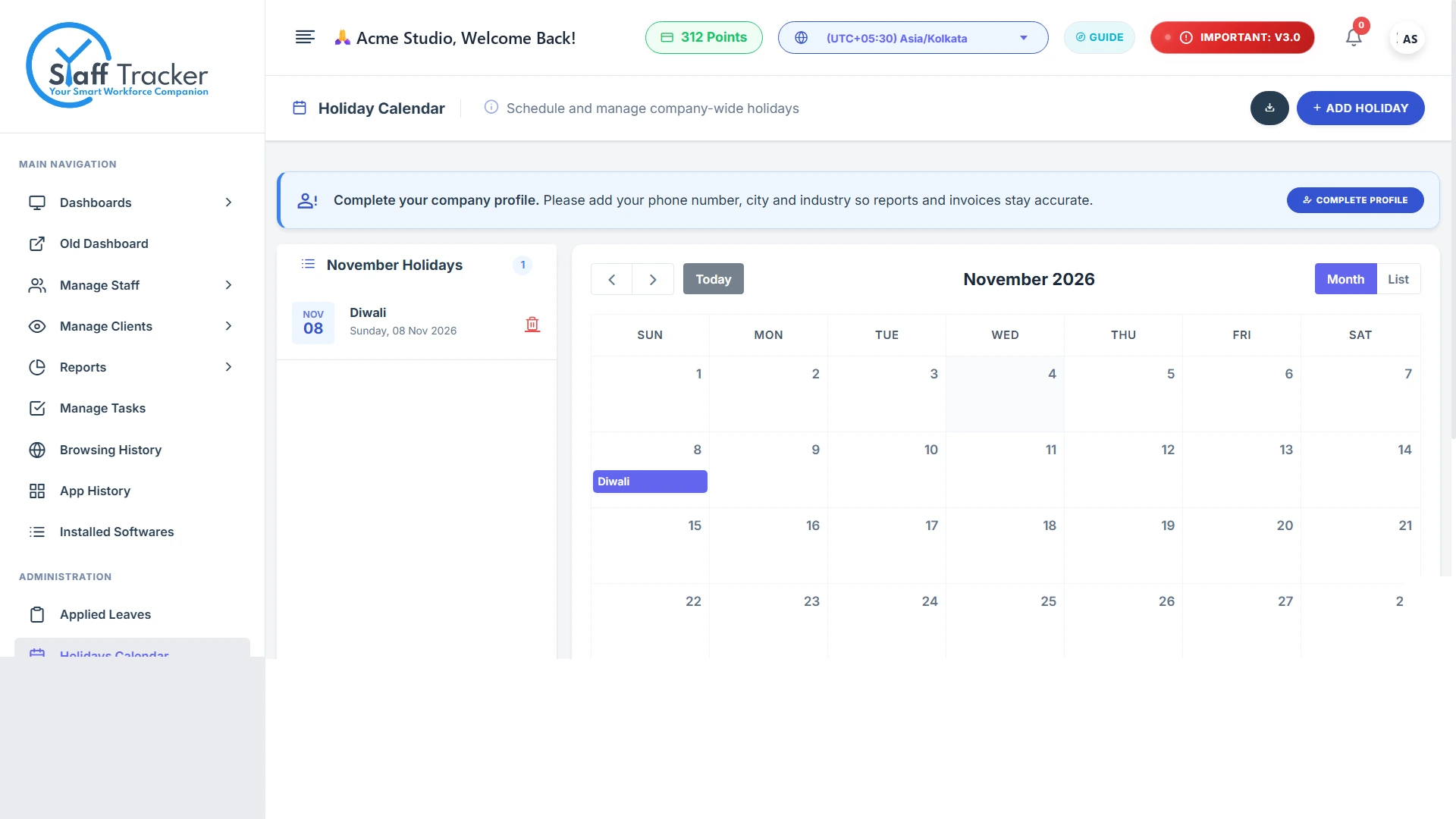
Holiday calendarCompany-wide holidays on a simple monthly calendar.
Drag to move · click to open
Live staff at a glance
Every session in one table
The whole dashboard
Screenshots with activity level
Applications used
Websites visited
Daily task manager
Completion analytics
Installed software
Monthly attendance
Leave approvals
Holiday calendar
The three parts
Who uses what, at a glance.
Point at a column to highlight it.
Desktop app, web dashboard and Android app compared
Desktop app
Web dashboard
Android app
Used by
Employees, on their PC
Owners and managers
Premium-plan users
What it does
Play / Pause and Punch Out, live timer and status, last screenshot time
Staff count, live staff, screenshots, browsing and app usage on one executive dashboard, with task analytics, wallet and company settings in the same account.
Executive dashboard KPIs
Task completion analytics
Wallet, recharge and receipts
app.staff-tracker.com/dashboard
Sample data
Review attendance, activity and tasks.
Check monthly attendance, approve leave, look through activity history and follow task progress without chasing spreadsheets.
Monthly attendance and applied leaves
Screenshot and activity history
Task manager with priorities
app.staff-tracker.com/leaves
Sample data
Simple controls, clear status.
Employees control their own work session with Play/Pause and Punch Out, and can always see the timer, the status and when the last screenshot was taken.
Play / Pause and Punch Out
Live timer and status
Last screenshot time is always visible
Staff Tracker - v0.1.5–☐✕
DownloadLogout
Username: sofia.reyes
Play/PausePunch Out
03 h 42 min
Timer Status : Active
Last Screenshot: 2026-11-11 14:35:44
Idle Time Out5 Minutes
Current Versionv0.1.5
Powered By: Staff Tracker
Progress without access to everything.
Give clients view-only access to the staff and reports you choose, so they can see progress without changing anything.
You choose which staff they see
You choose which reports they see
View-only, nothing can be changed
app.staff-tracker.com/reports/tasks
Sample data
Workforce visibility, not surveillance. Use monitoring transparently, with employee notice and in line with workplace and data-protection requirements.
Plans
Start free. Pay per user when you grow.
Move the sliders to estimate your total. 1 point = 1 user for 1 month, and you see the final total before you pay.