- By Admin
- 06 Jan, 2025
- 3755 Reading
Here's a number that should make any manager pause: employees waste an average of 2.1 hours every single workday due to disorganization, unclear priorities, and poor time visibility (Atlassian State of Teams Report, 2023). Multiply across a team of 10, and you're losing over 5,000 productive hours every year. Silently, invisibly, at a cost your spreadsheets aren't capturing.
If your team is constantly juggling tasks, missing deadlines, or finishing the day wondering where the time actually went, the problem isn't effort. It's visibility.
That's exactly where free time tracker software for employees makes a measurable difference. With the right workload management tools in place, employees stop guessing and start making data-backed decisions about how they spend their time, and managers get the clarity they need to lead effectively.
In this guide, we'll show you 7 proven ways Staff Tracker helps employees manage their workloads more effectively, from reducing burnout to improving team collaboration and everything in between.
What Is Free Time Tracker Software for Employees?
Featured Snippet — Direct Answer (40–60 words): Free time tracker software for employees is a tool that records exactly how long workers spend on tasks, projects, and activities throughout the workday. It replaces manual timesheets with automated, real-time data, giving employees clarity on where their time goes, and giving managers the visibility to optimize workloads, prevent burnout, and improve team performance.
Staff Tracker takes this step further. Beyond basic time logging, it layers in productivity monitoring, application usage tracking, attendance management, and real-time reporting, making it one of the most complete employee task management software solutions available, with a free plan to get started.
Why Workload Management Breaks Down Without Data
Most employees manage their workloads using a mix of mental notes, email threads, and to-do list apps. This approach has one fundamental flaw: there's no feedback loop.
When you don't know how long tasks actually take, you can't plan accurately. You overcommit. You are underestimated. You push deadlines. You burn out. And the cycle repeats.
A 2024 Microsoft Work Lab report found that 68% of workers say they don't have enough uninterrupted focus time — and the primary cause isn't laziness or distraction. It's that no one has visibility into how time is being distributed across the team.
Time management software for teams solves this by replacing guesswork with data. And with Staff Tracker's free tier, there's no barrier to getting started.
7 Proven Ways Staff Tracker Helps Employees Manage Workloads Effectively
1. It Shows Employees Exactly Where Their Time Is Going
The most immediate and often most shocking benefit of using free time tracker software for employees is simple awareness.
Before tracking, most employees believe they know how they spend their day. After tracking, they discover the reality is very different. A 2022 study published in PLOS ONE found that people overestimate their own productivity by up to 40% on average. The gap between perception and reality is where workload chaos lives.
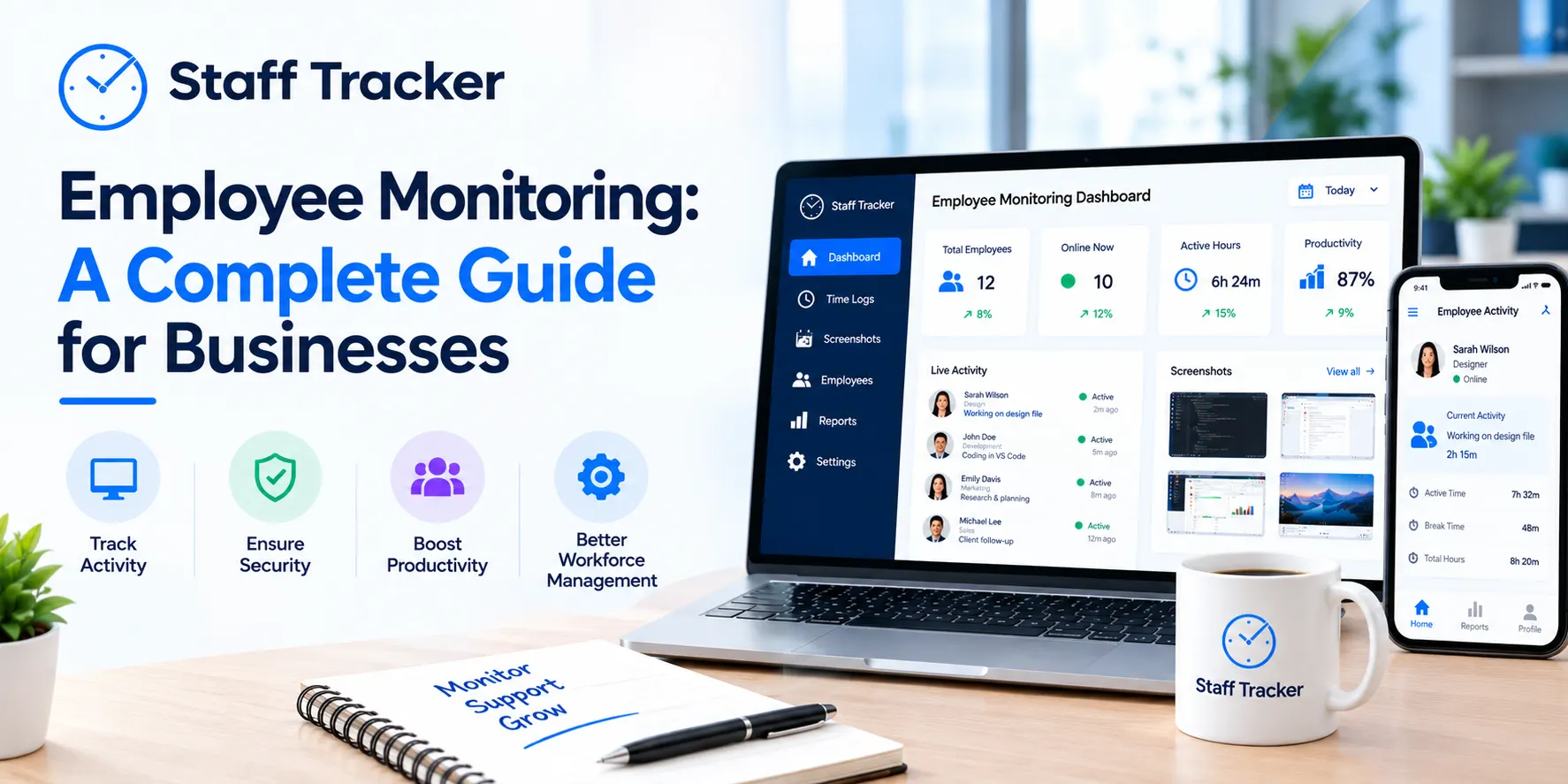
Staff Tracker's real-time dashboard gives employees a live, accurate view of time spent across every task, project, and application. Instead of a vague feeling of "being busy," they get actual numbers, broken down by hour, day, week, or custom date range.
The result: Employees can immediately identify where time is leaking and make targeted adjustments. Not based on gut feelings. Based on data.
2. It Helps Employees Prioritize High-Impact Tasks
Once data is visible, prioritization becomes rational instead of emotional. Staff Tracker's productivity tracking software shows employees which tasks are consuming disproportionate time relative to their actual business value.
This is the most common discovery teams make in their first week: low-priority administrative work, emails, internal meetings, status updates, is quietly consuming hours that should go toward high-impact deliverables.
A real-world example: A remote operations team implemented Staff Tracker in early 2025. Within the first month, their manager noticed that internal reporting was consuming over 35% of each coordinator's weekly hours. By restructuring the reporting workflow using Staff Tracker's insights, they recovered nearly 5 hours per employee per week, time redirected to client-facing work that moved the needle.
Staff Tracker makes this kind of discovery systematic, not accidental.
3. It Enables Accurate Goal setting and Deadline Planning
One of the leading causes of employee stress and burnout is committing deadlines that aren't grounded in reality. This happens because most teams estimate based on optimism, not data.
Staff Tracker's time history changes completely. When employees have a clear record of how long similar tasks have taken in the past, they can estimate future work with precision. A developer who tracked 12 hours on a similar feature last sprint has a real baseline, not a guess, for planning the next one.
According to the Project Management Institute's 2023 Pulse of the Profession report, projects with accurate time estimates are 2.5x more likely to finish on time and on budget.
Staff Tracker turns time data into institutional knowledge, so your team stops repeating the same planning mistakes.
4. It Makes Burnout Visible Before It Becomes a Crisis
Burnout doesn't arrive suddenly. It builds quietly through weeks of invisible overloading, and by the time it surfaces, the damage is already done.
The World Health Organization officially classified burnout as an occupational phenomenon in 2019 (ICD-11), defining it as the result of "chronic workplace stress that has not been successfully managed." The challenge is that without data, "chronic overload" is invisible until it becomes a retention problem.
Staff Tracker makes overload quantifiable. Managers using the platform's workload management tools can see, immediately, when an employee is consistently logging excessive hours, skipping breaks, or working outside normal schedules. This creates an opportunity for early intervention: redistribute tasks, adjust a deadline, or simply check in before the situation escalates.
This is the difference between reactive HR and proactive people management. And it starts with having the right data.
5. It Improves Team Communication and Collaboration
When every team member tracks time through Staff Tracker, project visibility becomes shared — not siloed.
Instead of chasing updates in Slack or scheduling unnecessary status meetings, managers can open the Staff Tracker dashboard and instantly see where every project stands. Which tasks are in progress. Which is running over time. Where a bottleneck is forming.
This is one of the most underrated benefits of time management software for teams: it replaces reactive communication with proactive awareness. The data speaks before anyone has to ask.
For remote and hybrid teams, this shared visibility is the foundation of trust and accountability, without the need for micromanagement.
6. It Builds Stronger Time Management Habits Over Time

Here's an insight that most articles on time tracking miss entirely: tracking time doesn't just measure behavior — it changes it.
When employees know their time is being logged, they become more intentional about how they use it. This is a well-documented behavioral phenomenon, and in a workplace context, it's genuinely valuable. Employees who use Staff Tracker consistently report developing better focus habits, more deliberate task-switching, and stronger self-awareness about their own productivity patterns.
The tool doesn't just give employees data. It teaches them, gradually, through feedback, how to manage their own time more effectively. Over months of use, the habits formed through time tracking become instinctive. Employees don't need the timer to stay focused; they've internalized the discipline.
This is the long-term ROI of employee task management software that most organizations never account for: you're not just buying a tool. You're investing in a skill.
7. It Connects Seamlessly with Your Existing Workflow
The best time tracking solution is one employee uses, and adoption depends entirely on how frictionless the tool is.
Staff Tracker is built with this in mind. It works across devices (desktop, mobile, web), integrates with your team's existing workflow, and provides a clean, intuitive interface that doesn't require weeks of training or IT support. Setup is fast enough that teams can begin tracking on day one.
The easy installation process is one of the greatest benefits of Staff Tracker. Small companies do not require complicated mechanisms or protracted timeframes, they can begin tracking employee activity immediately, enhancing productivity from the first day.
For field teams, Staff Tracker's GEO Tracker feature adds GPS-based location monitoring. So, time tracking extends beyond the desk to wherever your employee works. For teams managing calls, the call monitoring module captures duration and activity logs automatically.
One platform. Every workload visibility needs to be covered.

How to Get Started with Staff Tracker's Free Plan
Getting started with free time tracker software for employees through Staff Tracker takes less than 10 minutes. Here's how:
Sign up for Staff Tracker's free plan at staff-tracker no credit card required
Install the lightweight desktop or mobile app on your team's devices
Set up your team — add employees, assign departments, and configure tracking preferences
Go live — tracking begins immediately; your dashboard populates in real time
Review your first report — within 24 hours, you'll have your first data-driven view of how your team spends its time
The free plan includes core features: time tracking, activity monitoring, basic reporting, and attendance management. Upgrade to unlock advanced analytics, screenshot capture, call tracking, and GEO tracking as your needs grow.
People Also Ask
Q1: Is Staff Tracker's time tracker software really free?
Yes. Staff Tracker offers a genuinely free plan with no trial period expiry. The free tier includes core time tracking, attendance monitoring, and basic reporting, enough for small teams to get immediate value. Paid plans starting from $2/user/month unlock advanced features like screenshot capture, call tracking, and GPS monitoring.
Q2: How does time tracking software improve employee productivity?
Time tracking software improves productivity by replacing guesswork with accurate data. Employees can see exactly where their hours go, identify time-wasting activities, and make intentional adjustments. Managers gain visibility into team workloads, allowing them to redistribute tasks, catch bottlenecks early, and support better planning.
Q3: Can free time tracker software help prevent employee burnout?
Yes. By making individual and team workloads quantifiable, time tracker software gives managers an early warning system for overloading. When one employee is consistently logging excessive hours or skipping breaks, the data surfaces with that pattern, creating an opportunity to intervene before burnout becomes a resignation.
Q4: What features should I look for in free time tracker software for employees?
Look for: unlimited users on the free plan, real-time dashboards, exportable reports, mobile app availability, and integrations with your existing tools. Staff Tracker's free plan covers all of these and adds attendance management and activity monitoring. features most free tools reserved for paid tiers.
Q5: Is employee time tracking software suitable for remote teams?
absolutely. Time tracking software is especially valuable for remote teams, where workload visibility is hardest to maintain without in-person oversight. Staff Tracker supports remote, hybrid, and field teams with desktop monitoring, mobile tracking, and GEO-based location tracking all from a single platform.
The Bottom Line
Workload chaos isn't a people's problem, it's a visibility problem. When employees and managers lack accurate data about how time is being spent, everything suffers: priorities get confused, deadlines slip, and burnout builds quietly in the background.
Free time tracker software for employees, specifically Staff Tracker, solves this by turning invisible time into visible, actionable data. The result is a team that works smarter, plans more accurately, communicates more clearly, and sustains its performance over the long term.
The best part? You can start today, for free, with no commitment required.
ABOUT THE AUTHOR
Content written by Saurabh
Saurabh is part of the expert content marketing team at ZoomIntoWeb. He has expertise in curating meaningful information that can be used by visitors in general. Saurabh is also involved in creating client-specific stories and blogs.
👉 Try Staff Tracker free at staff-tracker.com and see exactly where your team's time is going — starting today.
 09-10-2026