- By Admin
- 14 Jan, 2026
- 1412 Reading
In the modern day workplaces, management of productivity can no longer be restricted to the physical office where employees can be managed. Remote working, hybrid groups, and field workers are becoming the new reality, and managers should have smarter, more trustworthy methods of getting visibility about how work is being done. Old fashioned attendance books and manual reporting systems usually do not bring clarity, accuracy or insight into action. The increasing complexity has seen several organizations embrace the use of digital employee monitoring tools which pay emphasis on transparency, efficiency and performance enhancement.
Staff Tracker will satisfy these contemporary management requirements. Being a convenient staff tracking system, it assists managers to have a real time view of employee activity, determine the bottleneck points of productivity, as well as streamline the working processes without causing discontinuation to daily business processes. The potential ability of its managers to track team productivity in an organized, informative, and accountable manner is one of its strongest capabilities that can be achieved through the usage of time tracking software with screenshots.
Why Time Tracking Is Critical for Productivity Management
Productivity is based upon time. In the absence of precise data regarding the utilization of the work hours, managers have to use assumptions instead of facts. This may cause work imbalance, failure to meet deadlines and inefficiencies that may be hard to identify. Time tracking software is also informative as it captures the true hours of work and time spent on the work and it provides managers with a trustworthy ground to make decisions.
Staff Tracker enables managers to effectively track the working hours, project schedule, and duration of tasks of employees. The use of data will make the productivity measurements objective, not subjective. Time tracking software with screenshots is also a more potent tool when used along with visual evidence that will provide precision and context.
How Screenshot Monitoring Adds Context to Time Tracking
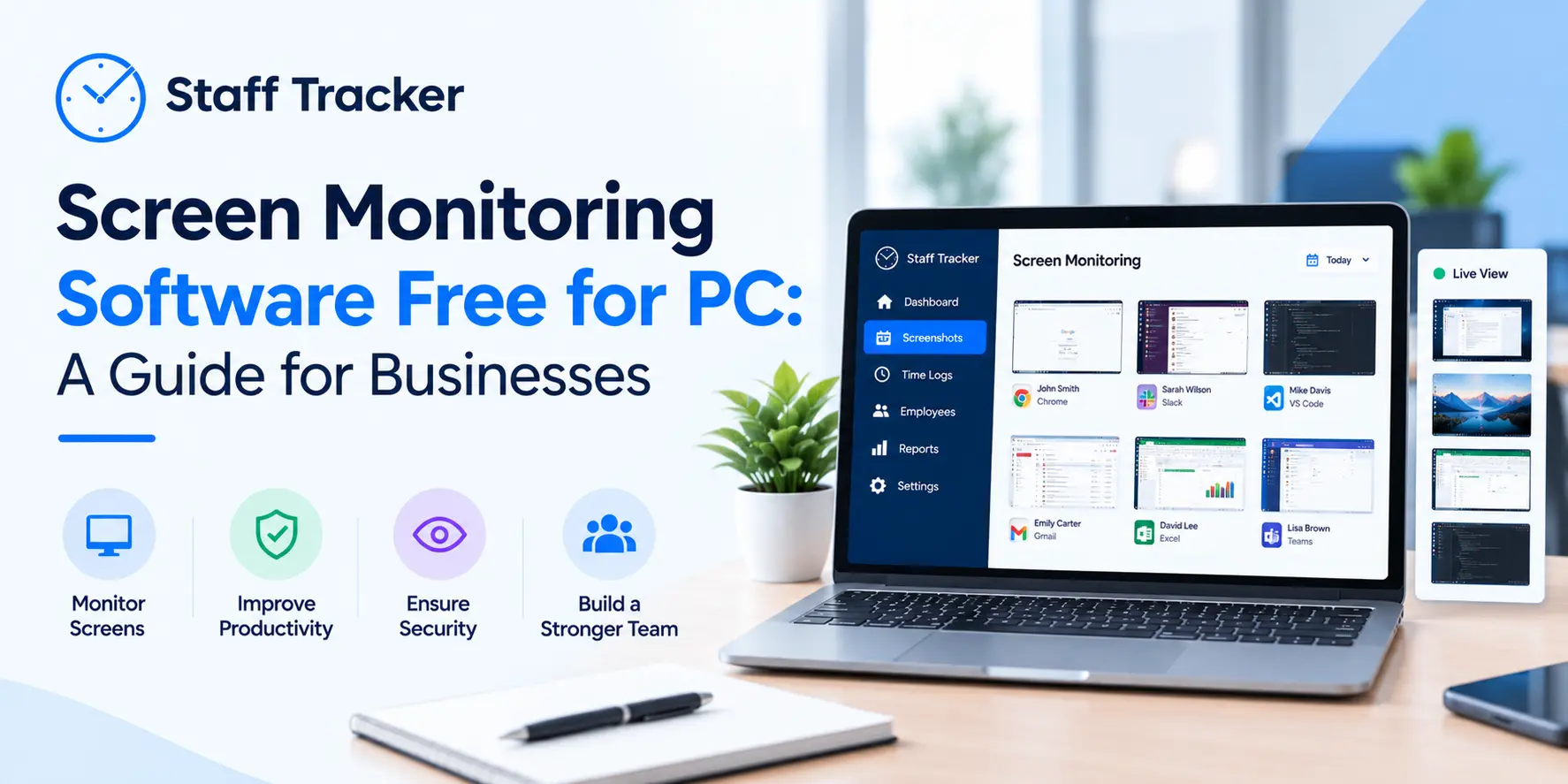
Time tracking alone indicates how much one has been working, but does not indicate what he or she did with that time. Screenshot monitoring is a solution that addresses this gap that offers a visual clue of employee activity during logged-in hours. Staff Tracker takes some periodic screenshots of employee screens allowing managers to get an idea of work patterns without having to follow the employees all the time.
These screen shots would assist managers to determine whether employees are busy working on productive things, on the correct tools or are experiencing workflow barriers. Instead of being used as a surveillance mechanism, screenshot monitoring helps in accountability, transparency, and training. Combined with time tracking, it will turn time tracking software with screenshots into a comprehensive productivity management system as opposed to a basic tracking system.
Monitoring Daily Workflows Through Desktop Activity Tracking
Managers are usually challenged on where productivity slows down in the day to day processes. The PC Tracker option of Staff Tracker will resolve this issue as it will enable the managers to track computer usage and usage of specific applications in real time. This gives an understanding of how the employees relate to their systems at the workplace.
Through the desktop usage trends, the managers will be able to know what applications are prolific and where the inefficiencies might lie. This data assists in streamlining the organizational processes and makes the work hours to be aligned with the objectives of the organization. Time tracking software with screenshots in this manner facilitates informed decision-making, as opposed to guesswork.
Understanding Browsing and Application Usage
The other area of concern in productivity monitoring is the network of how the employees access websites and applications at their workplace. Staff Tracker is a service that gives data on browsing history and application history that will assist managers to assess the usage trends and enforce the company policy.
With this visibility, managers can distinguish distractions, use the tools in a more favorable manner, and promote team-based productive habits. Browsing and app history when added to screenshots and time logs, give a full view of how time is used, which adds to the overall efficacy of time tracking software with screenshots.
Improving Project Oversight and Task Management
It may not be easy to handle more than one project at a time without a clear insight as to time allocation. The time tracking features enable the managers of Staff Tracker to indicate the duration of time spent by employees on certain work and projects, which can help them determine progression more effectively.
The understanding can help the managers to predict delays in advance, coordinate workloads, and enhance project planning. Linking time data with actual activity provided by screenshots, the managers will be certain of their evaluations. It is why time tracking software with screenshots is a valuable tool to ensure that the projects are efficient and meet the deadlines.
Attendance Tracking and Workforce Visibility
Attendance is an important factor towards productivity particularly where the team members have a flexible work schedule or have the workplace remotely. Staff Tracker also makes it easy to process attendance, as it automates the process of tracking attendance and also reports absences in real time.
This automation saves on administrative time and makes sure that there are correct records. Once attendance data can be perceived in addition to time tracking and monitoring activities, managers can have a complete picture of how the employees are available and engaged. Such a combination improves the ways time tracking software with screenshots can be used to manage the daily workforce.
Managing Remote and Field Teams with Confidence
The remote and field teams present special monitoring challenges because the managers cannot use their physical presence to control them. This has been resolved by Staff Tracker with its Geo Tracker feature that enables the field teams to be tracked real-time to enhance security, logistics and management.
Through time logs and location, the managers will be in a position to watch over their shoulders without having to check in on their workers at all times. This makes time tracking software with screenshots to be just as beneficial to office employees and remote workers alike as well as field teams to establish consistency to the workforce.
Call Tracking as a Measure of Performance
Call performance is a key measure of productivity of teams that are in contact with customers. Staff Tracker also has a call tracking service which logs the duration of calls, logs of calls and call analysis.
This information can be used by managers to assess the level of workload distribution, customer interaction and efficiency. In cases where call data has been reviewed and time tracking is done, it will give more insight on how employee time is turned into results. It is also an indication of the versatility of time tracking software with screenshots in various work environments.
Monitoring Distance Traveled for Field Operations
To companies that have mobile workers, it is worth knowing the travelling patterns to manage productivity as well as costs. Staff Tracker allows monitoring the distance covered and the paths of employees, which allows managers to facilitate the work of the field and reporting.
Such data assists in the planning of a better way, proper tracking of expenses, and improved coordination of the field team. It supports time tracking, making it transparent and accountable outside of the desk, which makes the time tracking software with screenshots valuable across the roles.
Turning Data Into Actionable Insights
Gathering of data is not meaningful unless it results in something significant. Staff Tracker offers operational concepts that enable managers to identify bottlenecks, streamline workflows and employee development.
When managers go through time logs, screenshots, and activity patterns simultaneously, they will be able to make efficient decisions and will not have to micromanage. Such an insight-based strategy will result in time tracking software with screenshots being used as a tool of empowerment, as opposed to control.
Balancing Accountability and Trust
Trust is another issue that usually arises around employee monitoring. Staff Tracker helps to be responsible in monitoring as it is concentrated on improvement of transparency and performance instead of around-the-clock monitoring.
Being aware of how the monitoring is done and the uses of data makes the employees accountable and transparent. Insights help managers direct discussions, offer encouragement, and make proper expectations. Such a reasonable combination of time tracking software with screenshots contribute to the creation of a healthier and more productive work culture.
Easy Setup and Deployment for Managers
Staff Tracker is also user friendly and it will only take three simple steps before the managers can begin monitoring productivity:
Step 1: Sign Up for an Account
Register and enter the Staff Tracker software.
Step 2: Download the App
Install and put the application to the equipment of employees.
Step 3: Start Monitoring
Start to monitor the activity of employees and their productivity.
Such an efficient configuration allows the managers to install time tracking software with screenshots fast without involving complicated technical procedures.
The Bottom Line
Clarity, precision, and actionable insights are essential in the management of productivity in the contemporary workplaces. Staff Tracker offers a full-fledged time tracking, screenshot monitoring, activity tracking, attendance, and reporting tool that is one software.
Time tracking software with screenshots connects the managers to the visibility of the working process, allows one to see the areas of improvement, and gives the employees a chance to perform better. The convenient system of Staff Tracker keeps everyone responsible and contributes to the development, which is why it is a reasonable option in the organization that wants to have smarter employee tracking.
 09-10-2026