- By Admin
- 21 Oct, 2026
- 38 Reading
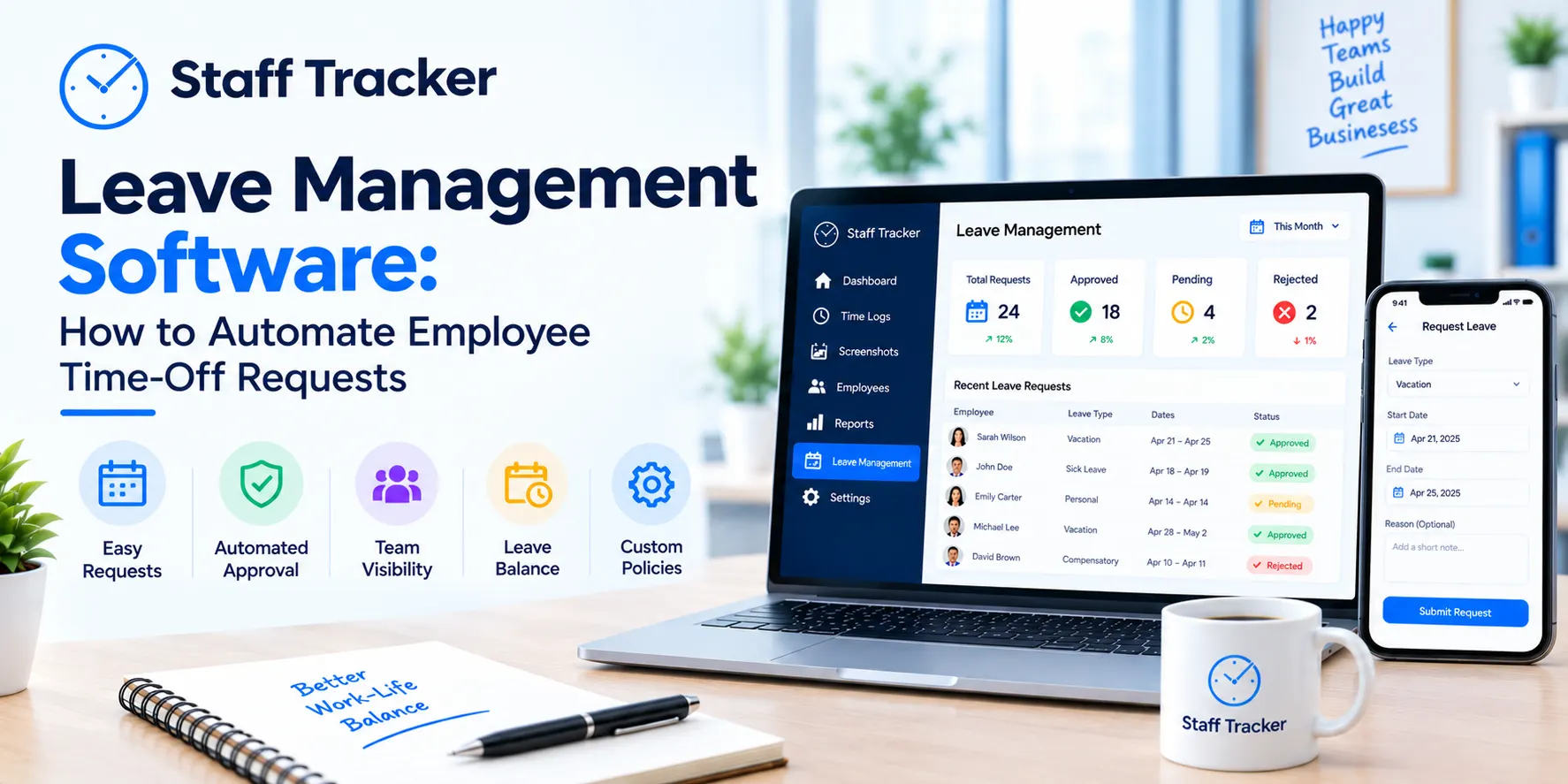
Leave management software is a tool that captures employee time-off requests, leave and holidays in a single system rather than through emails, chats and spreadsheets. It enables HR teams and managers to view who is away, when and the impact on the work plan.
Time off is still handled via message for many teams. Someone asks a question on chat, someone else answers by email and the final answer ends up in a spreadsheet that nobody fully believes. This guide will help you understand how leave management software works, what features are important, what it can't do, and how to implement it without confusion.
What Is Leave Management Software?
Leave management software is an electronic solution to managing employee leave. It centralizes leave requests, absences and holidays, eliminating the need for HR and managers to collate information from various sources.
A leave management system is typically paired with attendance, as they go hand in hand. Attendance records indicate who was working. Leave provides information about who was absent. If both reside in the same platform, then the records match, and there's no need to compare two files at the end of the month.
Leave management is an integral part of Staff Tracker, along with attendance management and a holiday calendar.
How Does Leave Management Software Automate Time-Off Requests?
Leave management software streamlines the time-off process by eliminating the need for email and chat and centralizing it in a single system. Requests, absences and holidays are tracked in one location rather than multiple locations.
In a manual setup, an employee asks, a manager remembers, and HR updates a sheet later. Each step is a chance for something to be forgotten. Software allows the information to be entered once and displayed to those who need it.
Staff Tracker describes its attendance features automated tracking, leave requests and real-time absence reporting. There are three steps to getting started:
Sign up and create your account.
Download the app and deploy it on your employees' devices.
Start monitoring.
Each business has its own method for approving leave, so it's worth scheduling a demo to see how leave requests would work for your business.
Why Manual Leave Tracking Causes Problems
Manual tracking rarely fails all at once. It is a failure, compounded by many small failures. A request is added to the inbox. Two teammates reserve the same week but do not know each other. A manager can't remember whether a day off was agreed upon.
These gaps are also time-consuming. HR has to chase confirmations and managers have to ask around before they can plan a project. The more locations are recorded, the less people will believe the numbers. One common system resolves this by providing a common record for all.
What Features Should Leave Management Software Have?

Good leave management software should cover requests, holidays, attendance, and reporting in one place. The table below shows the features Staff Tracker lists on its website and why each one matters.
When you compare tools, check that the leave management software you choose connects leave with attendance. A tool that only records leave leaves you doing the matching yourself.
What Are the Benefits of Leave Management Software?
The biggest benefit is less admin work. Managers don't have to follow up for confirmations and HR doesn't have to update multiple files. Information is centralized and easy to find.
Records also become clearer. Leave, holidays and attendance all in one place makes it easier to identify who was on duty, who was off and why. This reduces the back and forth that is typically associated with unclear records.
Planning is also simplified. Managers can review absences prior to task assignment or deadlines. This is helpful for most remote and hybrid teams where people can't simply look at who is at their desk. Staff Tracker is designed to work with remote, hybrid and on-site teams and track activity on devices.
One HR manager quoted on the Staff Tracker website says the platform helped streamline attendance and leave management processes and that the real-time data is valuable.
What Are the Limitations of Leave Management Software?
Leave management software keeps track of leave. Do not create your leave policy. The amount of notice, who is eligible for it, and what constitutes an acceptable notice period are still up to your company.
People using software are also a part of software. People who use software are also software. When staff continue to request time off via chat, there will be holes in the system. Most of this is solved by having a clear rule for requests to go through one place.
Finally, review the information before you make a decision. Staff Tracker's website says Leave Management is a feature, but it doesn't explain how leave is configured. During a demo, ask what you need to ensure the tool fits your process.
How Do You Roll Out Leave Management Software?
Begin with the policy and then introduce the tool. Typically, a smooth rollout involves the following steps:
Write down your leave rules so the system reflects what you actually do.
Tell your team why you're making the change and where requests should go from now on.
Book a demo first to confirm the tool fits your process.
Review the reports regularly to check that records are accurate.
Make the first rollout as easy as possible. After users are familiar with leave management software, you can introduce other features, such as attendance and reports.
How Does Staff Tracker Handle Leave Management?
Staff Tracker is staff monitoring software that integrates leave management, attendance, time tracking, screenshot tracking, task manager and reports. HR managers can use it to maintain leave and attendance in one system and team leads can use the mobile app to remain connected to their team.
The platform also includes browsing and app history, call logs and location and distance tracking for field staff. This means that a team can manage leave and other day-to-day tracking from a single place, rather than multiple tools. If you'd like to see how it fits your team, you can book a demo.
FAQs: Leave management software
What is leave management software?
Leave management software is a system that keeps all employee leave requests, absences and holidays in one place, allowing HR and managers to track leave without spreadsheets.
Does Staff Tracker include leave management?
Yes. Leave management is a listed feature, along with Attendance Management and the holiday calendar.
Can Leave Management Software support remote and hybrid teams?
Yes, if the tool is usable on multiple devices. Staff Tracker is designed for remote, hybrid, and on-site teams and tracks activity on devices.
Is Staff Tracker difficult to set up?
No, you register, download the application and install it on your staff's devices. If you have any questions, the support team can help.
What else can Staff Tracker track?
In addition to leave and attendance, it records browsing history, application history, screenshots, work and non-work time, breaks, call logs, location (for field staff) and distance travelled.
Final Thoughts
Leave management software replaces the time spent on fragmented emails and spreadsheets and places it in one place that everyone on your team can count on. The tool will not make your policy for you, but it will help you to follow and to check your policy.
Staff Tracker is a good option if you are looking for leave, attendance and time information in a single location. Schedule a demo to experience how it works with your team.
 21-10-2026