- By Admin
- 26 Oct, 2026
- 30 Reading
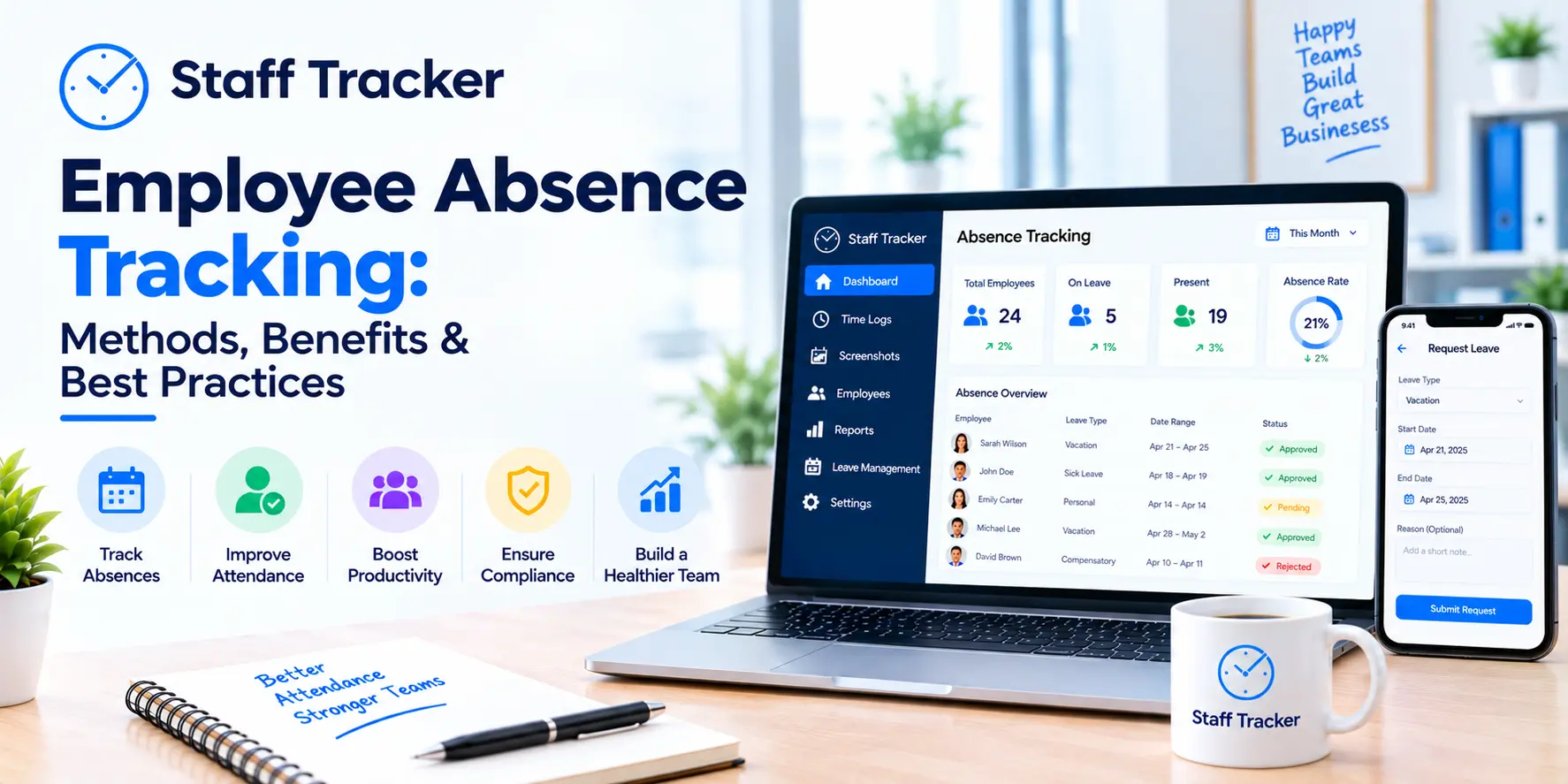
Employee absence tracking is the process of documenting the time that employees are away from work, the duration of their absence and the reason for their absence. It provides HR teams and managers with a dependable log of absences and their dates, enabling them to schedule work based on accurate data.
Many teams still take absences via messages, email, and shared sheets. This is good for a time, but as the team expands, records become less reliable. This guide covers the common methods of employee absence tracking, the advantages of using employee absence software, the limitations to consider and the best practices to follow.
What Is Employee Absence Tracking?
Employee absence tracking involves maintaining an accurate log of employee absences, such as leave, days off, and planned absences. The record should include the name of the person who was absent, the date(s) of the absence and whether it was approved or not.
It is closely related to attendance. Attendance records will indicate who was present and absence records will indicate who was not. If both are in the same system, managers don't have to compare individual files to find out what went on on a particular day.
Staff Tracker also has attendance management, leave management and a company holiday calendar, meaning that you can see absences, leave and company holidays in one place.
What Are the Common Methods of Employee Absence Tracking?
The most popular ways include paper or spreadsheet records, email and chat requests, and dedicated software. Each method is applicable at a different level and the best choice will depend on the size of the team and the level of detail required.
Paper records and spreadsheets. These are easy and don't require any setup. The downside is that they rely on someone to keep them up to date and multiple versions of the same file can accumulate.
Email and chat. Requests are easy to send, but are spread out in inboxes and conversations. It can take longer to find a past request than it does to make a request.
Dedicated software. One system keeps track of absences, leave and holidays all in one. This minimises manual updates and ensures everyone is viewing the same record. Staff Tracker calls its attendance features automated tracking, leave requests and real-time absence reporting.
If you're a very small team, a spreadsheet can be sufficient. When multiple people require the same information, a shared system is time-saving and helps to avoid confusion.
Why Does Manual Absence Tracking Cause Problems?
Manual employee absence tracking typically has a series of small failures. A message is buried. The sheet is late. A manager remembers a day off differently from the person who asked for it. None of these is serious in itself, but all taken together they make the records unreliable.
These gaps also represent time wasters. HR gets lost in details and managers take time to ask around before planning work. The greater the number of absences, the more difficult it will be to determine which one is accurate.
One common system resolves this by providing a common source for all. The record is entered once and is available to those who need it.
What Features Does Employee Absence Tracking Software Need?

Good employee absence tracking software should connect absences with attendance, leave, and holidays, and it should show the information in real time. The table below lists features from the Staff Tracker website and explains why each one matters.
When looking at tools, ensure that employee absence tracking is connected to attendance. If it is only a tool that records absences, then it is up to you to match the two.
What Are the Limitations of Employee Absence Tracking?
The primary advantage of employee absence tracking is accurate records. If absences are recorded in one location, there is less opportunity for conflict over who was absent and when.
Planning also improves. Managers can review absences before giving tasks and deadlines, thus preventing multiple absences at one time.
The administration work also goes down. HR doesn't have to update multiple files and managers don't have to request confirmations for every request.
The advantages are particularly pronounced with remote and hybrid teams, where managers can't tell who is at a desk. Staff Tracker can be used by remote, hybrid, and on-site teams and tracks activity on devices.
According to one HR manager interviewed for the Staff Tracker website, the platform has made attendance and leave management processes easier and the real-time data is useful.
What Are the Best Practices for Employee Absence Tracking?
Employee absence tracking records what has happened. It doesn't provide an explanation for absences or fix the cause. The data indicates a trend of rising absences in one team, but a discussion with the team is required to gain insight into the trend.
Software also requires regularity in use. Absences reported via chat will not be recorded if reported via the system. Most of this is solved by having a clear rule that absences go through one place.
Last but not least, review the information before you make a decision. Staff Tracker's website states that attendance management and real-time absence reporting are features, but it doesn't explain all the settings. Request a demo to learn about your specific requirements.
What Are the Best Practices for Employee Absence Tracking?
These are editorial suggestions and each team can make their own policy.
Write down your absence rules. Determine what is considered an absence, who should be notified, and how.
Use one place for all reports. Encourage reporting of absences through the system and not via chat or email.
Explain the purpose. Remind your team that the objective is not to point fingers, but to plan clearly and keep records fairly.
Review the reports regularly. Daily and monthly reporting gives you a head start on identifying patterns.
Keep records consistent. Report absences in the same format to keep reports easy to read.
Make the first rollout easy. After the team is familiar with the employee absence tracking, additional features can be added, such as time tracking and reports.
How Does Staff Tracker Support Employee Absence Tracking?
Staff Tracker is an attendance and leave management system, a holiday calendar, time tracking, screenshot tracking, task manager and reporting software for staff. HR managers can keep absences and attendance in one place, and team leads can stay connected with their team via the mobile app.
It only takes three steps to get started: Sign up for an account, download the app and deploy it to employee devices, and begin monitoring. The platform also records active, inactive and break time, has offline tracking for active time and has location and distance tracking for field staff. If you would like to see how this fits your team, you can book a demo.
FAQs: Employee Absence Tracking
What is the difference between absence and leave?
Leave usually means planned time off that is requested and approved. Absence is any day an employee is not at work, including unplanned ones. Employee absence tracking covers both so the record stays complete.
What should an absence record include?
It is helpful to have a record of the employee's name, dates, reason, and whether the absence was approved. This is an editorial suggestion; please modify it to suit your policy.
How does Staff Tracker show who is absent?
Staff Tracker has absence reporting and automated attendance tracking on its web site. Managers will be alerted to absences as they occur rather than waiting for a report.
Can managers check absences from a phone?
Staff Tracker comes with mobile app access. A team lead quoted on its website says the mobile access helps them stay connected with their team anytime, anywhere.
Is a spreadsheet enough for employee absence tracking?
It can be for a very small team. Having a shared system makes it easier to maintain accurate information when multiple people require it.
Final Thoughts
Employee absence tracking provides your team with one source of truth of who was absent and when. It will not tell you what to do or what is going on, but it will make planning easier and eliminate the guessing that occurs with a jumble of messages and files.
Staff Tracker is a good option if you're looking for absences, attendance, and time all in one. Schedule a demo to experience how it will work with your team.
Written by the Staff Tracker Team
This content was authored by the Staff Tracker team, who has lots of experience managing the workforce as well as tracking time and attendance. Staff Tracker creates content that is practical and speaks to the pain businesses have with optimizing workforce operations and improving productivity in the business.
 27-10-2026