- By Admin
- 21 Sep, 2026
- 26 Reading
Picking the right attendance app might not be easy, given there are so many apps available on the market that make the process of tracking the attendance of your employees seem easy and hassle-free. However, while a free attendance app may seem tempting, it is always wise to consider key features in addition to cost. These include things such as the ability to mark attendance, manage employees, generate reports, track leave, usability, and the number of employees supported by the application.
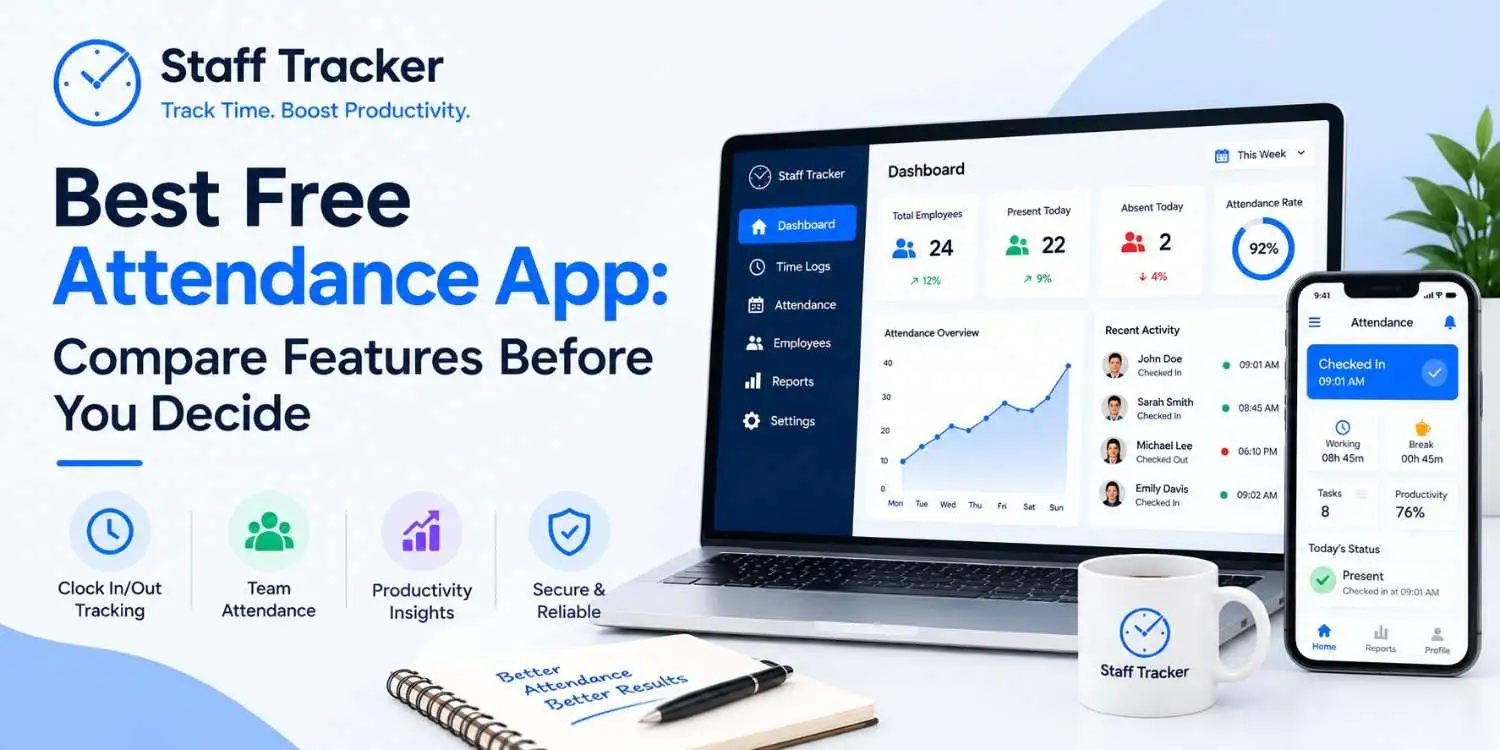
Staff Tracker is one of those attendance apps that are meant to help small teams easily manage their daily attendance. The app is used to manage attendance, track punctuality, analyze attendance data, and generate reports. The application is free to use for teams that have no more than three active employees, while the Pro version of the same allows unlimited support for employees through a one-off payment.
What Should You Actually Look for in a Free Attendance App?
The attendance app that is free might come in handy; however, the term 'free' is not the key factor to determine its efficiency for your business. In fact, the actual advantage of the
application lies in the set of functions that can be used without having to pay right away. For companies with shift work, basic clock-ins might be just a small portion of necessary functions. Moreover, you might need such functions as attendance logging, employee management, reporting, and the ability for your staff to log their working time.
Staff Tracker is one of the options for small companies that want to manage their employees' attendance without extra complications. This app provides necessary features for employee tracking and makes it easy to track attendance and patterns of work for the manager.
Before deciding to choose any attendance app, check how efficient the free plan is. Compare the number of employees that can be managed by the app, its attendance capabilities, reporting functions, user-friendliness, and the availability of important functionality for the paid plan.
What Features Matter Most From Day One?
A free attendance app should incorporate all the necessary functionality of the tool for your specific tasks without complicating attendance management for your team. Determine the essential features of the attendance app that you will use from day one.
First, a simple clock-in/clock-out feature is vital. Employees should be able to log their working days easily, while managers need to have an opportunity to check it without searching through complicated menus.
Attendance records are crucial as well. A good attendance app should provide information about presence/absence/late coming/hours worked on each specific day, which can be extremely convenient for teams with shift work or for hourly employees.
Reporting tools can make a free attendance app very convenient. Exporting or reviewing attendance reports allows managers to get a better understanding of work schedules and to avoid using extra tools for this (such as spreadsheets).
There is a good tool for small businesses, Staff Tracker, which offers a convenient solution for attendance and hours worked management for employees. Don’t pick the best attendance app just because it is first in the list of free apps; compare features you will actually use.
How to Compare Free Attendance Apps Without Getting Misled
Not all free attendance software is created equal. Two pieces of software may offer a free version but offer quite different limits and features. It is useful to compare the two programs to see how they stack up and what you are really paying for.
Ensure the employee limit is appropriate. There are free plans that work only with small teams. Ensure that the limit fits the size of the current team with a bit of a margin for future expansion.
Review basic attendance management features. See if the free package has clocking in and out, attendance tracking, employee management, and time spent working or if there are paid tiers for such basic functions.
Compare reporting capabilities. A report might help avoid having to create and maintain attendance sheets for yourself and other managers. See if reports are available for you to view, download, or export.
Think about how user-friendly the system is. An app could offer many different features yet still be an inferior choice due to the difficulties faced by employees while using it. The ideal choice should simplify attendance tracking on a daily basis.
Know what will happen once the team grows. See if going above the employee limit means a monthly subscription, a one-off upgrade, or switching to a completely different product altogether.
Check out the upgrade process. A free plan is better when it is clear how much the paid version costs and what you get from the upgrade.
Staff Tracker would be a good choice for companies that would like to use an app dedicated to attendance and tracking of working hours. This app has a very simple installation process, and thus it would be easier for employees to get rid of manual attendance sheets without getting a complex HR platform.
The aim is not to choose an app with the most numerous features. The aim is to select a free attendance app that will suit your basic requirements now and in the future.
Free Attendance Apps: Look Beyond the Feature Count

Having a long list of features does not automatically make an attendance application better. The point here is whether these features actually address the issues your business is experiencing every day. Sometimes, an application with several but well-designed features will be of more use than one that has plenty of functions that are hardly ever used by your team.
For instance, a small company can benefit more from easy attendance tracking, accurate registration of the hours worked, management of the employees, and easy-to-understand reports than from numerous HR functions that could be found there. When employees have no difficulties recording their attendance, and the manager is able to easily locate the necessary information, the system is already working perfectly fine.
That is why an application like Staff Tracker can suit small teams perfectly. Focusing on attendance and hours tracking, it can offer an easier solution than HR systems.
When it comes to the comparison of free attendance apps, do not pay attention to the number of features listed in the price list.
Where Businesses Go Wrong When Choosing a Free Attendance App
One of the major mistakes to make when picking out a good attendance app is to do so based on its free or not status alone. A free option could be good for you, but it may create more issues than solutions.
Selecting based on popularity alone. One might have thousands of people using the software, but this could also mean that it does not have the necessary features that you need. The best attendance app depends on the scale of your business and how your attendance process works.
Failing to think about employee experience. While it might all be about the dashboard, managers forget that the app will be used by the employees on a regular basis.
Not taking into account the free plan restrictions. There might be some applications that will limit the number of employees, reports, historical information, or other features that can be used for free. Knowing about them beforehand will help you avoid any unpleasant discoveries in the future.
Subscribing to unnecessary features. An all-in-one HR management platform will probably provide many more functions than you will need just for attendance tracking. If your goal is to track attendance and working hours only, the Staff Tracker application might be more suitable for you.
The easiest way to solve the problem is to determine your needs first and then choose one of the free attendance applications according to them.
Where Teams Go Wrong After Choosing a Free Plan
They onboard everyone before testing out the solution to see if there are any problems when it scales. The solution will work for the initial small team, and it’ll be the real limitations that arise once they’re all reliant on it.
They forget to test whether their downgrade or switching policies leave them with no data backup. Historical attendance data comes into play whenever a conflict or audit is happening. It’s something avoidable that can create major problems later down the road.
They test the application’s sign-up process and nothing more. The fact that signing up was easy won’t tell them anything about how time tracking goes on a busy Friday three months later.
They assume that “no credit card required” means no obligation in the future. Certain tools still encourage automatic upgrades once the use exceeds a certain amount of time, even if there’s no payment information stored during signup.
They view customer service as unnecessary until they need it desperately. No one thinks of turnaround times until their payroll is due in just a few hours and everything is not syncing up.
What You Gain and What You Give Up With Free Software
What you will get
A true test of how the digital check-in system works within your organization before making any commitment at all
Easy setup, sometimes ready to be used on the same day you subscribe to it
Advantage for any future discussions with other vendors because you will know exactly what you want from them
What you lose out on
Predictability, as terms on free versions can change at short notice
The depth of compliance features such as overtime and break time, which may not be fully included in the free version
Quick support, which may only be offered to paying users
Making Attendance Tracking Stick With Your Team
Software rollouts fail more often from poor communication than from bad tools. A few practices consistently make the difference:
Purpose comes first before launch. The message "This will help keep your paychecks accurate" works much better than "This is surveillance."
Roll out your solution to one group or one shift to start, using word-of-mouth marketing to get adoption before full rollout.
Use an attendance system that integrates with scheduling so any discrepancies can be flagged instantly rather than being noticed after the pay period is closed.
Look for patterns every week rather than waiting until payroll. It is easier to correct issues before they become habits.
Check to see how your plan holds up over time. What was right for you at the start of the process might no longer work for the team you have now.
Questions People Ask Before Choosing
1. What are the things to consider while searching for the best free attendance app?
Consider the basic features, including easy clock-in and clock-out, employee management, attendance tracking, work hours tracking, and report generation. Also, find the number of employees that the software can handle, as well as the features offered by the free version of the software.
2. Can a free attendance app be used in a small business organization?
Yes, a free attendance app is a good option for a small business, as it only needs some basic attendance and work hour tracking functionality.
3. Is there any free attendance app that is actually free?
There are some apps that are free, but mostly they have limitations in terms of the number of employees or other features.
4. How many employees am I able to manage using a free attendance app?
This depends on the provider. While some free packages cater to very small companies, others may allow a bit more employees. It is best to know the number of users/employees allowed by the package before joining it.
5. Can I use the Staff Tracker free attendance app for my small company?
Yes, the Staff Tracker app would be appropriate for a small company since it caters to attendance and work hours only.
Final Verdict
There’s no one right answer to what a free attendance app is the right choice, because the right one depends on your team's dynamics, whether it's site-based or remote, hourly or salaried, and working from one location or several. Rather than any particular set of features, it's far more important to know where a free plan stops short before you depend on it. For teams that operate in shifts and hourly work, a specialized app like Staff Tracker avoids the unnecessary complications of an all-purpose HR system. For teams who use a larger HR system, the attendance component of their existing solution could be the right choice.
Take your final contenders through this checklist before choosing any plan. Sometimes, the plan that seems the most generous during signup turns out not to be.
Written by the Staff Tracker Team
This content was authored by the Staff Tracker team, who have lots of experience managing the workforce as well as tracking time and attendance and employing HR technology. Staff Tracker creates content that is practical and speaks to the pain businesses have with optimizing workforce operations and improving productivity in the business.
 21-09-2026