- By Admin
- 16 Sep, 2026
- 155 Reading
Employee attendance tracking is one of the key aspects of any management process in the company; however, when it comes to growing teams, old ways of tracking attendance tend to be inefficient. Registers and spreadsheets are hard to manage and time-consuming, and it becomes rather problematic to keep track of regular attendance.
A free online employee attendance system can serve as a more viable solution because it involves transferring all the attendance records into one computerized system where the employee will be able to enter their work hours, while the manager can check attendance and analyze the records. When it comes to simplifying attendance organization in the company, there are useful tools like Staff Tracker that can be used.
Today, advanced attendance systems not only serve the purpose of capturing the time an employee comes to work and leaves the office but also In addition, they will assist in monitoring attendance trends, schedule management, and keeping records well organized. A free tool could be especially helpful for startups and small companies that want to switch from manual to electronic attendance tracking a nd do not have enough funds for the initial expenses.
Starting from the basic benefits, moving further to important features and the basics of the configuration process, selecting the right free online attendance system could be helpful for business owners.
What Counts as an "Online Employee Attendance System," Really?
Without all the marketing speak, an online timekeeping system does three things: it records the start and end times for work done, it keeps this data in a retrievable form, and it displays this data to whomever it needs to be displayed to, a supervisor, an employer, or an employee who wants to check their own hours.
This is a fundamentally different task than that of a time clock, which does only the first one. A punch card records when an employee punched in. It does not raise a red flag if someone punched in from a place far away from the workplace or if the hours worked are very different from their usual hours.
The features that free plans generally offer:
Clocking in/out digitally via your phone or web browser
A log of hours worked available for viewing by employees and managers
An upper limit on users or locations
Limited exporting of attendance data to be used elsewhere
The following features are usually offered only through paid plans:
Location tracking to ensure that employees clock in at the actual workplace
Image/biometric validation to prevent an employee from clocking in for another employee
High integration with accounting or HR systems
Extended data retention and audit trail
It is important to understand this difference before you buy anything since "free" has different meanings for different companies; for some, it really means "free for small teams forever." In contrast, for others, it's just a "trial period."
How to Set Up an Online Employee Attendance System
Implementing an online attendance system for employees is generally a simple procedure. First, you create an account and add those employees who will use this software. You input all necessary information about them and group employees by teams, departments, or employment arrangement.
After that, you set up the basic settings of the system, including working time, shift patterns, breaks, and attendance rules. The settings should correspond to your current policies in order to be accurate from the start.
Once the settings are configured, introduce the new system to your workers, teaching them how to clock in and out, check their records, and inform you about any mistakes. A small trial period before full implementation will allow you to find problems with the system and let your workers get accustomed to the process.
After that, it is important to keep monitoring the attendance records to make sure everything works properly. Using Staff Tracker, companies can switch from paper-based attendance records to a single digital solution for managing employee attendance.
How an Online Employee Attendance System Works
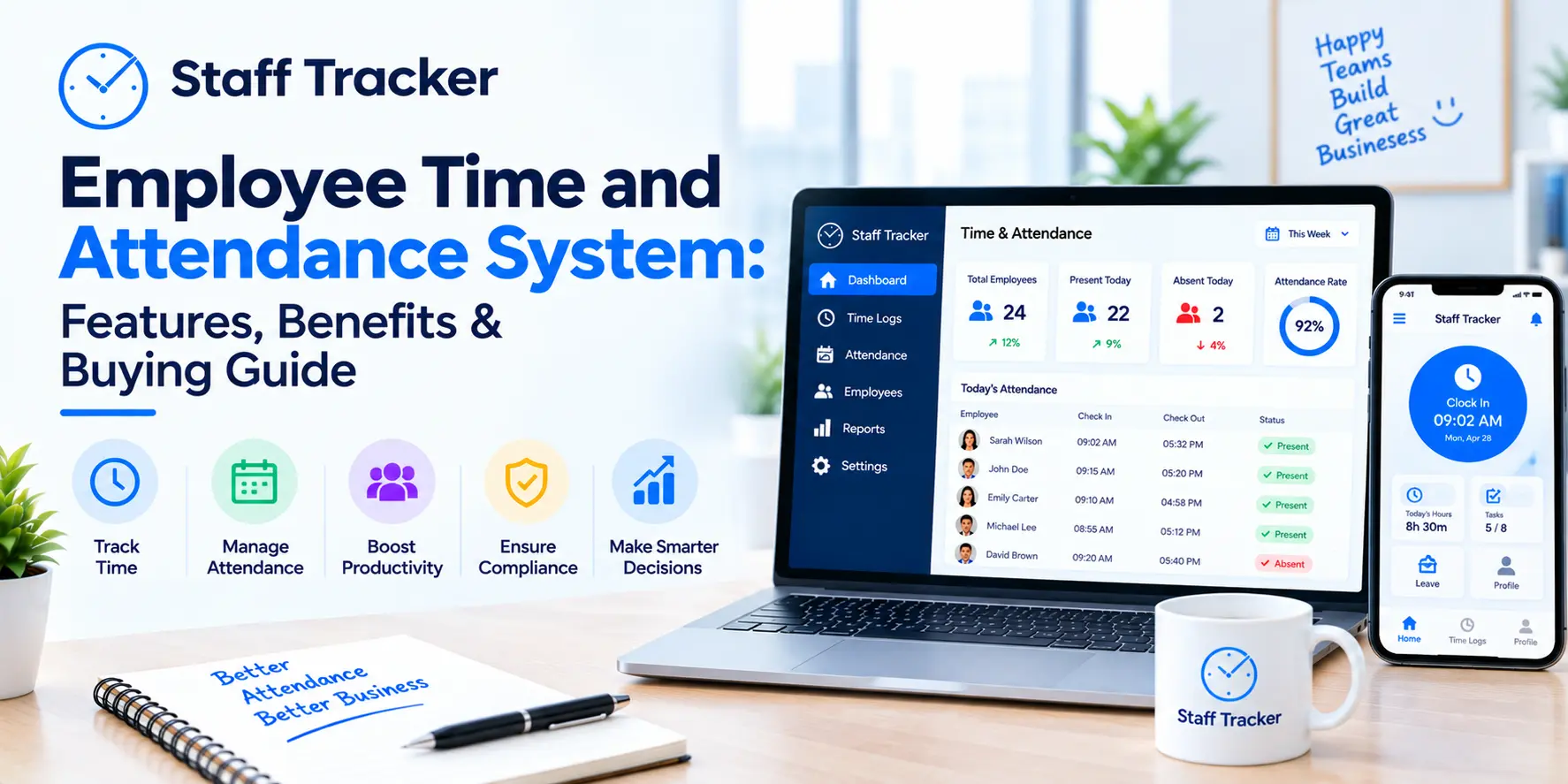
The online employee attendance system is a new method that eliminates the use of paper attendance registers and spreadsheets in different departments. Employees can record their working hours through the online platform, and managers can access all information from one dashboard without having to perform any calculations themselves.
Typically, the procedure for using an online attendance system is very simple. Employees record their starting hour of work and finishing hour. The system will then automatically record all of the data and organize it for the convenience of both the employee and manager.
Additionally, the manager can track working hours, manage records and attendance of employees, look at attendance reports, and find cases of abnormal attendance behavior through the attendance management software. Because all information is now recorded in digital format, there is no longer a need to use several attendance sheets and manually perform calculations.
The attendance platform Staff Tracker can consolidate all of these tasks and help the company get an easier way to organize its attendance process. For small companies and startups, a free online attendance system can become an indispensable tool in organizing attendance management.
What to Consider Before Choosing a Free Attendance System
While a free system can be used for starters, the best choice for attendance software should suit the requirements of your company. It is advised not to get stuck looking for something that has a low price tag but does not match your company’s attendance routine.
Features To Check Out
There should be features like digital punching in and out, automatic computation of working hours, attendance report generation, and employee management. All these basic features need to be present in the system.
Think About Your Workforce Size
There may be certain free attendance management software that will have restrictions on the number of workers you can add. You need to know about it beforehand, especially when the size of your workforce is rapidly expanding.
Check Its Availability
If your workforce works from various places and on various shifts, then mobility and browser access can prove to be extremely handy. The employees should be able to log their attendance without having to depend on any particular device in the office.
Consider the Options for Data and Reports
The more useful the data and reports are, the better it gets.
Consider Your Future Needs
The basic plan should meet your current needs but may limit you as you grow. Prior to making a decision about the platform, make sure you don’t need more users, data history, and other functions in the future.
Staff Tracker can be the right choice for businesses wanting to switch from paper-based worktime management to an electronic one.
Choosing the Right Tool for How Your Team Actually Works
Attendance tracking is needed by a retail store, a home-care service provider, and an online-only design studio but for entirely different reasons.
In the case of an establishment with a physical office (retail shop, restaurant, warehouse, etc.), location verification and photo proof should take precedence. Buddy punching, where one employee clocks in for another, is the most prominent integrity risk for an office-type setting, while the availability of free tools for that purpose may be highly inconsistent.
In the case of fieldwork: offline clock-in takes precedence over any other feature. Tools that require a connection to function properly will let you down right in the moment you need it most underground, far from civilization, or in a signal-limited area.
In the case of remote or hybrid workforces: support for multiple time zones and daylight saving adjustments takes precedence over location verification. Look for a tool that distinguishes between the local time zone and the company HQ time zone explicitly.
In case of temporary or seasonal staff: consider ease of adding/removing staff from the account because some of the free tiers may charge you not per active user count but per total account size.
Benefits of Using an Online Employee Attendance System
Shifting from manual attendance keeping to a digital system for the attendance of employees can help make work easier. Rather than taking time to update attendance registers or spreadsheets, organizations can manage attendance data electronically.
Saves Time on Attendance Keeping
The process of clocking in and out, as well as computing hours automatically, saves employees and managers the effort of doing this manually.
Improve Accuracy of Attendance Recording
Manual records may sometimes include missing information, incorrect time recording, or calculation errors. A digital tool will ensure a uniform method of attendance recording and will minimize the probability of typical errors made by people.
Improve Accessibility of Attendance Records
Attendance records available on the internet will enable management to view the attendance and working hours of employees at any time when it is needed.
Suitable for Remote or Hybrid Teams
The work of employees is not always conducted in one office location. A digital tool will facilitate attendance tracking of remote or hybrid teams.
Improves Visibility of Attendance Issues
It will become easier for managers to see overall attendance and working hour patterns without going through different spreadsheets or other records.
Saves Time on Administration
Since the automatic attendance tracking does not require any additional administrative effort, managers will have less need to keep records separately, perform calculations, and sort out attendance details.
Provides an Economical Entry into Attendance Tracking Software
A free online employee attendance tracker can provide all the necessary functions to small and developing companies without requiring additional expenses on the software right away. Staff Tracker will assist businesses in starting to use automated attendance tracking software.
Key Features of an Online Employee Attendance System
Effective online attendance tracking software should make it simple to track and manage employee attendance without any additional administrative burden. Although different features exist on various platforms, there are some that could be quite beneficial for businesses.
Digitally Clocking In and Out:
Workers can clock in and out of work in a digital manner, thus eliminating the need for manual registers.
Automatically Calculated Working Hours:
The system is capable of automatically calculating working hours from attendance records, hence eliminating the need for manual input of hours.
Current Attendance Information:
Managers have access to real-time attendance information; it becomes easy for them to know who is currently at work, absent, or late for work.
Attendance Reports:
Reports provide an easy way of checking attendance records, working hours, and repetitive attendance patterns within a specified time frame.
Employee Management:
Organizations can easily add employees, monitor their attendance information, and manage the records from one location.
Mobile & Web-Based Access:
Workers and managers can access the system using mobile and web-enabled devices, making it useful for all types of organizations, offices, and remote and hybrid settings.
Leave/Absence Tracking:
Some of the systems enable organizations to keep records of leaves and absences in addition to regular attendance records.
Staff Tracker helps businesses integrate important attendance features so that they can automate their attendance process using a single system.
Best Practices for Managing Employee Attendance Data
Regular monitoring of attendance records allows companies to spot patterns, delays, or missed entries that may eventually lead to bigger problems. Rather than investigating records once something goes wrong, it is possible to make attendance record monitoring a routine task for managers.
Good communication is just as vital. Employees must be aware of the company attendance policy, working hours, breaks, and other necessary information before it is put into practice to make sure all the rules are known to everybody.
It is recommended to use attendance data for discussion rather than as the main reason to take action. If there is an unusual pattern, a manager can always discuss it with the employee and see the reasons behind it.
Finally, it is crucial to allow employees to report errors in clock-ins and clock-outs easily and quickly. It will help to keep records accurate and avoid confusion in the future. It is important to check from time to time whether the chosen attendance system fits the company's needs.
FAQs About online employee attendance system free
Does a truly free attendance system for employees exist?
Yes. There are some attendance systems, among which is Staff Tracker, that have free packages with attendance features such as clocking in/out and reports without any necessity to upgrade immediately.
How many employees can I monitor in a free attendance system?
It depends on the specific vendor. Most of the free systems are designed for small businesses; therefore, it is necessary to be aware of the maximum number of employees for a chosen system.
Can employees clock in from their own phones?
Yes, nowadays most attendance systems allow clocking in using mobile phones.
What features should be considered in a free attendance system?
Consider some key features like clocking in and out digitally, automatic hours calculation, attendance reports, employee management, and convenient web-based access. Your best choice should meet all your basic needs without any superfluous features.
Is free attendance software for employees safe?
Well-known attendance systems have security systems that will ensure the safety of employee data. But businesses need to evaluate the policy of the service provider before making a decision on using any service.
Final Verdict
A good free employee attendance system online provides all you need from such software: accurate hours, an objective record, and transparency for everyone involved. A team working across several locations, on-site, or requiring special compliance might soon need to switch to the paid plan - which is an additional reason to try the free one now, not tomorrow. Begin with a brief trial period, observe how your employees use the app, and then allow actual use to show you that it is the right moment to go premium.
Fed up with attendance controversies that cannot be settled? Staff Tracker's free account gives your team a way to prove everything.
Written by the Staff Tracker Team
This content was authored by the Staff Tracker team, who have lots of experience managing the workforce as well as tracking time and attendance and employing HR technology. Staff Tracker creates content that is practical and speaks to the pain businesses have with optimizing workforce operations and improving productivity in the business.
 28-10-2026