- By Admin
- 25 Nov, 2026
- 17 Reading
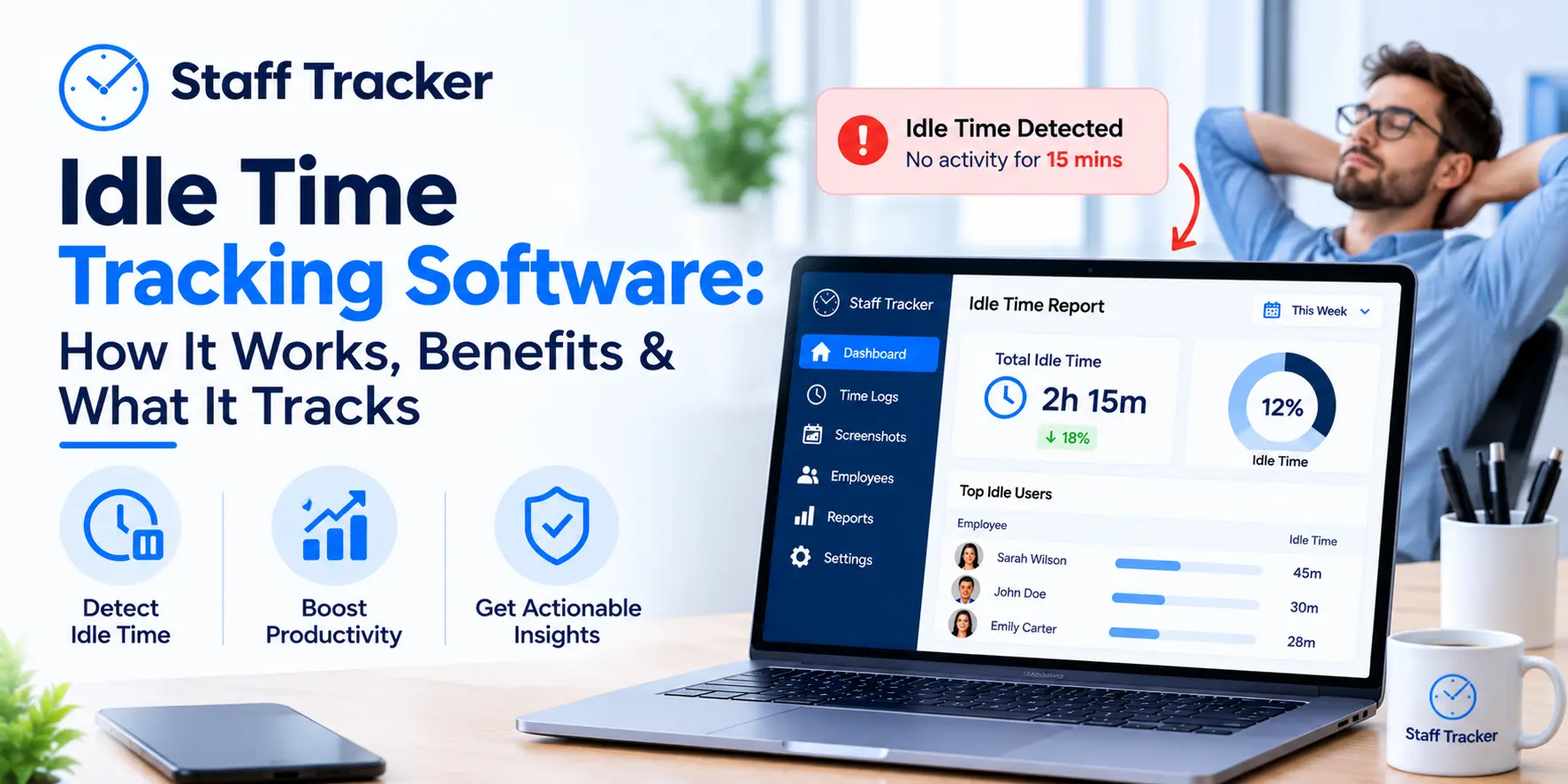
Idle time tracking software is an application that logs the time that an employee's device is idle during their working hours. It then displays to the managers the percentage of the day that was active, inactive and breaks. The goal is to learn about the use of time, which will help teams improve their work and eliminate slow spots.
If someone logs in for eight hours, but the computer is not used for two of those hours, then he or she logs in for six hours. Was it a long lunch, a meeting or a stuck task? The software may display the gap, but only humans can explain it. This guide addresses the operation of the tool, what it records, where it can mislead you and how to use the data fairly. It also provides an indication of where Staff Tracker fits in. Product specifications may vary, please inquire from the vendor before making a decision.
What Is Idle Time?
Idle time is any period of time during the working day when there is no activity on a work device. No one is typing, clicking or using an app, so the system records that as inactive.
When a person is idle, it doesn't always mean they are wasting time. A person who reads a printed report, speaks to a client or thinks through a problem will appear to be idle when looking at a screen. That's why the number is a starting point for a conversation, rather than a verdict.
Staff Tracker's website refers to the term "inactive time". It includes Inactive Time Tracking under Active Time Tracking and Break Time Tracking. Idle time and inactive time are synonymous in everyday speech.
How Does Idle Time Tracking Software Work?
The software is an application that runs on each employee's device, logs activity throughout the day and uploads the data to a dashboard. Managers log in to the dashboard and view the reports.
According to Staff Tracker's website, there are three steps to setting up. You register and register an account. You install the app and install it on the devices of your employees. Once you begin monitoring, you'll know you're on the right track.
The tool after running, divides the day into active time, inactive time and break time. There's also a feature that lets you track offline, which is listed on the website. The manager can then view activity reports (daily and monthly), a performance bar chart, and data exports.
The website doesn't mention how inactivity is detected, or what the minimum length of the pause needs to be for it to be considered idle. If it is important to you, inquire in a demo.
What Does It Actually Track?
A good tool demonstrates more than one idle number. Staff Tracker has the following as part of its website:
Active time, when the device is in use
Inactive time, when it is not
Break time, kept apart from working time
App history and browsing history
Screenshots taken at set intervals
A productivity level indicator
These are seen together and provide context. A long idle session followed by a heavy usage of one application is different from a day of occasional usage. According to the website, screenshots provide visual accountability and training and app and browsing history support company policies.
Why Is Idle Time Not Always Bad?
Real work means there are moments when you aren't at your keyboard. Idle is the status for meetings, phone calls, whiteboard sessions, and quiet thinking. A designer drawing on paper is just like a phone scrolling.
There are also natural quiet times for some jobs. A support agent waiting for the next customer isn't slacking. A programmer looking at documentation could be productive for 20 minutes without using the keyboard.
It's good to ask the right question. Ask "does the pattern match the work?" rather than "why was this person idle? If a team that is supposed to be working has long idle periods on the afternoons, it's worth a look. A single day with a single gap does not typically. This is editorial guidance, but it helps to keep the data useful and helps to keep people on your side.
What Are the Benefits?
The primary advantages are improved understanding of the working day, early identification of problems and improved planning.
The first thing that needs to be clear is a picture. Hours logged do not indicate that the person was actually working. Idle data provides insight into how those hours were spent, and can be useful when planning workloads.
Issues also manifest early. When a task is consistently taking longer than anticipated, it could be a sign of a missing tool, unclear process or a bottleneck. One project manager told the Staff Tracker website that their team was able to identify workflow bottlenecks and optimize their workflows by using the productivity tracking features on the platform.
The site also states that time spent on various activities reveals training or process improvements required. It's a good way to interpret idle time. At any step, if a lot of people go silent, the step might be the issue.
This is also beneficial for remote and hybrid teams. Staff Tracker claims to be able to handle remote, hybrid, and on-site teams, and according to one of their operations directors, it enhances accountability in their remote teams.
How Do You Use Idle Time Data Fairly?

See patterns over a period of weeks, not just one day. A quiet afternoon is not much, but a quiet hour each day is worth a chat.
Discuss with the individual before. There is always a simple reason and you will learn more in a 5 minute conversation than from the chart. Share with the entire team as well, so that they can see that the data is being used to make a change that benefits them.
Be transparent about what the tool is recording. Explain to your team that idle time is being monitored, the reasons for doing so, and how you will use it. Before you begin, review the privacy policies in your area as well, as the policies for monitoring employees vary from region to region.
What Should You Check Before You Choose a Tool?
Ask the vendor to show you the product instead of describing it. See idle time in the daily report, and how it is aligned with active time and breaks. Discuss with the children how a short pause is different to no activity, as the Staff Tracker website doesn't explain this. Discover what happens if the internet goes down, how the data can be exported and what employees can see about their own data. A quality vendor responds by navigating through the screens. If the responses remain general, consider it valuable information as well.
Where Does Staff Tracker Fit?
Staff Tracker is staff monitoring software that combines activity tracking, attendance, time tracking, screenshots, app and browsing history, a task manager and reports into one. Active Time Tracking, Inactive Time Tracking, Break Time Tracking and Productivity Level are the tools used for idle time.
Attendance and leave are available in the same system for teams who wish to have them as well. To see how it fits you, you can schedule a demo.
FAQs About Idle Time Tracking Software
Is idle time the same as inactive time?
Yes, in everyday use. Staff Tracker's website calls it inactive time, and lists it next to active time and break time.
Does idle time mean an employee is not working?
Not always. Time spent in meetings, calls and thinking time can appear to be unproductive on a device. Use the number as a cue for a discussion.
Can idle time tracking work for remote teams?
Yes. Staff Tracker is available for remote, hybrid and on-site teams, and tracks activity on devices.
What if the internet goes down?
Staff Tracker includes offline mode tracking. Inquire in a demo about how it works for your setup.
Should employees know about it?
Yes, as a recommendation. Being open builds trust. Check the privacy rules in your region too.
Final Thoughts
Idle time tracking software provides you with a means to track where your workday goes. If used correctly, it's a sign of slow tools, unclear steps, and training deficiencies. When used poorly, it gives people the feeling of being spied on. The difference lies in the use of the data.
Staff Tracker is a good choice if you're looking for idle time, activity and attendance in one place. Schedule a demo to experience how it will fit your team.
Written by the Staff Tracker Team
This content was authored by the Staff Tracker team, who has lots of experience managing the workforce as well as tracking time and attendance. Staff Tracker creates content that is practical and speaks to the pain businesses have with optimizing workforce operations and improving productivity in the business.
 25-11-2026