App and Website Tracking Software for Teams
App and website tracking shows which applications and sites each employee used during their work sessions, as a clear per-person history you can filter by date.
 Sample data
Where the tracked time really went.
A number of hours does not say what was done. App and website history does.
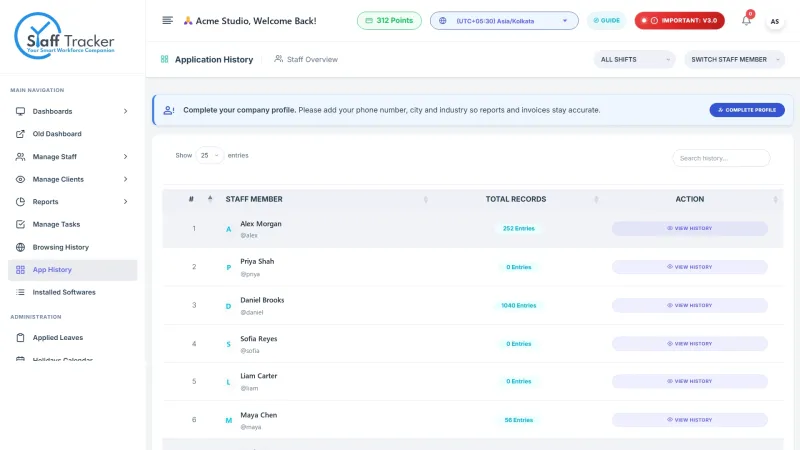
Application history
The programs each employee used, with start and last-used times.
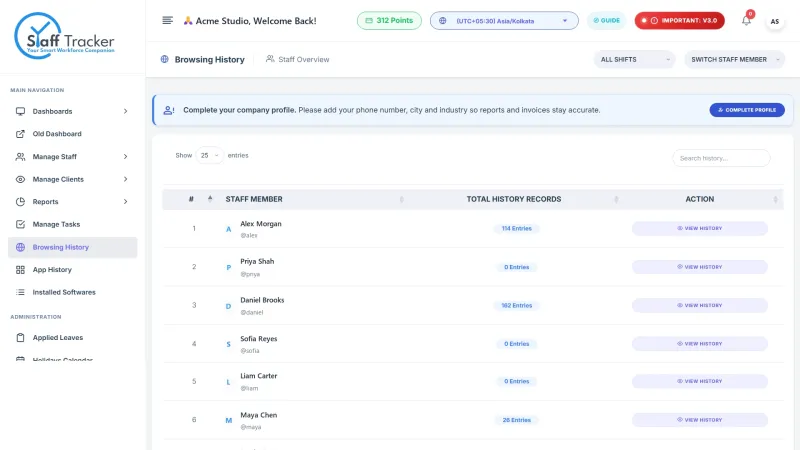
Website history
Websites visited during tracked sessions, grouped by address with the number of visits.
Filter by date
Open any day or date range for one employee.
Per-person view
History is kept for each employee, not mixed across the team.
Next to screenshots
Read app and website history together with screenshots for context.
Export on Premium
Premium plans can export the data.
How it works in practice.
A number of hours does not say what was done. App and website history does.
- Application and website history for every employee
- Search the history and filter by date
- Only recorded while the employee is tracking
- Browsing and app history for 6 months on Standard, 1 year on Premium
 Sample data
Up and running in three steps.
1. Employee tracks
The desktop app records the active window and website during a session.
Employee2. History builds
Entries are grouped per application and per website.
Automatic3. Manager reviews
Open an employee and pick a date to read the history.
ManagerQuestions, answered.
Our team will help you pick a plan and set up your team.
Contact supportIt records the applications and websites an employee uses while tracking is on, and shows them as a history per person.
Browsing and app history start on the Standard plan. The Basic plan covers time, attendance, screenshots, tasks and activity reports.
No. History is recorded during tracked work sessions only.
Standard keeps 6 months and Premium keeps 1 year.
Know what the hours were spent on.
Choose Standard or Premium to add app and website history to your workspace.