Installed Software Tracking for Employee PCs
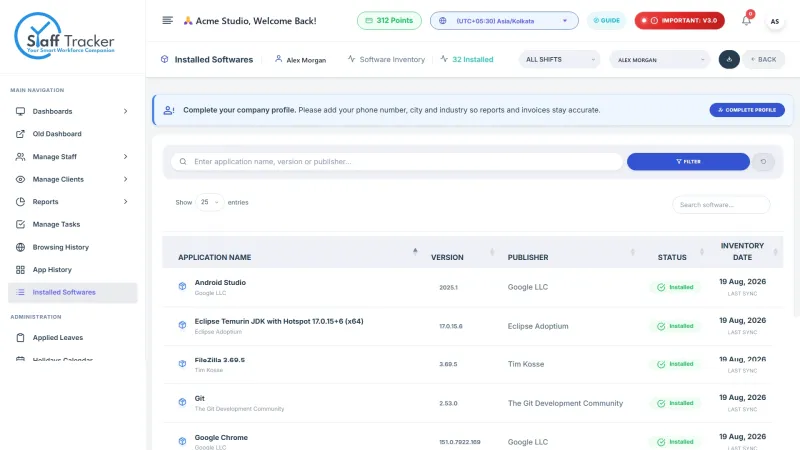
Installed software tracking lists the programs detected on each employee PC, so IT and managers know what is running on company machines.
 Sample data
What is installed on your team's PCs.
The desktop app reports installed programs along with the tracking data.
Software list per PC
Every program the desktop app detects on an employee's computer.
Per employee
Open an employee to see the software on their machine.
Know your machines
Spot software that should not be on company PCs.
Exportable
Download the list when you need to share or audit it.
With the rest of activity
Read it next to app and website history.
Collected by the app
No separate agent or scanner to install.
How it works in practice.
The desktop app reports installed programs along with the tracking data.
- A list of detected programs for each employee PC
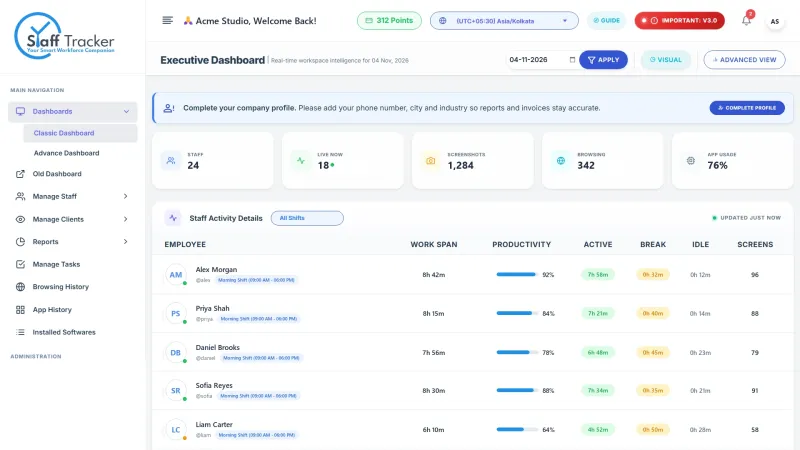
- Open any employee from the dashboard
- Helps IT keep an inventory without manual checks
- Works with the same Windows app used for time tracking
 Sample data
Up and running in three steps.
1. Install the app
Employees sign in to the Staff Tracker desktop app.
Employee2. Software is detected
The app reports the programs found on the PC.
Automatic3. Review the list
Open the installed software page for any employee.
ManagerQuestions, answered.
Our team will help you pick a plan and set up your team.
Contact supportA list of the programs the desktop app detects on each employee PC.
The Staff Tracker desktop app runs on Windows 10 and 11.
Managers with access to the dashboard can open the list for each employee.
No. It comes from the same Windows app that tracks time.
Know what runs on company PCs.
Install the desktop app on your team's computers and review the software list.