Idle Time Tracking Software
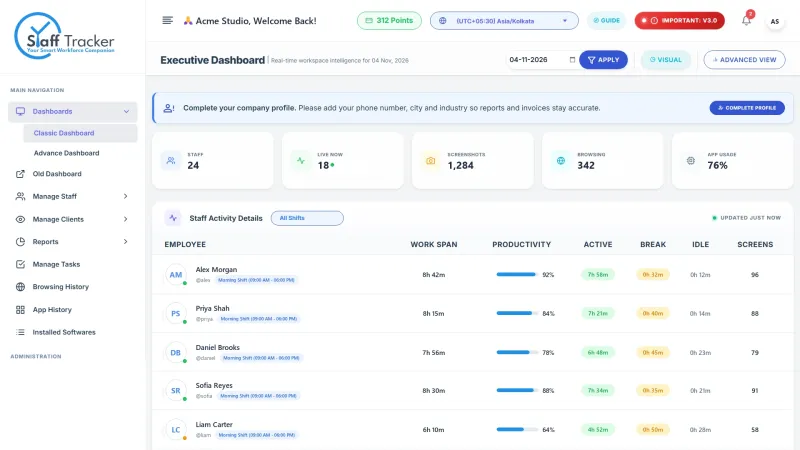
Idle time tracking separates active, idle and break time automatically, with a custom idle time-out and alerts for long idle periods, so every session is read fairly.
 Sample data
Idle is not the same as a break.
Staff Tracker keeps active, idle and break time apart so a total of hours is never misleading.
Active time
Time the employee was working at the PC while tracking was on.
Idle time
No activity for longer than the idle time-out.
Break time
Pause and Play make breaks visible instead of hiding them in the total.
Long-idle alerts
Get notified when idle time runs long.
Per employee
Each person's time is split the same way, every day.
You set the time-out
Choose the idle time-out that suits the kind of work.
How it works in practice.
Staff Tracker keeps active, idle and break time apart so a total of hours is never misleading.
- Custom idle time-out, shown to the employee in the app
- Break time from Pause, kept separate from idle
- Idle and active time on the dashboard for every employee
- Alerts for long idle time
 Sample data
Up and running in three steps.
1. Set the time-out
Choose how long without activity counts as idle.
Manager2. Sessions are split
Each session becomes active, idle and break time.
Automatic3. Review or get alerted
See the split on the dashboard or receive an alert.
ManagerQuestions, answered.
Our team will help you pick a plan and set up your team.
Contact supportNo keyboard or mouse activity for longer than your idle time-out while tracking is on.
Yes. It is a setting, and the app shows the current value to the employee.
No. Break time starts when the employee presses Pause and is shown separately.
Yes. You can set up alerts for long idle time.
Read every session fairly.
Start free and see active, idle and break time for each employee.