Proof of Work Software for Client Billing
Proof of work software with tagged screenshots, tracked hours and view-only client access, so billable time is easy to verify.
 Sample data
What gets in the way, and what helps.
Disputed invoices
Hours and screenshots support them.
Unclear tasks
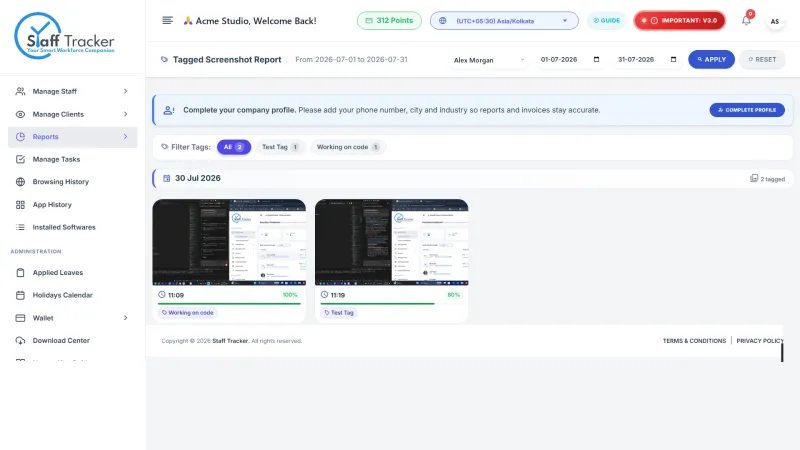
Tag screenshots by task.
Clients want visibility
Give view-only access.
The tools behind the result.
Screenshots and activity
Tagged screenshots and activity levels for every session.
Learn moreTime tracking
Play, Pause and Punch Out with active, idle and break time.
Learn moreClient viewer
View-only access to the reports you choose.
Learn moreReports
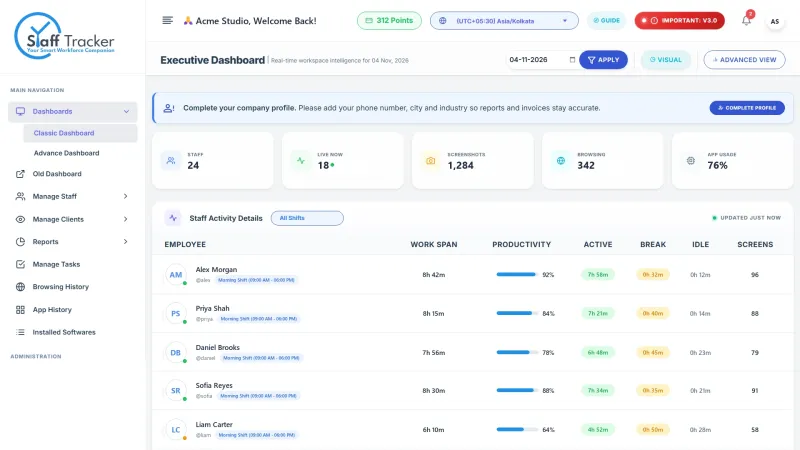
Work span, active, break and idle time per person.
Learn moreProof of work software for client billing.
Proof of work software with tagged screenshots, tracked hours and view-only client access, so billable time is easy to verify.
- Tagged, searchable screenshots
- Hours per person
- Client viewer
- Date-range reports
 Sample data
Up and running in three steps.
1. Register and add staff
Choose a plan and create staff accounts.
Manager2. Install the app
Download the Windows app and sign in on each PC.
Employee3. Review the dashboard
See time, attendance and activity in one place.
ManagerQuestions, answered.
Our team will help you pick a plan and set up your team.
Contact supportTracked hours, tagged screenshots and view-only reports make billable time easy to verify.
Yes with client viewer access.
Yes, they can be tagged.
Basic costs $0.