Staff Tracker records how work gets done and turns it into reports you can trust: when each person started, how long they were active, on a break or idle, which applications and websites they used, and how tasks are moving. It is made of three parts that work together.
The three parts
| Part | Who uses it | What it is for |
|---|---|---|
| Web dashboard | Owners and managers | Add staff, then review the executive dashboard, attendance, screenshots, activity, tasks and reports. |
| Windows desktop app | Each employee | Where tracking runs. Employees press Play, Pause and Punch Out. |
| Android app (Premium) | Managers and teams on Premium | Mobile access to the workspace. |
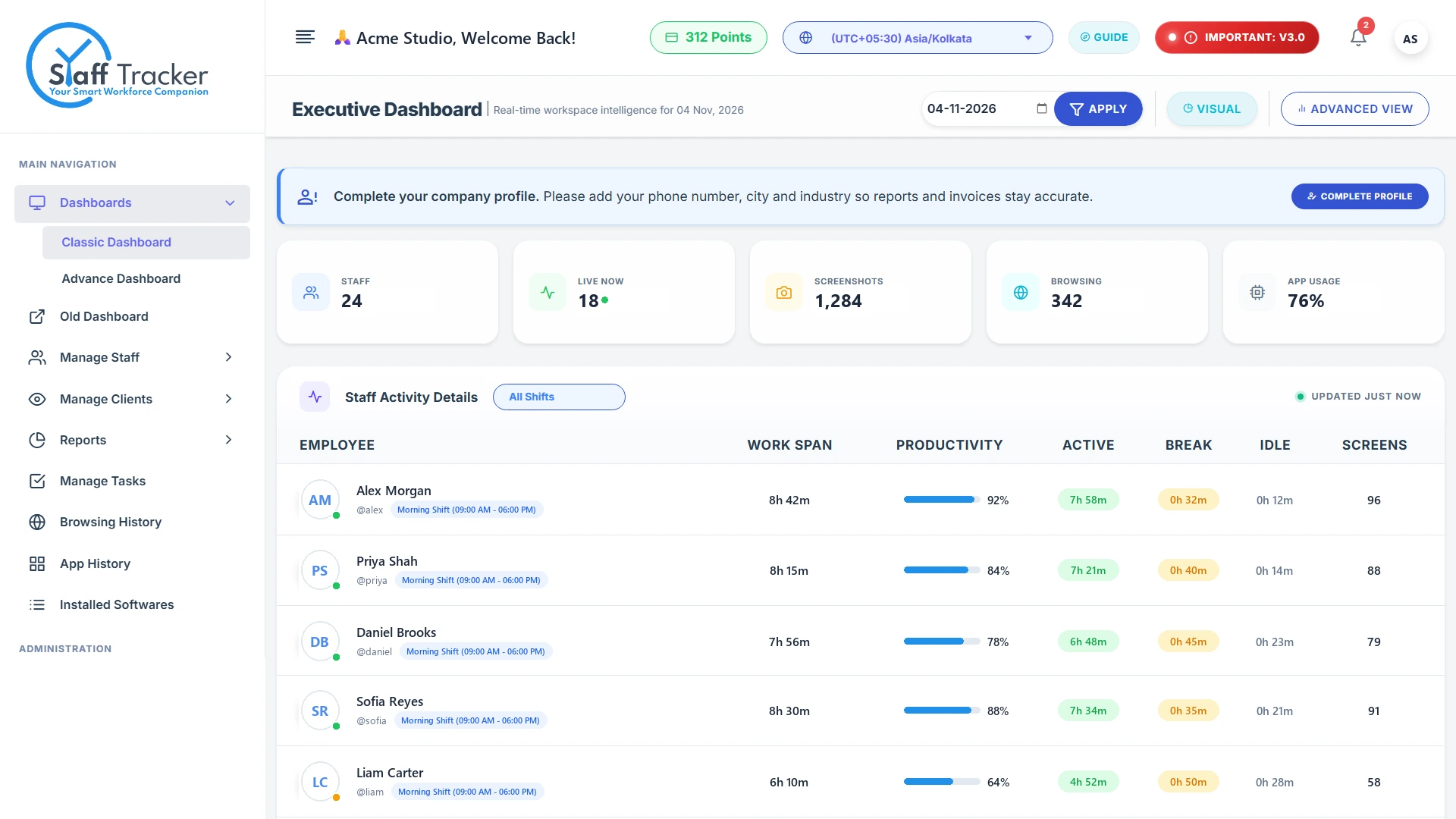
What it tracks
- Time tracking
- Attendance & leave
- Screenshots
- Application history
- Website browsing
- Installed software
- Tasks
- Analytics & alerts
Every work session is split into active, active (no network), break and idle time, so the day adds up. See the executive dashboard for how that looks.
What the employee sees
Nothing is hidden. The desktop app always shows the timer, the tracking status and the time of the last screenshot.
Use monitoring with employee notice. Tell your team that Staff Tracker is in use and what it records before you install it.
Where to go next
Was this article helpful?