
You create one account for your organisation. It gives you the web dashboard. Registration has three short steps, shown as Package, Customize and Register. The first two happen in the Pricing section of the home page, and the third is the sign-up form.
1. Package
Open the Pricing section of the home page and choose a plan, then click Get started. Basic is free. Standard and Premium add more history and features, see Plans, points and pricing.
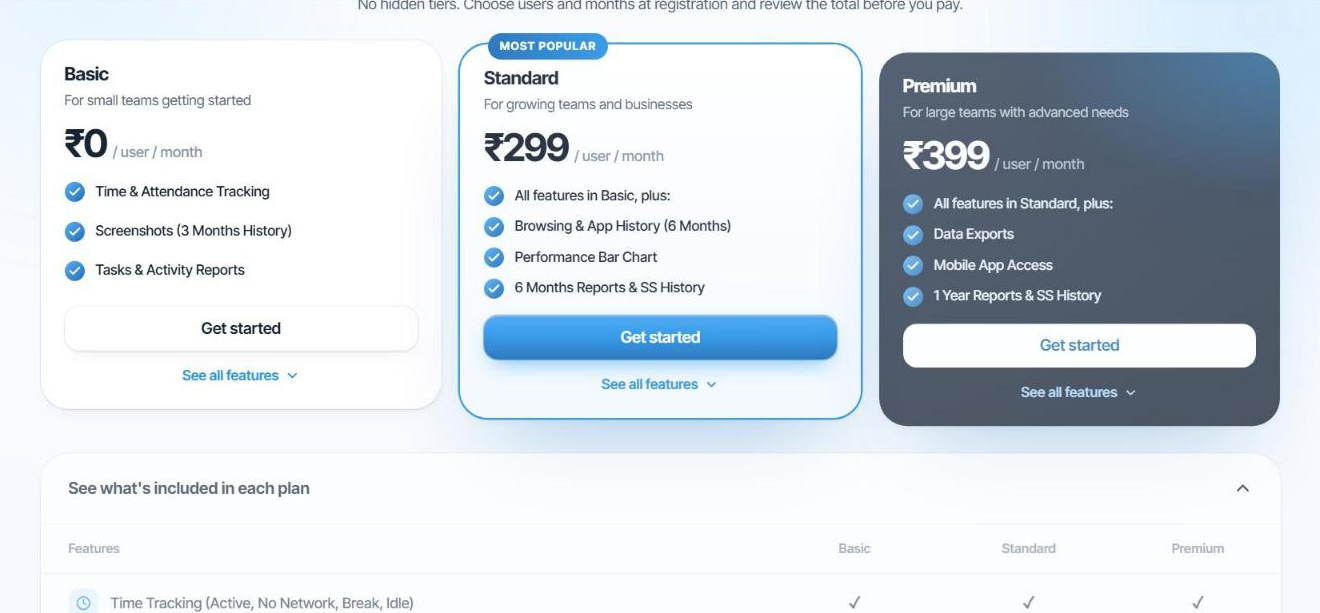
Tip. Start free at the top of the website takes you straight to the sign-up form on the free Basic plan.
2. Customize (Standard and Premium)
For a paid plan, set how many users and how many months you want. Use the − and + buttons, type a number, or pick a quick value (5, 10, 25, 50 or 100 users; 1, 3, 6 or 12 months). The Points & price by duration table and the Order summary update as you go, and show the points you need and the total amount. You can switch between Standard and Premium here too.
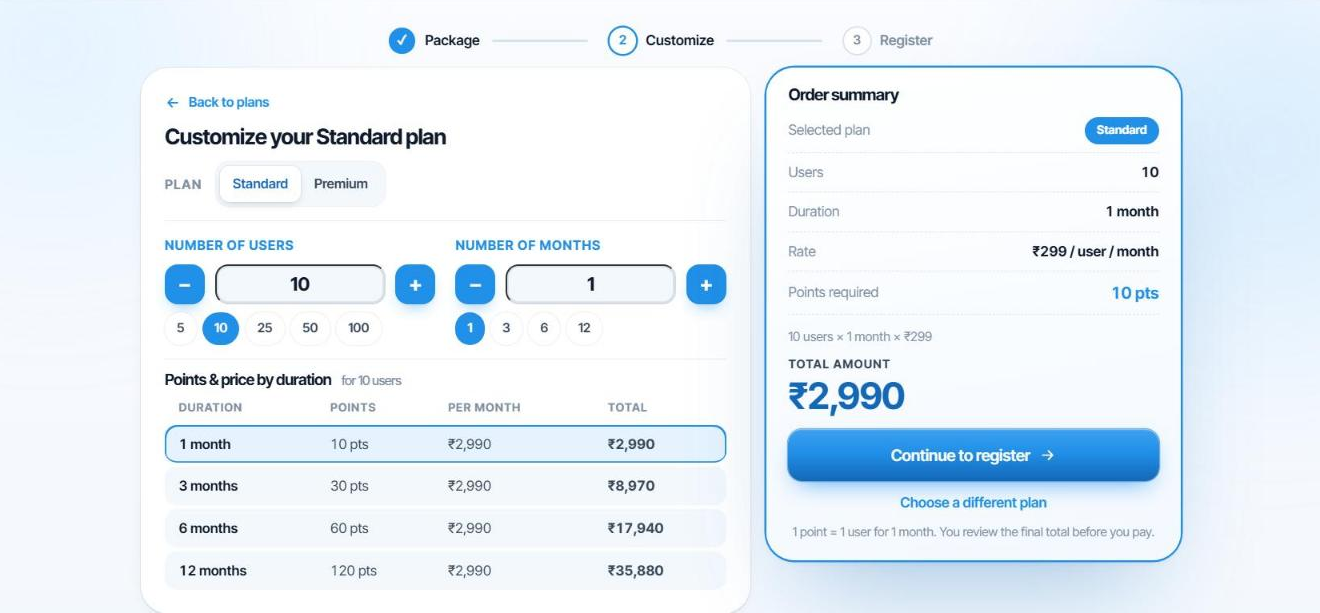
Click Continue to register when the numbers are right. 1 point = 1 user for 1 month. The Basic plan skips this step.
3. Register
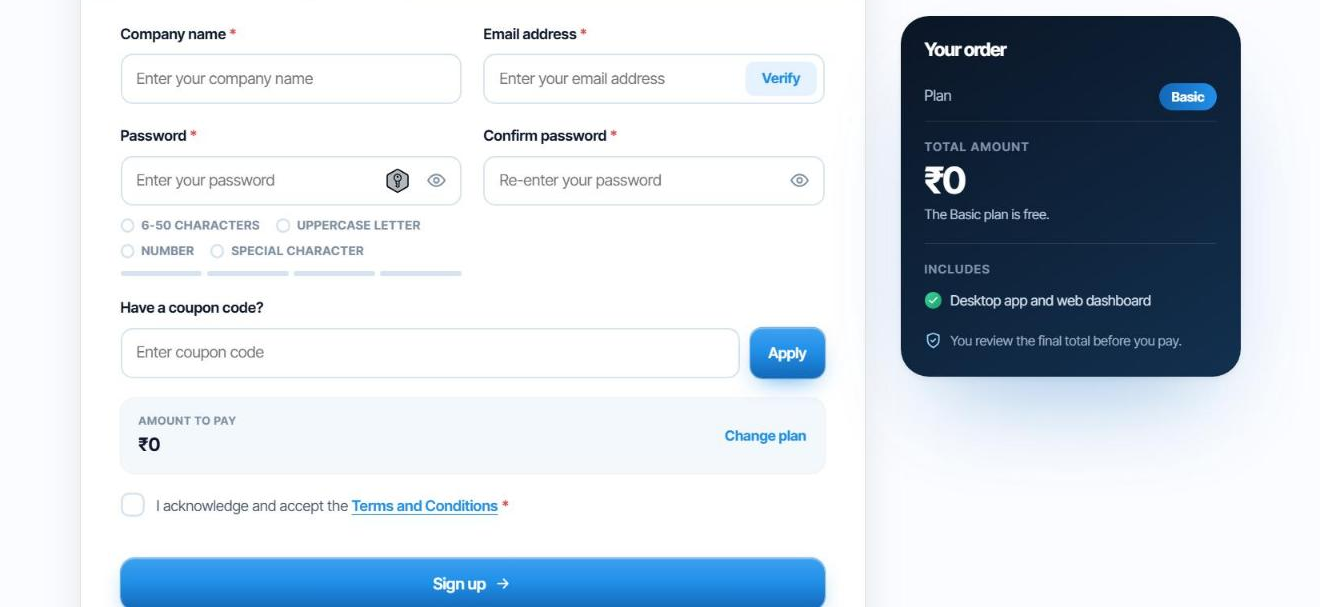
- Company name
The name of your organisation.
- Email address
Enter your work email and click Verify. We send a one-time code to that address. Enter it to prove the email is yours.
- Password
6 to 50 characters, with an uppercase letter, a number and a special character. The checklist and strength bar under the box tick off each rule. Enter it again in Confirm password.
- Coupon code (optional)
If you have one, enter it and click Apply to redeem free points.
- Check the amount
Amount to pay shows your total. Use Change plan if you want to go back.
- Accept the terms and click Sign up
Tick the Terms and Conditions checkbox, then click Sign up.
Log in
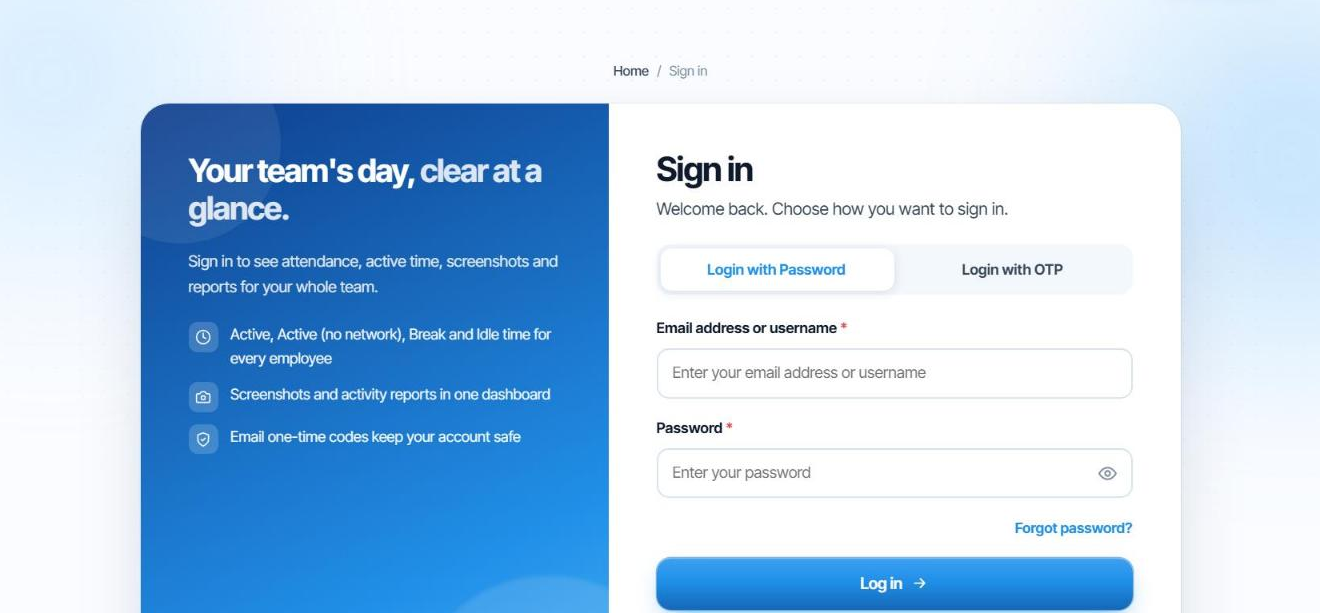
Use Log in at the top right of the website. You can sign in two ways: Login with Password (email address or username, and password) or Login with OTP, where we email you a one-time code.
Forgot your password?
Click Forgot password? on the sign-in page and follow the instructions sent to your registered email address. Choose a password that meets the same rules as above.
Staff do not register. You add each employee yourself, see Add and manage staff.